WARNING:
Deleted files cannot be recovered. Please ensure you backup important files
before deleting them.
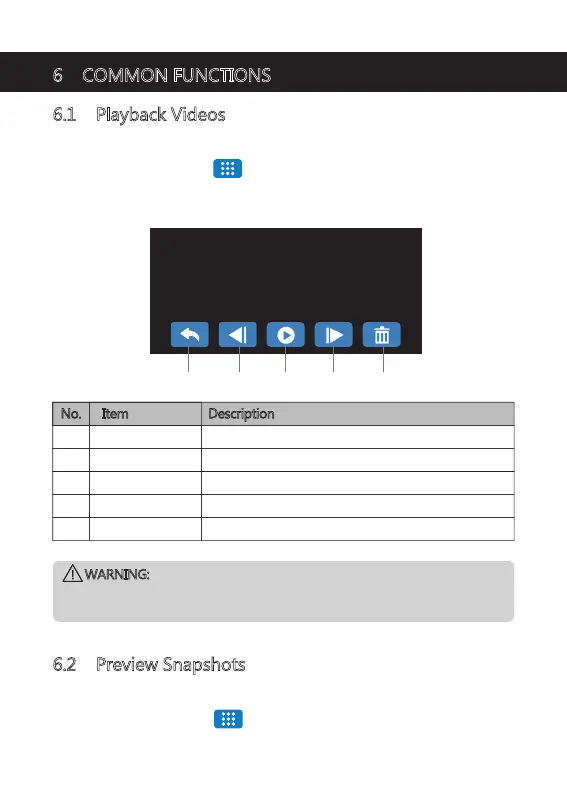
00:00/00:11 20240220112214_000503R 1170/1172
6 COMMON FUNCTIONS
6.1 Playback Videos
1. Tap anywhere on the Screen to bring up the Shortcuts.
2. Tap on the Main Menu ' ' icon and select Playback from the menu.
3. Select either 'Normal Video' or 'Emergency File' to preview relevant video files.
4. Tap on a video clip to start previewing it.
6.2 Preview Snapshots
1. Tap anywhere on the Screen to bring up the Shortcuts.
2. Tap on the Main Menu ' ' icon and select Photo Capture from the menu.
3. Tap on a snapshot to preview it.
No. Item Description
O Back Return to browse other videos.
R Next
P Previous Playback previous video.
Q Play/Pause Play or pause the current video.
Playback next video.
S Delete Delete current file.
O P Q R S
-21-


 To Next Page