Need help?
Do you have a question about the Z-Wave CT100 and is the answer not in the manual?
Describes full compatibility with residential HVAC systems, heating, cooling, and hybrid types.
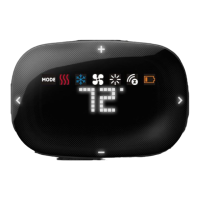
Displays current time, temperature, and mode; serves as the main interface.
Allows adjustment of the current time of day and day of the week.
Configure filter alerts, 2nd stage differential, HVAC swing rate, and temperature units (°F/°C).
Control audible chirp sound and manage device lock modes for security.
Configure unit for HVAC system type and calibrate displayed temperature to match environment.
Allows temporary adjustment of the target temperature, overriding the current schedule.
Holds the target temperature indefinitely until manually changed or canceled.
Manages holiday programs and emergency heat for heat pump systems.
Configure the current day of the week and the time of day.
Select temperature display units (°F/°C) and manage audible chirp settings.
Adjust current time and select the present day of the week.
Set the temperature variance for heating/cooling cycle activation.
Program reminders for changing the HVAC system's air filter.
Manage device lock modes and calibrate the thermostat's temperature display.
Defines the temperature difference for engaging the 2nd stage heating or cooling.
Adjust target temperature temporarily, which reverts to schedule after the current period.
Set a permanent temperature hold or activate a repeating holiday schedule.
Utilize auxiliary heat as the primary source when the heat pump is disabled.
Automatically adjusts target temperature to conserve energy during short absences.
Operate the thermostat through HEAT, COOL, OFF modes and manage fan settings.
Access a simplified display with limited functions for basic operation.
Understand the reset button function and the compressor protection delay.
Procedure for connecting the thermostat to a Z-Wave network.
Procedure for disconnecting the thermostat from a Z-Wave network.
Details equipment compliance with FCC rules for digital devices and interference.
Details equipment compliance with Canadian interference regulations.
 General
| Brand | Z-Wave |
|---|---|
| Model | CT100 |
| Category | Thermostat |
| Language | English |


 To Next Page