English •
14 Find more information at www.zacorobot.eu
Product operation
Robot operation
1
Auto button
• Press this button to switch from sleep mode to standby mode.
• In standby mode, press this button to start cleaning.
• When cleaning, press this button to stop the cleaning process.
Cleaning modes
To ensure the best cleaning experience, the robot comes with dierent cleaning modes.
The dierent modes can be activated by using the remote control or the ZACOHome app.
Note: To start any of the modes described below, please make sure that the robot
is turned on and that the Auto button indicator is ashing.
• The robot will automatically carry out the cleaning path during the work
process. If it is moved manually or operated via remote control, the robot will
re-plan the cleaning path, and the already cleaned area may be cleaned again.
To ensure eciency, please do not interrupt the cleaning process by pressing
other buttons.
• During the cleaning process, the robot will pause for a short time to calculate
the uncleaned areas and plan a new path. Please wait patiently. The times and
duration of the pauses depend on the complexity of the home environment.
1
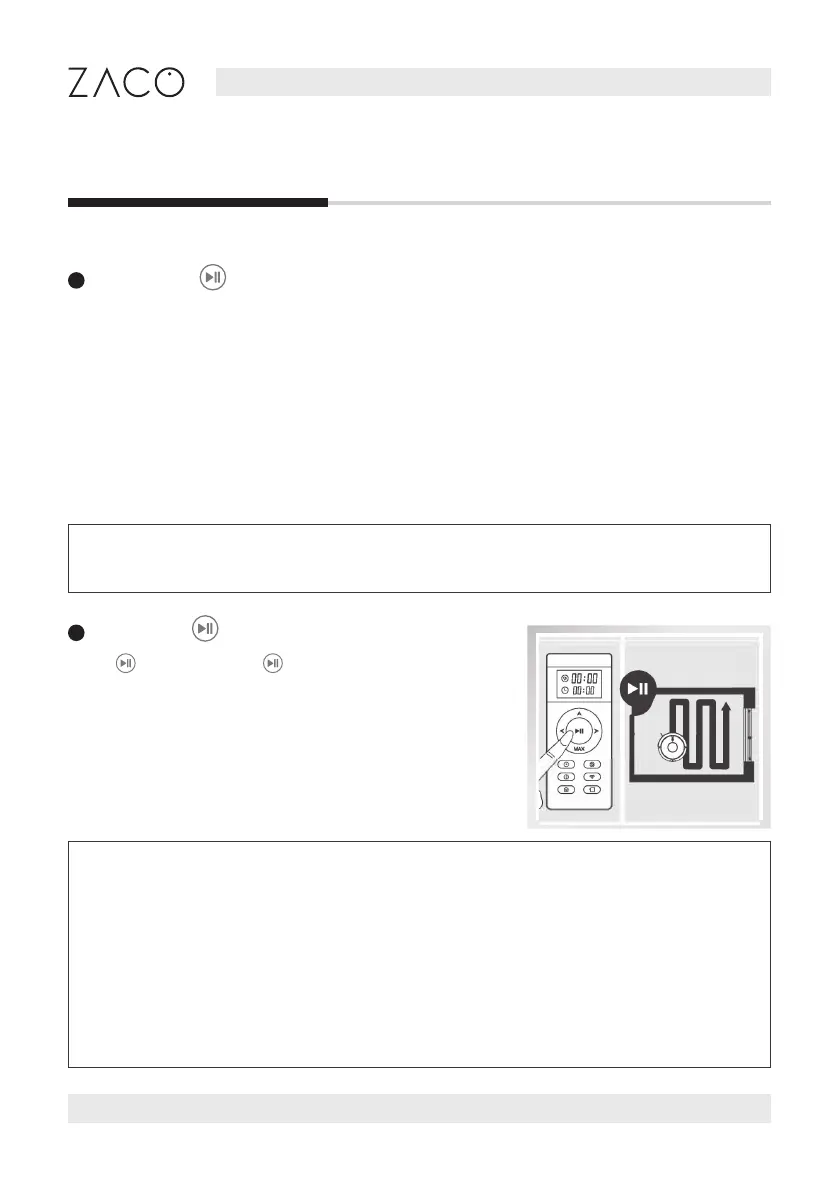
Auto mode
Press on the robot or on the remote control to
start the Auto mode. In this mode, the robot will clean
the room in an ecient “zig-zag” path as shown in the
picture. It will automatically calculate and clean the
missed areas.



 To Next Page