Product operation
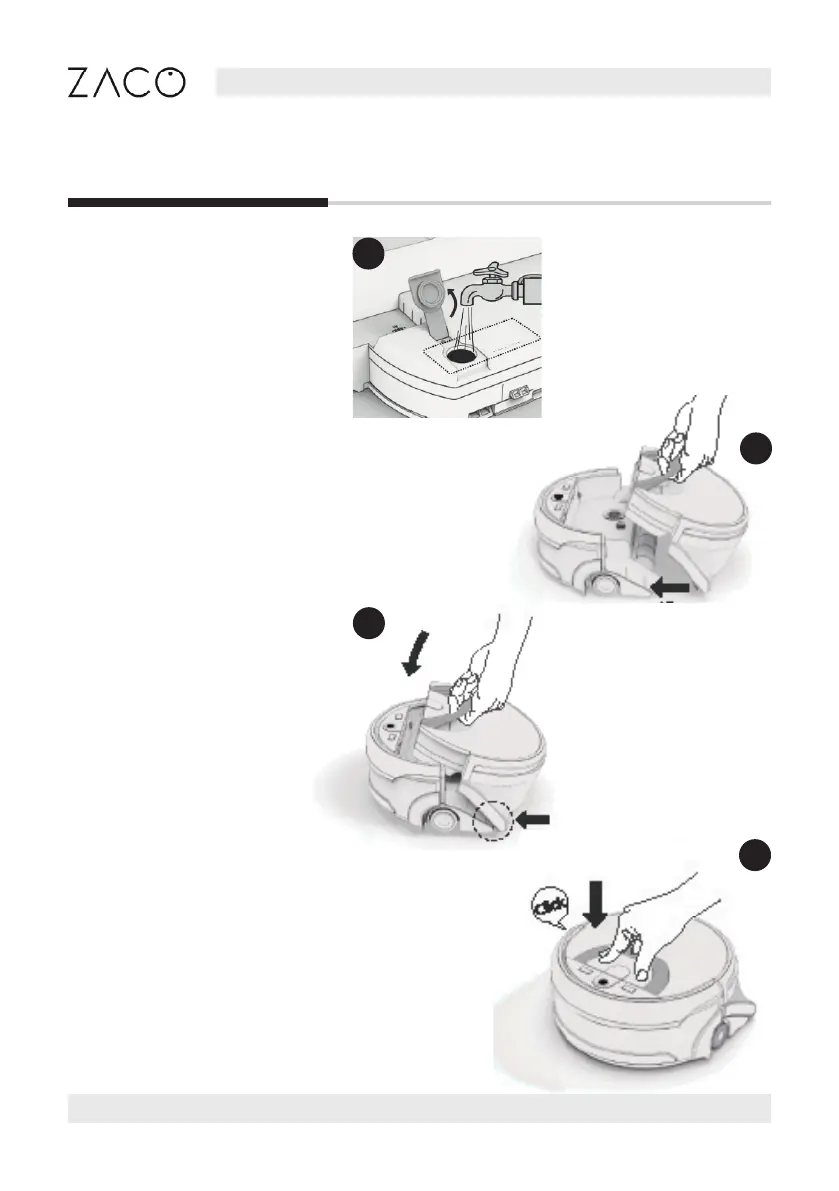
Water tank operation
Step
Align the bottom of the
integrated water tank with the
main body and push forward.
Step
Fill the water tank up to at
least MIN (minumum) level.
(See page 20)
Step
Press down, and a „click“ will
be heard if installed properly.
Step
Align the insert spots and
move the water tank to
insert it into the main body.
English
12 Find more information at www.zacorobot.eu



 To Next Page