Product maintenence
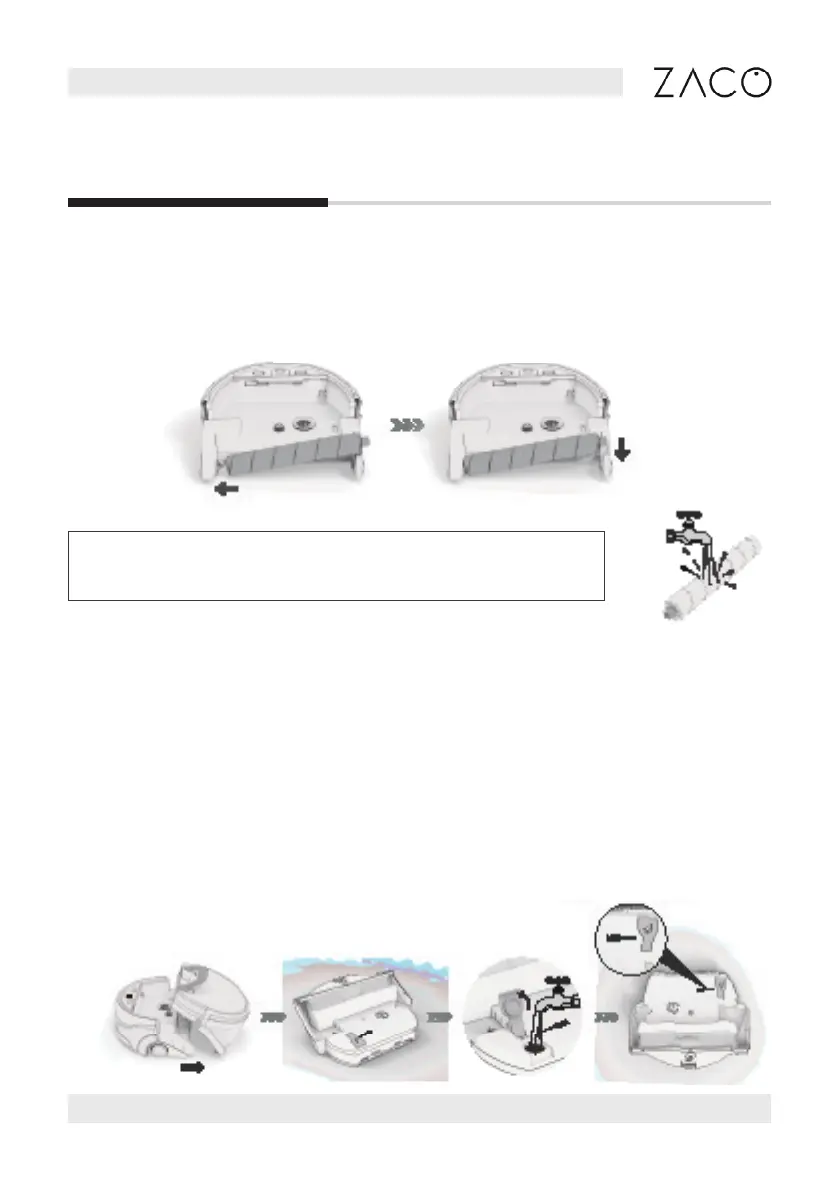
Note: It‘s recommended to properly moisten the rollbefore
installation for a better cleaning performance.
1. Place the microbre roll (left side) onto the gear spot on the main body.
2. Let the roll pin (right side) slide into the appropriate opening
Insertion of the microfibre roll
Filling the water tank
1. Press down the water tank release button, pull the handle up to detach the tank.
2. Turn the integrated water tank upside down.
3. Open the clean water tank cap and ll up the tank with clean water.
4. After lling up the water, ip the tank vertically to check the water volume,
whether the minimum water level is reached*
5. Do not use distilled/puried water or any third party detergents**.
Minimum water level
English
Find more information at www.zacorobot.eu 19
**



 To Next Page