EasyManua.ls Logo

zebris JMAOptic - User Manual

zebris JMAOptic
47 pages
Print Icon
To Next Page IconTo Next Page
Loading...
User Manual and technical data
JMA
Optic
Question and Answer IconNeed help?

Do you have a question about the zebris JMAOptic and is the answer not in the manual?

Summary

User Information

Configuration of the User Manual

Details on the structure and content of the user manual.

Target Group

Identifies the intended audience for this manual.

Symbols Used on Products, Packaging, and User Manual

Area of Use and Safety

Intended Use

Describes the specific applications and purpose of the JMA-Optic system.

Safety Information

Covers environmental conditions, storage, user obligations, and general safety precautions.

Specific Safety Warnings

Important safety advice for patients with electronic implants and prohibited use.

Product Description

System Components

Lists and describes the main parts that constitute the JMA-Optic system.

Functional Principle of the JMA-Optic System

Explains how the JMA-Optic system operates and captures data.

Elements of the JMA-Optic System

Details specific numbered components and labeled status LEDs of the system.

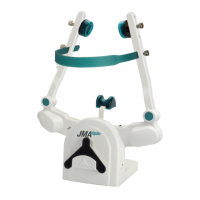
JMA-Optic Face Bow

Technical Data

Provides specifications such as dimensions, weight, power supply, and accuracy.

Type Plate

Shows the label information including manufacturer, model, and serial number.

State LEDs

Explains the meaning of different LED signals on the face bow.

UK-Sensor OJM-UK1 (Lower Jaw Sensor)

Technical Data

Lists specifications for the lower jaw sensor, including dimensions, weight, and battery life.

State LED

Describes the meaning of the LED indicator on the lower jaw sensor.

Changing the Battery

Provides step-by-step instructions for replacing the battery in the sensor.

Type Plate

Displays the label information for the UK-Sensor OJM-UK1.

Inductive Charger JMA-Optic

Technical Data

Details the dimensions, weight, power source, and charging current of the inductive charger.

State LED

Explains the meaning of the LED status indicator on the inductive charger.

IR-FS; IR Foot Switch

Technical Data

Provides dimensions, weight, and battery type for the IR Foot Switch.

Status-LED

Explains the meaning of the status LED colors on the foot switch.

Changing the Battery

Instructions for replacing the battery in the IR Foot Switch.

Accessories and Spare Parts

Hardware

Lists available hardware accessories and spare parts with their reference numbers.

Software

Lists available software modules and user manuals with their reference numbers.

Putting the System into Operation

Power Supply and Charging the Batteries

Describes methods for powering and charging the JMA-Optic system.

UK-Sensor OJM-UK1 (Lower Jaw Sensor) Initial Setup

Details initial setup steps for the lower jaw sensor.

IT Security and Software Installation

Covers requirements and considerations for IT security and software setup.

Decommission the System

System Decommissioning Procedures

Step-by-step guide for taking the system out of service.

Functional Checks, Preparation, and Disposal

Regular Checks and Safety Checks

Outlines routine maintenance and safety inspections for the system.

Checking the Measurement Function

Explains how to verify the accuracy and proper operation of the measurement function.

Troubleshooting

Provides guidance on diagnosing and resolving common problems with the system.

Checklist for Recording Error Messages

Lists information required by the service team to help with operational faults.

Disposal Guidelines

Covers disposal of packaging, electronic waste, and batteries.

Preparation and Maintenance

Manual Pretreatment

Instructions for manual cleaning and preparation of system components before use.

Manual Cleaning and Disinfection

Steps for manual cleaning and disinfection of electronic and semi-critical components.

Mechanical Cleaning and Disinfection

Guidelines for using washer-disinfectors for cleaning and disinfection.

Inspection After Cleaning;Disinfection

Procedures for inspecting components after cleaning/disinfection for damage.

Packaging, Sterilization, and Reusability

Covers packaging for sterilization, methods, and component reusability.

Summary Table of Component Handling

A table summarizing pretreatment, cleaning, sterilization, and classification for components.

Safety Standards and System Classification

Product Classification and Electrical Safety

Details product classification, safety of medical electrical devices, and connection guidelines.

Patient Environment and Socket Safety

Specifies patient environment clearance and safety regarding multiple sockets.

Electromagnetic Compatibility Guideline

Information on EMC compliance and guidelines for electromagnetic emissions and immunity.

Summary

User Information

Configuration of the User Manual

Details on the structure and content of the user manual.

Target Group

Identifies the intended audience for this manual.

Symbols Used on Products, Packaging, and User Manual

Area of Use and Safety

Intended Use

Describes the specific applications and purpose of the JMA-Optic system.

Safety Information

Covers environmental conditions, storage, user obligations, and general safety precautions.

Specific Safety Warnings

Important safety advice for patients with electronic implants and prohibited use.

Product Description

System Components

Lists and describes the main parts that constitute the JMA-Optic system.

Functional Principle of the JMA-Optic System

Explains how the JMA-Optic system operates and captures data.

Elements of the JMA-Optic System

Details specific numbered components and labeled status LEDs of the system.

JMA-Optic Face Bow

Technical Data

Provides specifications such as dimensions, weight, power supply, and accuracy.

Type Plate

Shows the label information including manufacturer, model, and serial number.

State LEDs

Explains the meaning of different LED signals on the face bow.

UK-Sensor OJM-UK1 (Lower Jaw Sensor)

Technical Data

Lists specifications for the lower jaw sensor, including dimensions, weight, and battery life.

State LED

Describes the meaning of the LED indicator on the lower jaw sensor.

Changing the Battery

Provides step-by-step instructions for replacing the battery in the sensor.

Type Plate

Displays the label information for the UK-Sensor OJM-UK1.

Inductive Charger JMA-Optic

Technical Data

Details the dimensions, weight, power source, and charging current of the inductive charger.

State LED

Explains the meaning of the LED status indicator on the inductive charger.

IR-FS; IR Foot Switch

Technical Data

Provides dimensions, weight, and battery type for the IR Foot Switch.

Status-LED

Explains the meaning of the status LED colors on the foot switch.

Changing the Battery

Instructions for replacing the battery in the IR Foot Switch.

Accessories and Spare Parts

Hardware

Lists available hardware accessories and spare parts with their reference numbers.

Software

Lists available software modules and user manuals with their reference numbers.

Putting the System into Operation

Power Supply and Charging the Batteries

Describes methods for powering and charging the JMA-Optic system.

UK-Sensor OJM-UK1 (Lower Jaw Sensor) Initial Setup

Details initial setup steps for the lower jaw sensor.

IT Security and Software Installation

Covers requirements and considerations for IT security and software setup.

Decommission the System

System Decommissioning Procedures

Step-by-step guide for taking the system out of service.

Functional Checks, Preparation, and Disposal

Regular Checks and Safety Checks

Outlines routine maintenance and safety inspections for the system.

Checking the Measurement Function

Explains how to verify the accuracy and proper operation of the measurement function.

Troubleshooting

Provides guidance on diagnosing and resolving common problems with the system.

Checklist for Recording Error Messages

Lists information required by the service team to help with operational faults.

Disposal Guidelines

Covers disposal of packaging, electronic waste, and batteries.

Preparation and Maintenance

Manual Pretreatment

Instructions for manual cleaning and preparation of system components before use.

Manual Cleaning and Disinfection

Steps for manual cleaning and disinfection of electronic and semi-critical components.

Mechanical Cleaning and Disinfection

Guidelines for using washer-disinfectors for cleaning and disinfection.

Inspection After Cleaning;Disinfection

Procedures for inspecting components after cleaning/disinfection for damage.

Packaging, Sterilization, and Reusability

Covers packaging for sterilization, methods, and component reusability.

Summary Table of Component Handling

A table summarizing pretreatment, cleaning, sterilization, and classification for components.

Safety Standards and System Classification

Product Classification and Electrical Safety

Details product classification, safety of medical electrical devices, and connection guidelines.

Patient Environment and Socket Safety

Specifies patient environment clearance and safety regarding multiple sockets.

Electromagnetic Compatibility Guideline

Information on EMC compliance and guidelines for electromagnetic emissions and immunity.

zebris JMAOptic Specifications

General IconGeneral
Brandzebris
ModelJMAOptic
CategoryMedical Equipment
LanguageEnglish

Related product manuals