Cancer Institute Microscopy Core Facility
V1.0
4) IMAGE PROCESSING AND ANNOTATION
VIEWING YOUR IMAGE OR Z-STACK
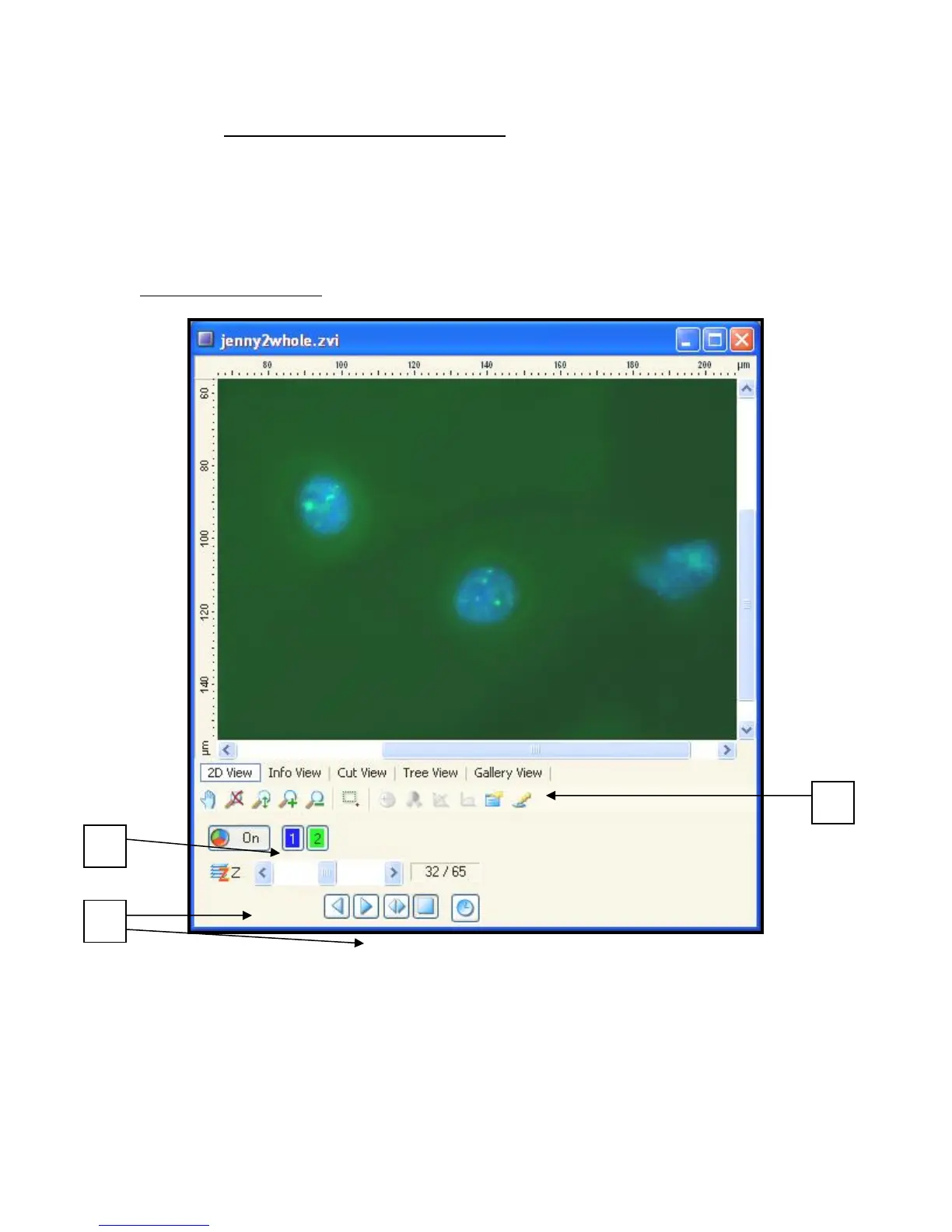
You should now have a Z-Stack of you sample in every channel desired - Fig 10. In this
format the data is still raw and is best saved to be processed separately afterwards.
Fig 10 – Z-stack Window
a) You can turn each channel collected on and off using the channel buttons.
b) Scroll through the images top to bottom using the Z scroll bar or use the play button
to animate the scrolling.


 To Next Page