Cancer Institute Microscopy Core Facility
V1.0
c) Choose a view with each channel tiled separately using gallery view.
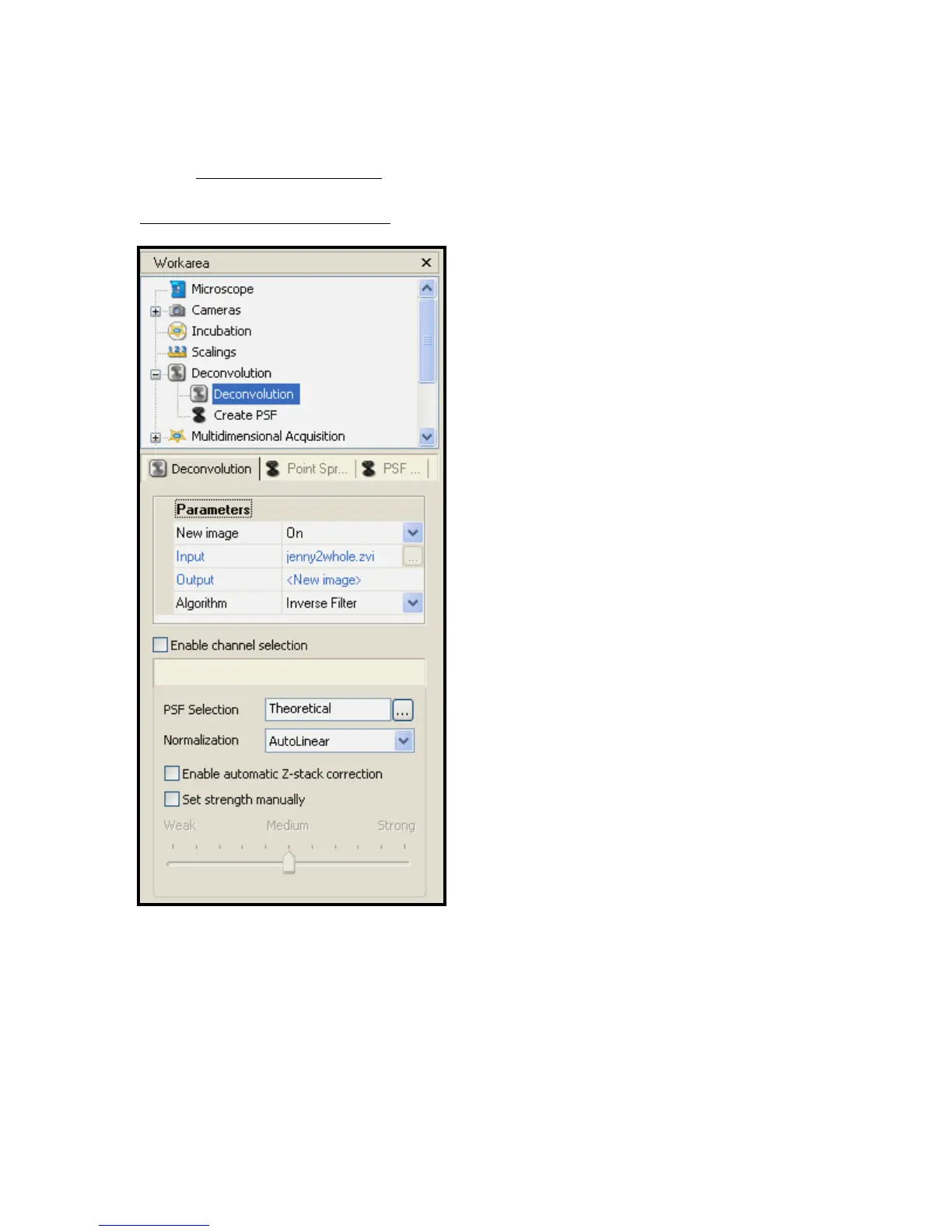
DECONVOLUTION OF Z-STACK
Fig 11 – Deconvolution Workarea
Axiovision software comes with a
deconvolution image processing option.
The function of deconvolution is to ‘clean up’
images to remove positional and chromatic
aberrations. There are a choice of 3
algorithms which each function in their own
way. Simply click on the image you want to
process and then click on start when
deconvolution is selected. This process can
take a long time as it is very processing
dependant. More slices will take a lot longer
to deconvolve, as will more channels.


 To Next Page