Cancer Institute Microscopy Core Facility
V1.0
ORTHOVIEW
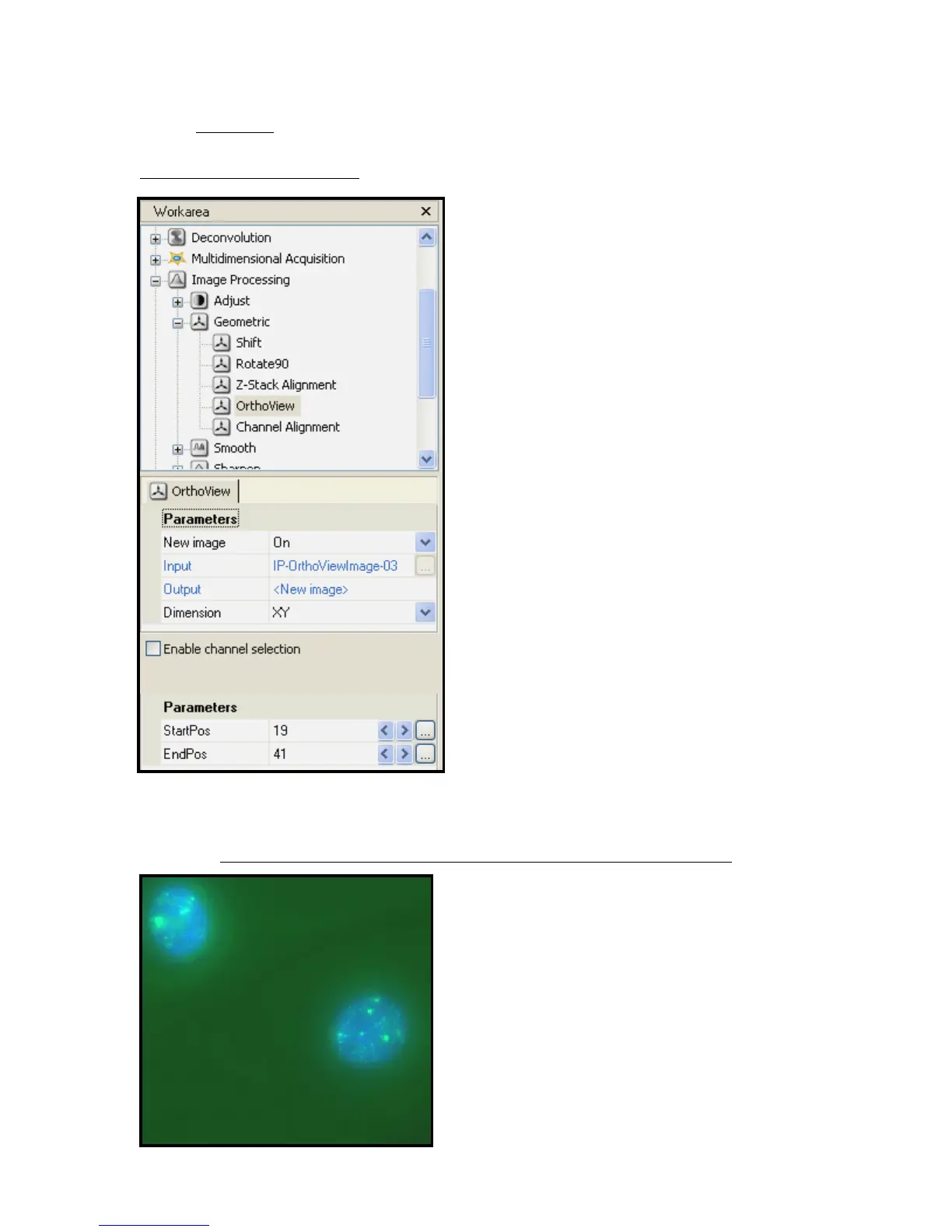
Fig 12 – Orthoview Workarea
The Orthoview option will take a Z-Stack and
average and overlay images so that all the
information from the Z-Stack can be viewed
at once in a 2D image.
a) select image to process
b) select initial and final frame of view
desired and enter into parameters
section of workarea
(StartPos and EndPos – Fig 12)
c) Select dimension of view
(default of ZY)
d) Click Start to create new image.
Fig 13 – Example of Orthoview projection from Z-Stack shown above
If you compare this image to Fig 10 you can
see that more background green tone is
present. This image was orthoview-
processed but not deconvolved. The
combination of both can produce much
clearer images.


 To Next Page