14
open the adapter, open the bottle valve and up side down it.press
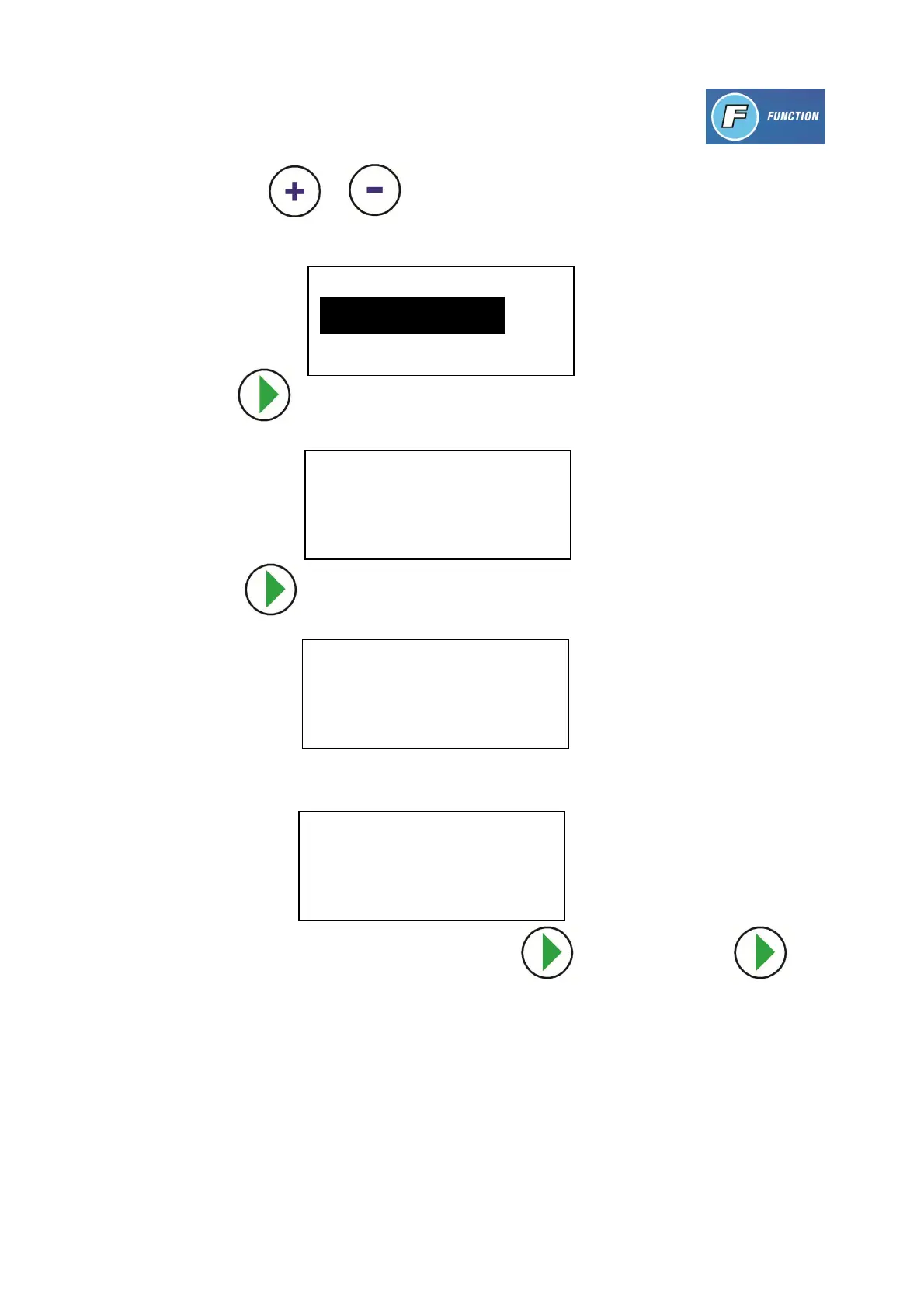
key, use the or key to select the item you want (highlight field is
activated), select “INTERNAL TANK REFILL”
2. Press to confirm. Follow the instructions on the display.
3. Press to confirm. The quantity of refrigerant in the inner tank is shown.
4. The filling will stop automatically when the quantity of refrigerant is 9 KG
5. Close the refrigerant bottle valve, press to confirm. Press key
to start recovery operation!
Note: you should recover the refrigerant. If you do not recycle the refrigerant
inside the hose, it will cause refrigerant leakage when you release connections,
as this can cause frosty.
6. Disconnect the LP adapter from the external refrigerant bottle. The device now
is ready for operation.
FUNCTION
1. INNER TANK REFILL
INNER TANK REFILL
CONNECT THE LP HOSE TO
THE SOURCE TANK,OPEN THE
VALVE UP_SIDE DOWN IT .
REFILL
RUNNING **:**
RECOVERED *****G
INNER TANK REFILL
FINISHED!
PRESS OK TO CONFIRM


 To Next Page