72
NAVIGATION MODE
■ Please read the separate navigation software manual to learn more about the operation
of the navigation system.
■ In navigation mode, it's possible to play back an audio source. In this case, the audio
output of the current playing mode will be lowered during a voice response.
■ It's possible to adjust the volume of the navigation voice with the PWR/VOL rotary knob
during a voice response. The adjusted volume will be saved.
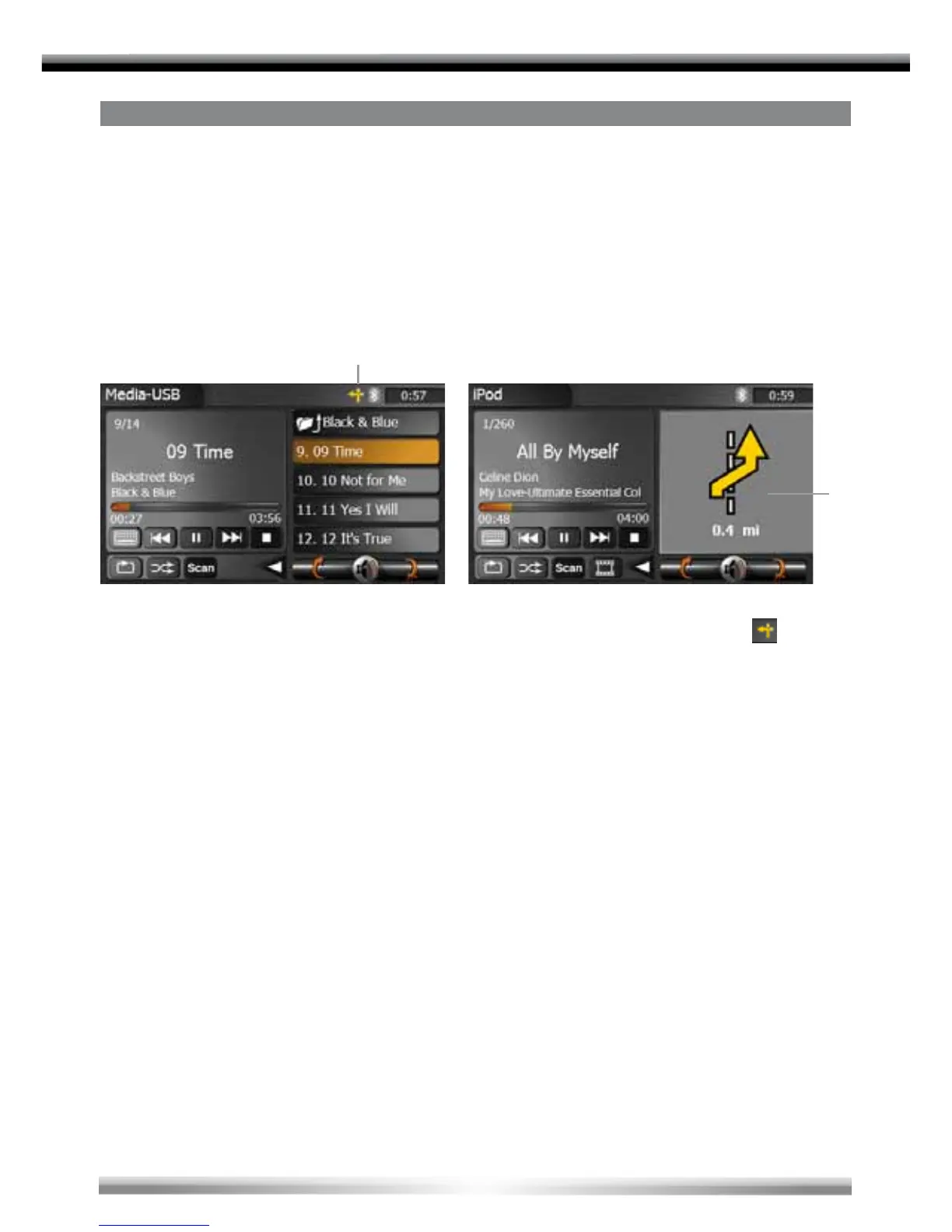
■ The unit has a splitscreen mode, which is available in the following playing modes: Tuner,
USB (audio), iPod (audio) and SD card (audio).
1. Once you have started a route guidance in the navigation mode you can change to an
audio source that is supported by the splitscreen mode, by touching the [
]-icon to
activate it.
2. Touch the eld with the arrow display of the splitscreen to exit this mode.
2
1


 To Next Page