EXTERNAL PLAYING SOURCES
DVB-T MODE
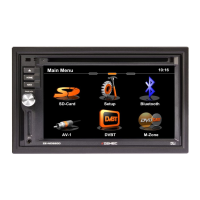
1. If you have connected a DVB-T tuner to the unit and want to use it, touch the DVB-T tuner
icon in the main menu.
2. Please read the manual of the DVB-T tuner.
NOTE:
■ If you are using a compatible ZENEC DVB-T tuner, it's possible to operate it with the
touch-screen of the unit. Please visit www.zenec.com to nd compatible DVB-T tuner
model(s).
AV MODE
1. If you have connected an external device to the unit and want to use it, touch the
AV-IN icon in the main menu.
2. Please note that it's necessary to choose between the use of the front or rear AV-IN in
the setup (General).
3. Please read the manual of the external device.
CAMERA MODE
1. If you have connected a rear view camera to the unit and want to use it, touch the
CAMERA icon in the main menu.
2. Please read the manual of the rear view camera.


 To Next Page