26
NAVIGATION MODE
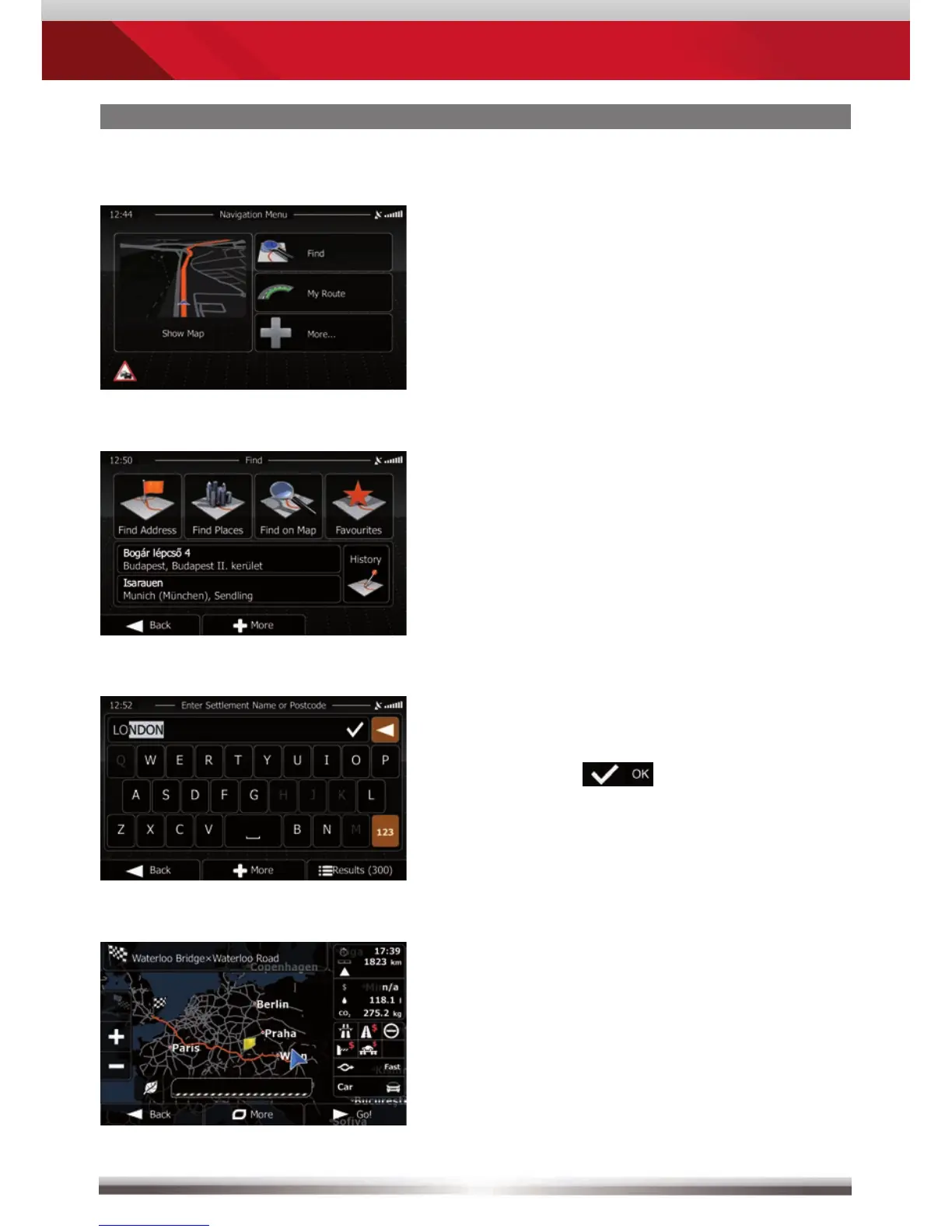
Tap on "Find".
Choose your preferred destination
search method. Here, in our example,
choose "Find address".
Type in a city, street name,
house number and confirm
each step
by tapping
.
The program is now calculating the
desired route. Once route calculation
has completed just tap "GO!" to
start route guidance.
How to input a destination and start a route guidance:



 To Next Page