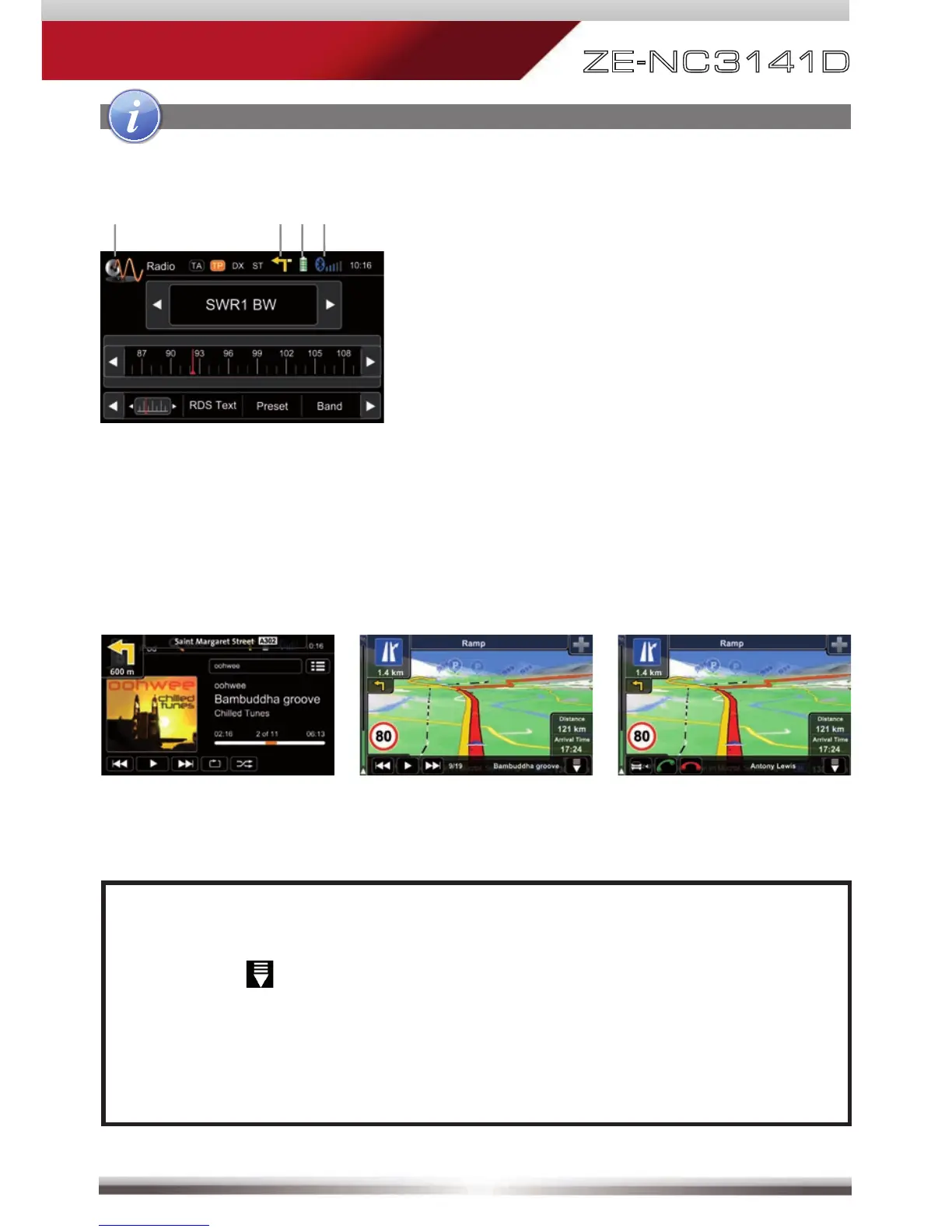
Display & control elements:
Indicates current source
- Tap to enter main menu
Indicates when NAV infobar is available
- Tap to display NAV infobar
- Tap again to hide it
Connected cellphone battery status.
Cellphone GSM reception fi eld strength
Basic elements (all playback sources)
Three infobar styles:
NAV infobar Playback infobar BT infobar
NOTE:
■ Press and hold the NAV button to fade in/out the infobars manually.
Touch the
icon to fade out the infobars manually.
■ NAV infobar is only available during active route guidance.
■ An incoming call or new playback information triggers the automatic
pop-up of the other infobar types at NAV screen. They will fade out after
fi ve seconds.



 To Next Page