5
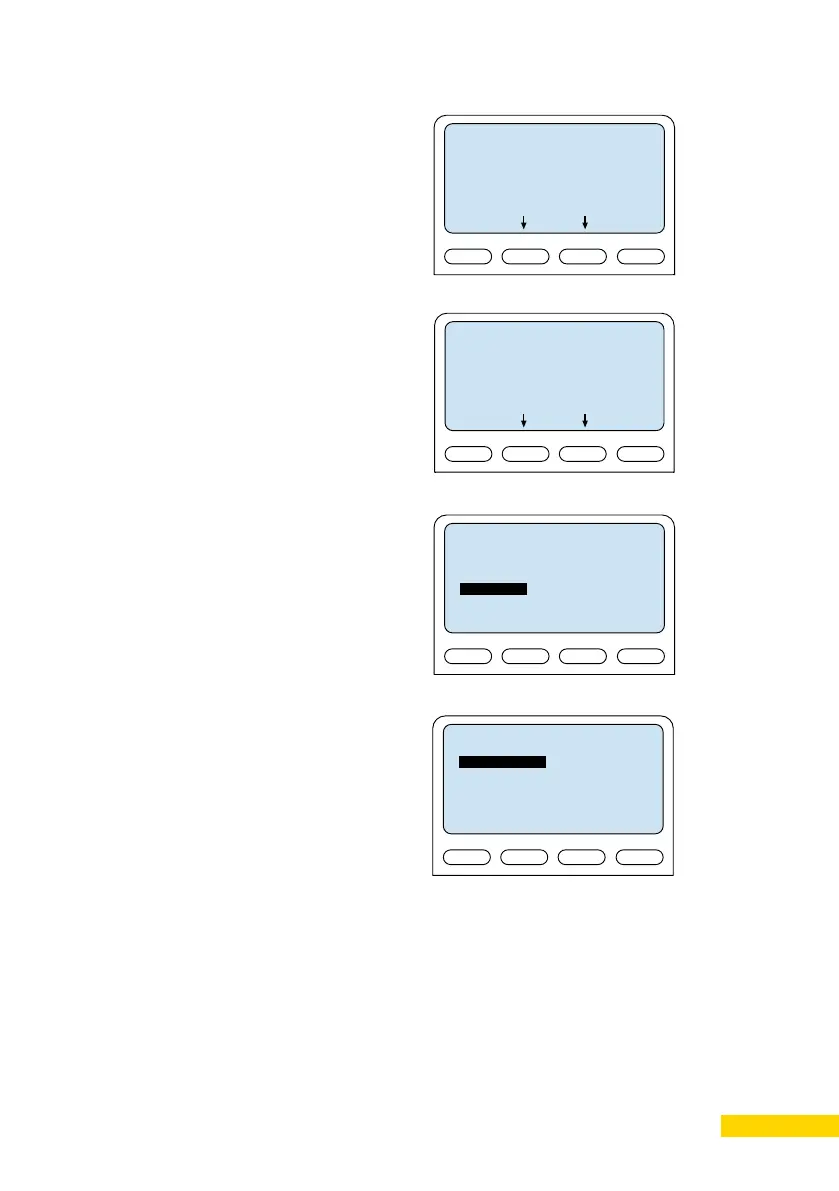
Station Mode
Select Station Mode followed by ICX-
AlphaCom
- Station Mode -
<*> ICX-AlphaCom
< > Edge
< > SIP
Back
Sel
ICX Settings
Set the IP address of ICX-AlphaCom
that the station shall connect to, and
the directory number of the station. Id
A directory number is not entered the
station will register with its MAC address.
- ICX Settings -
ICX IP: 169.254.1.5
Request Dir No: 2525
Back
Sel
Load Defaults
This will load the factory default settings.
Press Sel key to load the default settings.
- Load Defaults -
Station will restart.
Press to set.
Back
Sel
Restart
This will restart the station. Press Sel to
restart the station. Restarting the station
will apply the new settings.
- Restart -
Press to restart.
Back
Sel




 To Next Page