p/n 4000087299 v.I
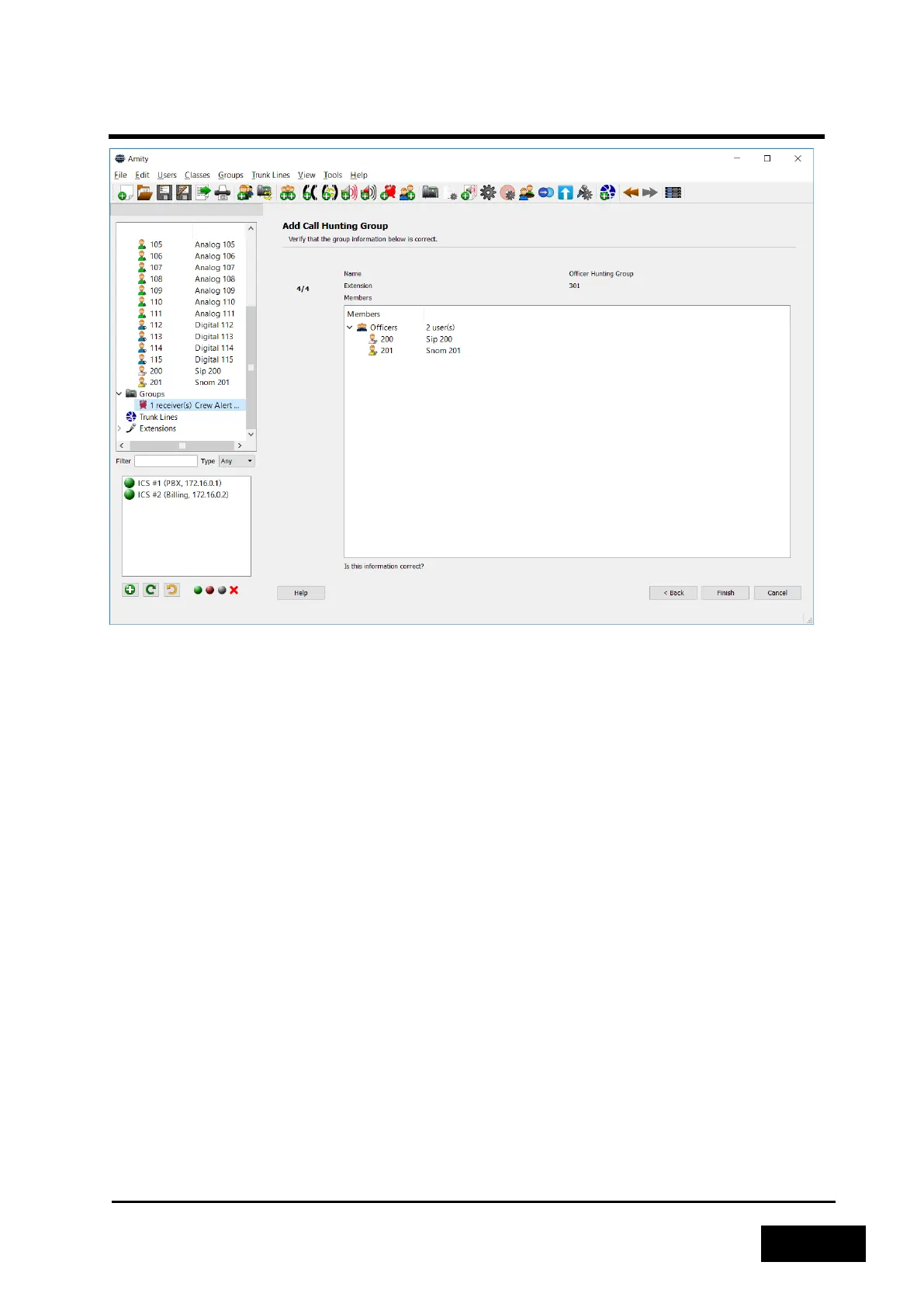
Figure 2-22 - Verifying a new Call Group
2.3.4.7 Adding a Trunk Line
A Trunk Line allows you to connect your Phontech 6200 system to another PBX or the public
telephone system. Different methods may be used to dial out over the trunk or receive calls from the
trunk.
The different types of trunks provided are:
- SIP client: A 6200 unit will register with a remote SIP server and route calls to and from this
server. Requires an unused SIP license.
- SIP server: A 6200 unit will act as a SIP server for a remote client, and route calls to and from this
client. Requires an unused SIP license.
- FXO: Allows you to connect the Phontech 6200 system to an FXS interface of a remote PBX or
what is commonly called PSTN. Requires one or more unused FXO ports.
- E&M Allows you to connect the Phontech 6200 system to an external system providing key and
audio signals. For example, a PAGA system. Requires an unused input/output pair on an E&M
module.
To add a Trunk Line, start the "Add Trunk Line Wizard". The first step is to enter a name and
optionally a description for the new Trunk Line. Once this has been completed, we will have to select
the type of trunk as described above.



 To Next Page