p/n 4000087299 v.I
2.7 PHONTECH 6200 AS PA/GA SPEAKER LOOP
The Phontech 6200 system can be configured as a speaker loop for an existing PA/GA system such as
MPA 1600. The alarm and PA messages will be administered from the PA/GA system and the phones
in the Phontech 6200 system will be used as a speaker loop where the alarm or message will be
played. This requires an E&M connection between the Phontech 6200 and the PA/GA system as well
as telephones in the Phontech 61xx, 62xx or 72xx ranges. The messages from the PA/GA system will
always take priority if configured as outlined in this chapter.
Note: Telephone stations in priority areas cannot be used as a speaker loop because they must
remain available for two way communication in the event of a PA or GA event.
The PAGA systems audio output should be connected to the Phontech 6200 E&M input and a closing
contact for PA and GA events on the PAGA side should be connected to the same E&M input port
(ref. ch 1.12) and (ref. ch 3.2.1.3.1).
2.7.1 CREATE EMPA GROUP FOR TELEPHONE STATIONS
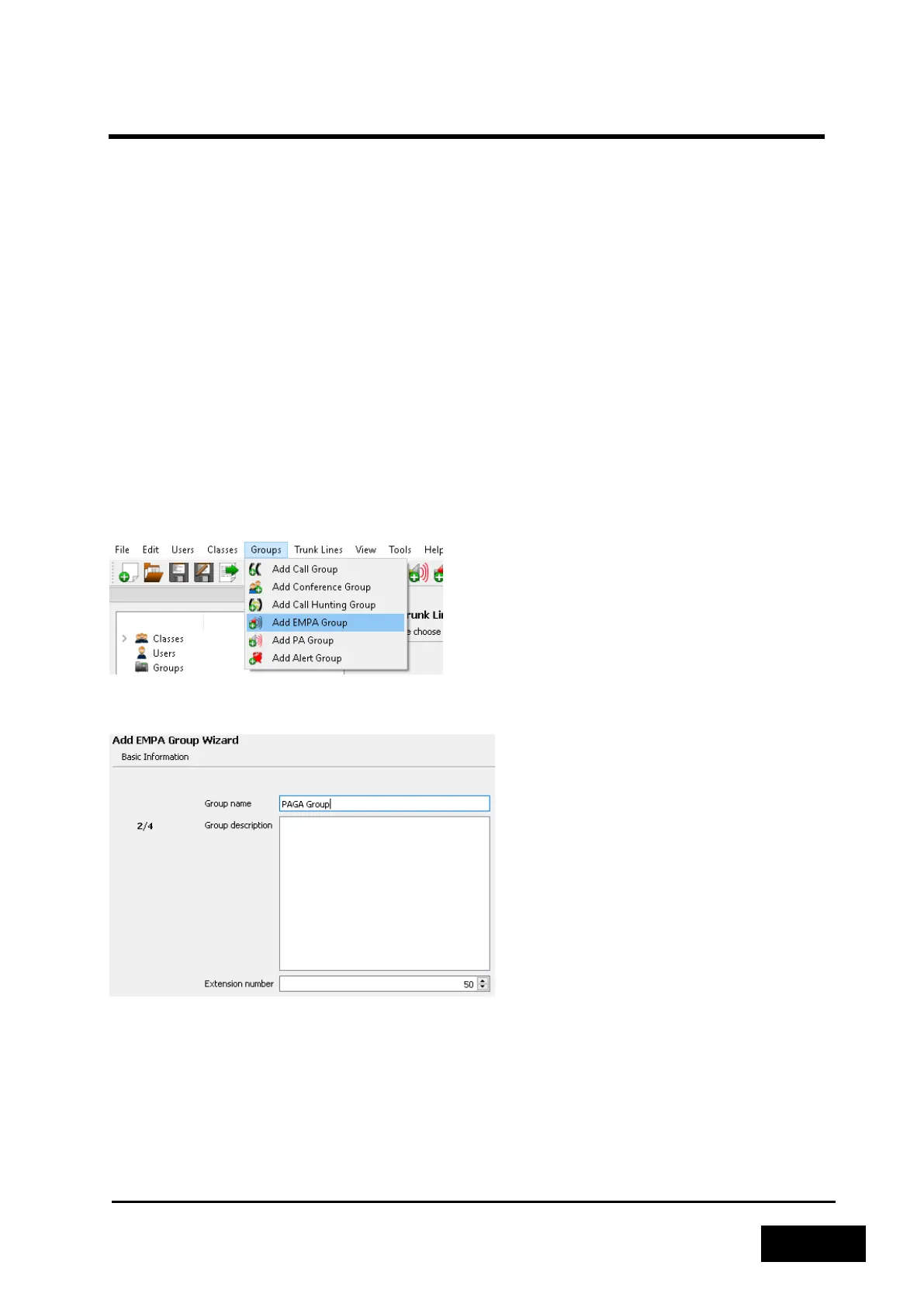
Create the EMPA group that will be used when distributing the PA/GA alarms and messages. This can
be done by clicking the ‘Groups’ menu and selecting ‘Add EMPA Group’.
Figure 2-115: Create EMPA group
Enter a name and select an unused extension number for it.
Figure 2-116: Enter group information



 To Next Page