p/n 4000087299 v.I
2.3.6 TROUBLESHOOTING
In the case that you run into some trouble, this section contains some pointers on how to get some
help and how to troubleshoot basic issues.
2.3.6.1 Starting from Scratch with a New Configuration
If the configuration you have created does not fit as well as anticipated, it may be easier to restart
from scratch. This may be done using the "New Configuration" function, which will present you with
a pristine starting point so you can try again. Remember to send the configuration if you want to
reset the configuration of the Phontech 6200 network too.
2.3.6.2 Unable to Send Configuration due to License Error
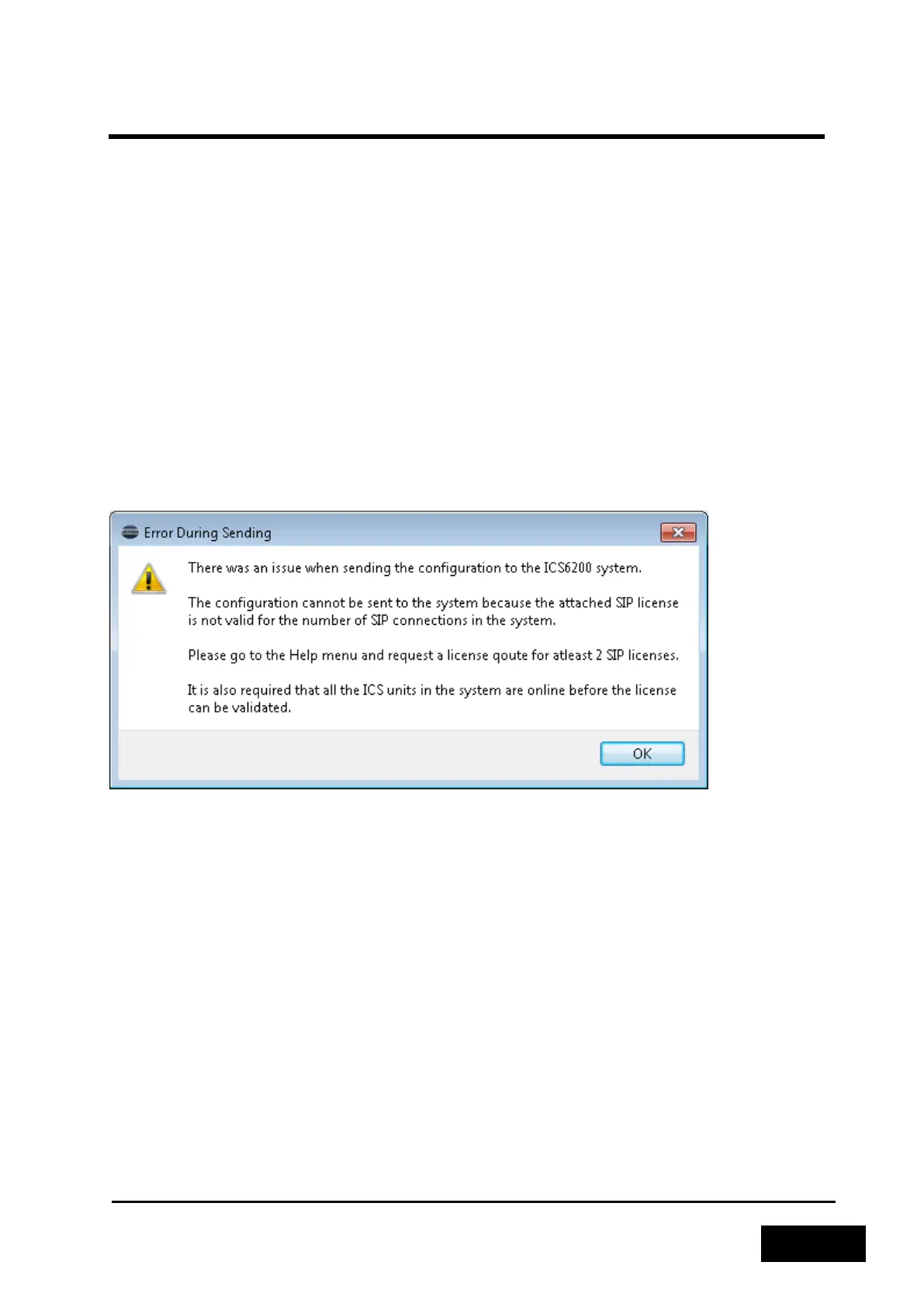
If you get the error message below when you try to send the configuration that means that the
installed license either does not validate or does not provide enough licenses for the amount of SIP
or Snom 300 phones configured in the system.
Figure 2-59 - License Error during Send Configuration
For the license to validate correctly, all of the Phontech 6200 units in the system must be powered
on and connected to the network. This can be verified by inspecting the list of Phontech 6200 units in
the lower left corner of the Configuration Application and see that all the status icons are green.
If the license is not valid for the given system or the number of SIP telephones in use, you can
request a new license from "Help -> Request License Quote" as explained in the "SIP Licenses"
chapter.
2.3.6.3 Revert to Known Good
If you created a known good fallback previously, it is possible to restore that state by using the front
panel display of the Phontech 6200 unit. Please consult the Phontech 6200 Firmware documentation
for instructions on how to perform this operation.



 To Next Page