p/n 4000087299 v.I
2.4 FRONT PANEL MANUAL
2.4.1 LED INDICATIONS
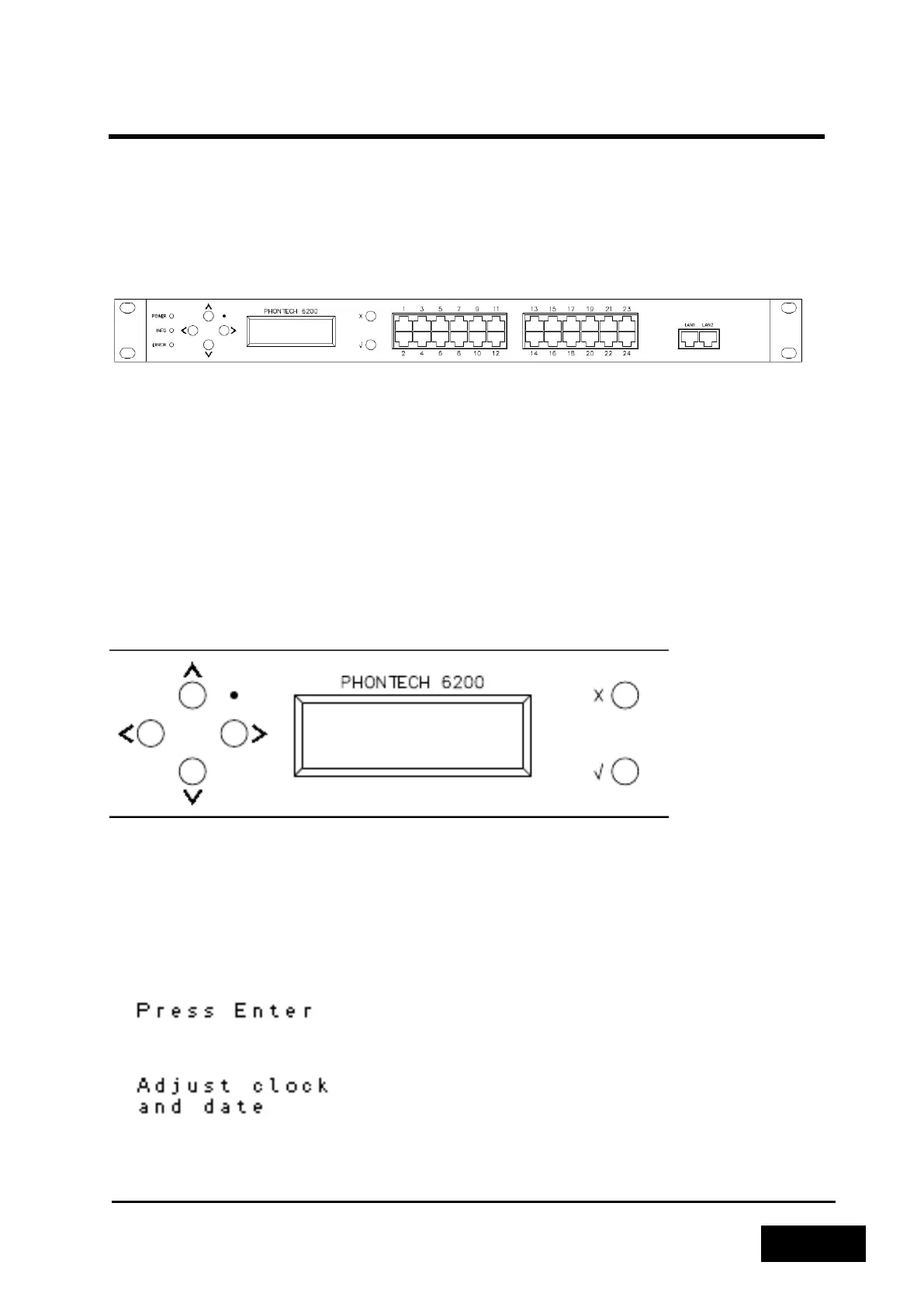
There are three LEDs found on the left side of the Phontech 6200 unit, providing different
information. From top to bottom, they are the power LED, the info LED and the error LED.
Figure 2-62 - Phontech 6200 Front View
The power LED will either be red or green, depending on the power supply status of the unit. If both
power supplies are active, the LED will be green. If one of the supplies is down, the LED will be red.
The info LED will show a heartbeat when the unit is running. The frequency of the heartbeat may give
you an indication of the relative load of the unit. The error LED will light up if an error has been
detected. More information regarding the type of error can be seen in the Information-menu.
2.4.2 FRONT PANEL DISPLAY
The front panel display provides navigation buttons on the left side, an LCD-screen for displaying
information and a cancel and enter button on the right hand side. The front panel also includes a
reset button which may be reached by using a safety pin or a similar instrument.
Figure 2-63 - Phontech 6200 Display and Buttons
2.4.3 FIRST RUN WIZARD
Unless the 6200 has been set up previously, it will run a first time setup wizard when powered on.
This wizard will allow you to set the time and date, as well as choose if the 6200 shall be a new one
or a replacement for another.
Figure 2-64 - First Step of the First Run Wizard
Figure 2-65 - Adjusting Clock and Date in the First Run Wizard



 To Next Page