p/n 4000087299 v.I
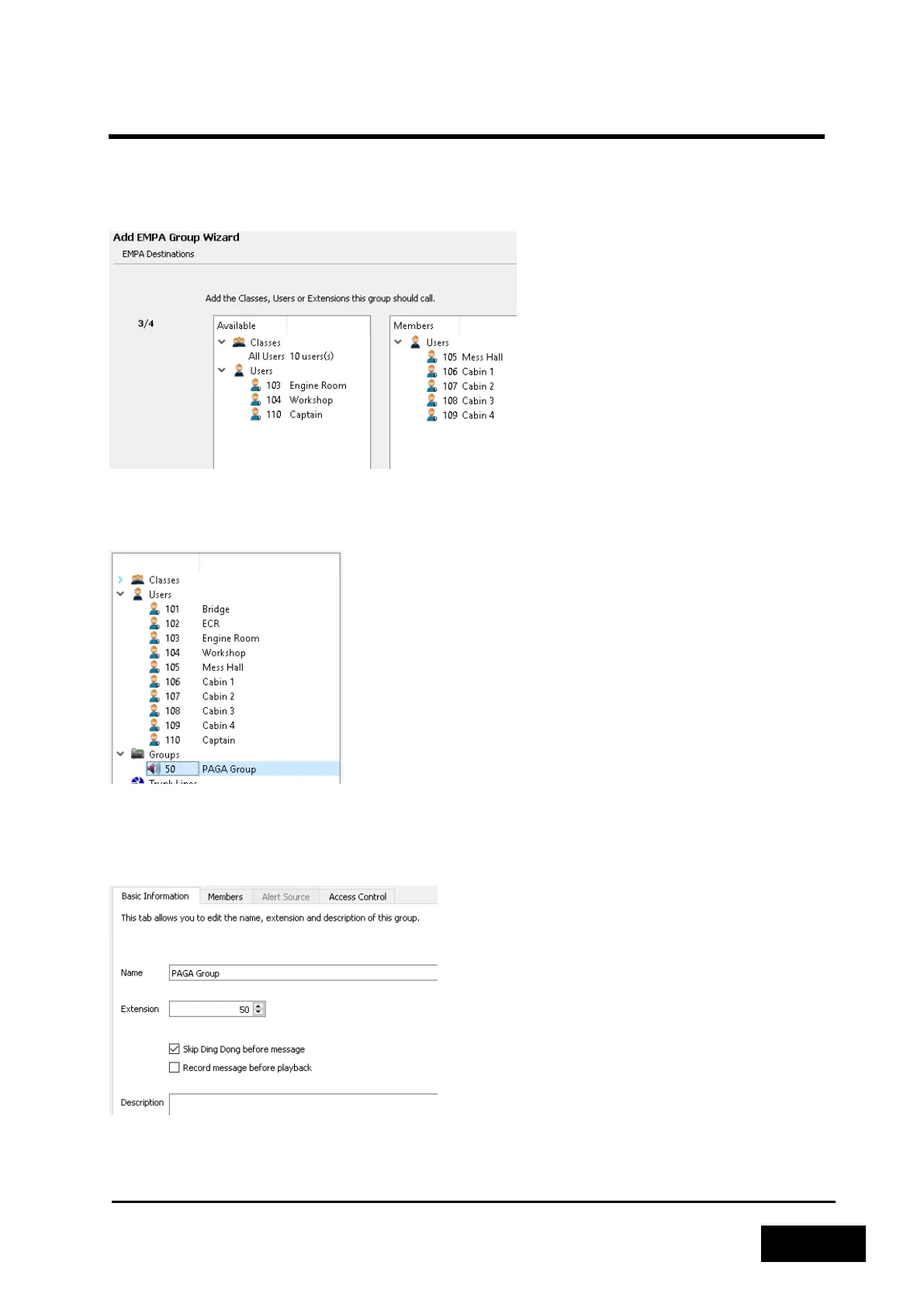
Select the recipients of PA/GA messages and alarms. Note that only Phontech 61xx, 62xx and 72xx
stations are supported and high priority stations are not listed in the available list.
NOTE: An EMPA group has an overall priority in the system and will override any other actions, so
don’t select stations that should be usable during a PA/GA event.
Figure 2-117: Select group members
Complete the wizard and locate the newly created group in the left hand extension list. Double click
on it or right click and select ‘Properties’.
Figure 2-118: Locate the new EMPA group
From the opened properties screen, select the ‘Skip Ding Dong before message’ checkbox to avoid a
duplicate ding dong when the PA/GA system already generates one. Click the Save button in the
bottom right to apply the changes and proceed to configure the PA/GA trunk line.
Figure 2-119: Disable Phontech 6200 generated Ding Dong



 To Next Page