Doc.No.: 03118-000
-OP
Page 4 of 8
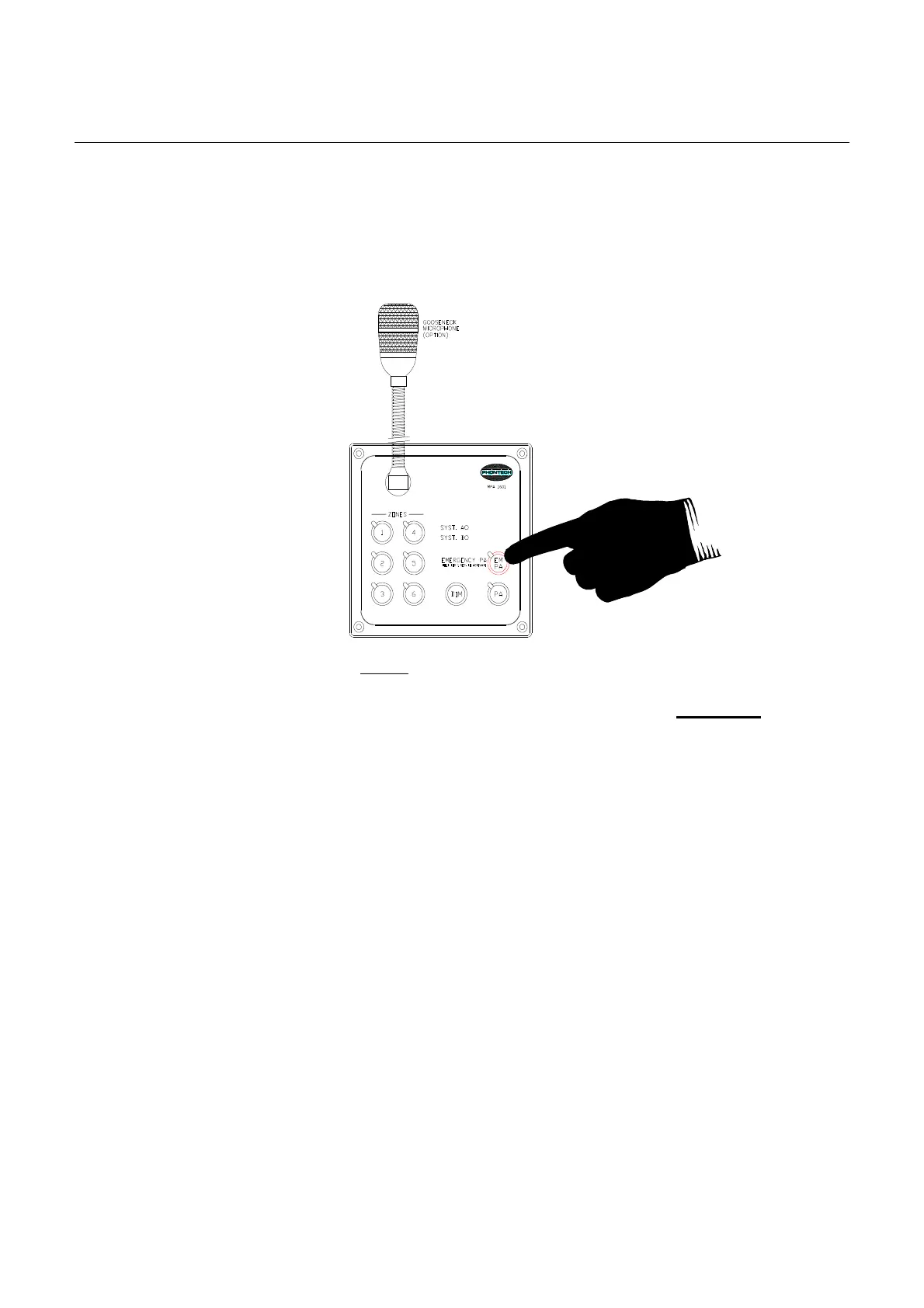
The emer
gency paging is released when the EM PA button is released.
During EM PA the individual zone buttons are disabled and will not affect the paging zone extent.
Figure 2-1
In case the General Alarm is initiated during an existing Emergency PA, the Emergency PA
announcement will be interrupted and the General Alarm will be heard.
To re-est
ablish Emergency PA as highest priority, the interrupted operator must re-activate the
Emergency PA button. This can be done immediately.
2.2 PA
GING (Normal Paging)
• PA overrides any audible entertainment channels within the system while active
• PA overrides any external entertainment systems by means of an entertainment mute signal
while active (see documents 03118-100-BD and 03118-100-EC)
• PA overrides any volume controls (entertainment) while active
• PA messages can be zone controlled by means of the zone buttons for paging in separate
areas. (Activate Zone buttons before PA button; green led is ON.
• PA activation without zone control will launch the message in a system pre-programmed
zone selection. (normally all zones except sleeping areas)
Normal paging is initiated from the Control units MPA 1601, 1604, 1605, 1606, or 1643 by means of
the PA button.
The PA button must be continuously pressed during activation.
The normal paging is released when the PA button is released.
In case a General Alarm is active, the normal paging (PA) button will automatically change to
emergency PA functionality.
Keep EM PA button pressed for
1 sec. to activate.
Then keep pressed continuously
during the PA message



 To Next Page