EasyManua.ls Logo

Zenith E44W48LCD - External Stereo Connections

Zenith E44W48LCD
60 pages
Print Icon
To Next Page IconTo Next Page
To Previous Page IconTo Previous Page
Loading...
PAGE 15
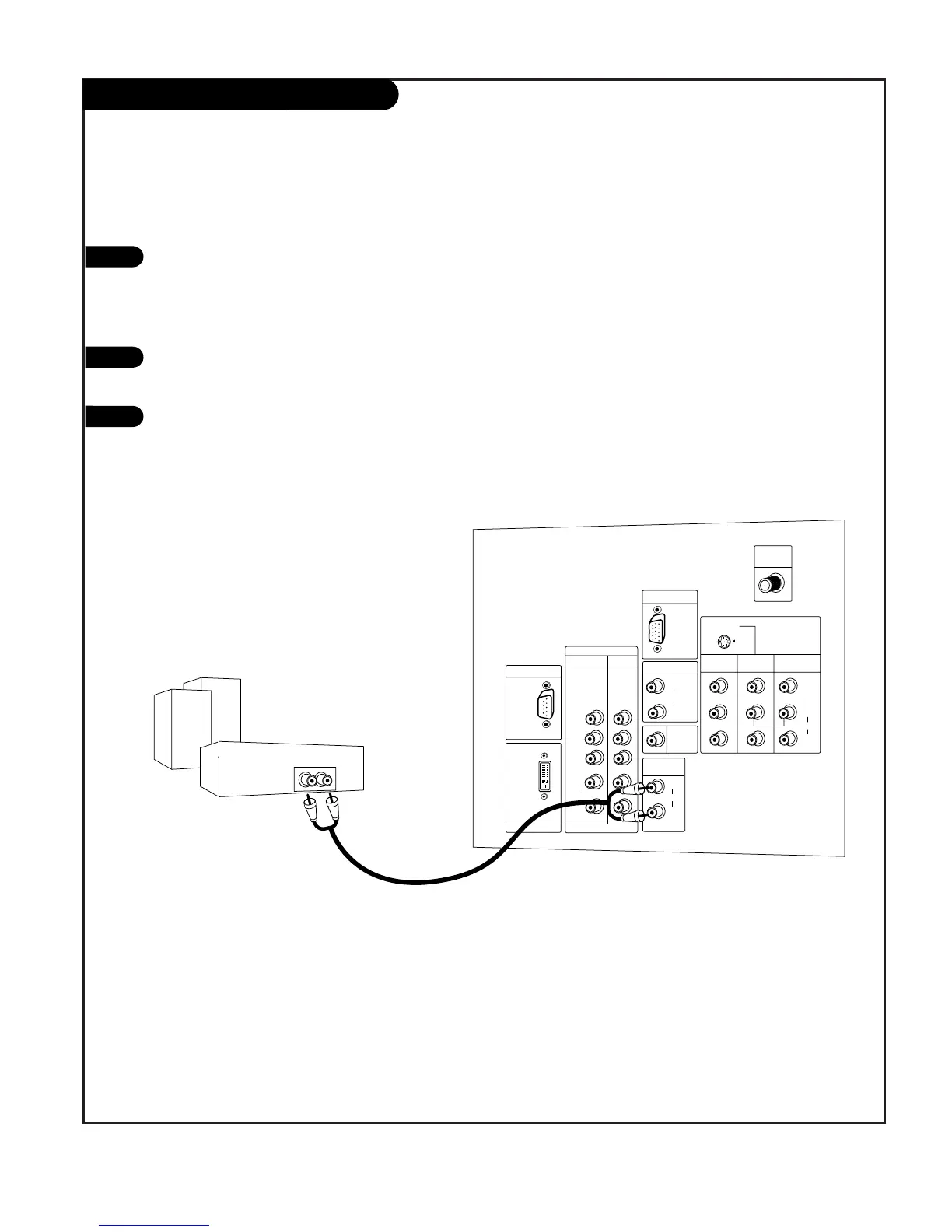
External Stereo Connections
1
2
Locate both Variable Audio Out
jacks on the back of your TV and
the Left/Right audio input jacks
on the back of your stereo's
amplifier.
Connect these jacks, making sure
that they are connected correctly.
(red=Right, white=Left.)
Adjust the sound on your stereo,
according to directions provided
with the amplifier.
3
Connect Left/Right Variable Audio Output to an external Audio Amplifier System.

AUDIO
CENTER
MODE IN
DVI INPUT
PC/DTV
(XGA/
480p/
720p/
1080i)
PC/DTV
(XGA/
480p/
720p/
1080i)
RGB INPUT
UPGRADE PORT
RGB/DVI INPUT
(R)
(L)
AUDIO
(R)
(L)
AUDIO
VARIABLE
AUDIO OUT
MONITOR
OUT
VIDEO
INPUT 2
VIDEO
INPUT 1
S-VIDEO
(R)
(L)
AUDIO
VIDEO
MONO
+75
ANT IN
COMPONENT
INPUT2 INPUT1
P
R
PB
Y
(R)
(L)
AUDIO
DVI /DVD
(480i/
480p/
720p/
1080i)
(480i/
480p/
720p/
1080i)
206-04006
Analog stereo amplifier
A/V cables
not included
with TV

Related product manuals