PAGE 39
Aspect Ratio
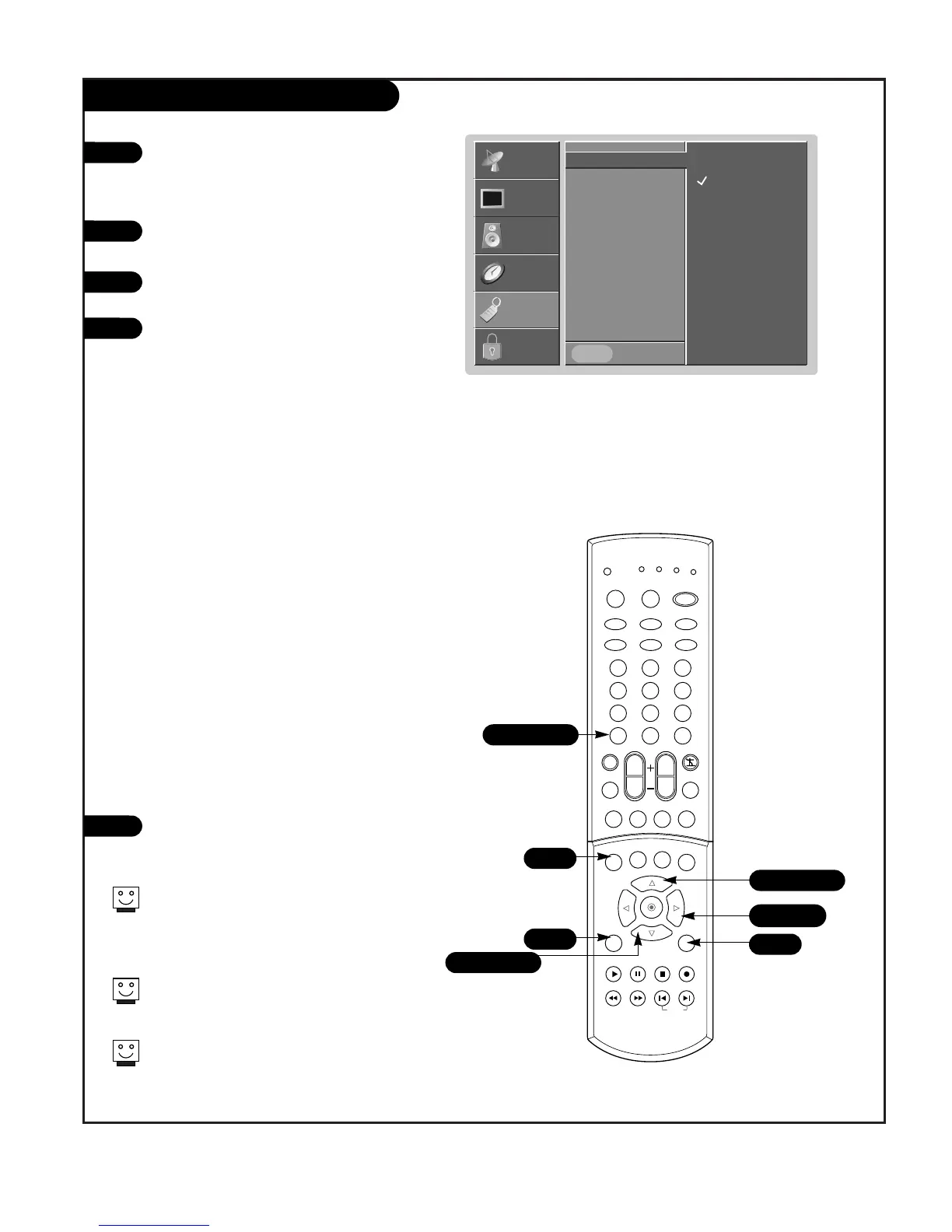
Press the MENU button on the remote control,
then use the UP/DOWN arrow button to select
the Special menu. Or press RATIO button to
instantly access the Aspect Ratio .
Press ENTER or the RIGHT arrow button to acti-
vate the Special menu.
Use the UP/DOWN arrows to choose Aspect
Ratio.
Press ENTER or the RIGHT arrow button to move
into the Aspect Ratio selection menu. Use the
UP/DOWN arrow buttons to select the right ratio
for your viewing environment:
• 4:3 - Choose when you want to view a pic-
ture with an original 4:3 aspect ratio, with
black bars appearing at both the left and
right sides.
• 16:9 - Choose when you want to adjust the
picture horizontally, in a linear proportion to
fill the entire screen. (Useful for viewing 4:3
formatted DVDs.)
• Horizon - Choose when you want to adjust
the picture in a non-linear proportion. The
picture is more enlarged at both sides, to
create a spectacular view.
• Zoom1 - Choose when you want to view the
picture without any alteration. However, the
top and bottom portions of the picture will
be cropped.
• Zoom2 - Choose when you want the picture
to be altered, both vertically extended and
vertically cropped. The picture taking a
halfway trade off between alteration and
screen coverage.
Press EXIT to save and return to TV viewing or
press the ENTER button to save and return to
the previous menu.
1
2
3
4
5
Lets you choose the way that an analog picture with a 4:3 aspect
ratio is displayed on your TV 16:9 aspect ratio TV screen. When
you receive an analog picture with a 4:3 aspect ratio on your
16:9 TV, you need to specify how the picture is to be displayed
according to your preference.
Aspect Ratio G
Language
Captions
Caption/Text
Key Lock
Cinema
EZ Demo
Prev.
4:3
16:9
Horizon
Zoom1
Zoom2
SETUP
SETUP
VIDEO
VIDEO
AUDIO
AUDIO
TIME
TIME
LOCK
LOCK
SPECIAL
SPECIAL
2/4
5
1
1
1/3/4
2/4/5
1/3/4
For RGB-PC source, you can select either 4:3 or
16:9 aspect ratios.
For RGB-DTV (720p, 1080i) or Component 1-2
(720p, 1080i) sources,, you can select either
4:3, 16:9 or Zoom1-2 aspect ratios.
Aspect ratio is changed to 16:9 automatically for
720p or 1080i formats from component
input1/2, RGB, or DVI sources.
After connecting external equipment to the TV,
don’t display a still picture for a long time on
the screen. Doing so may damage the TV screen.
206-04006
MENU



 To Next Page