PAGE 36
206-04006
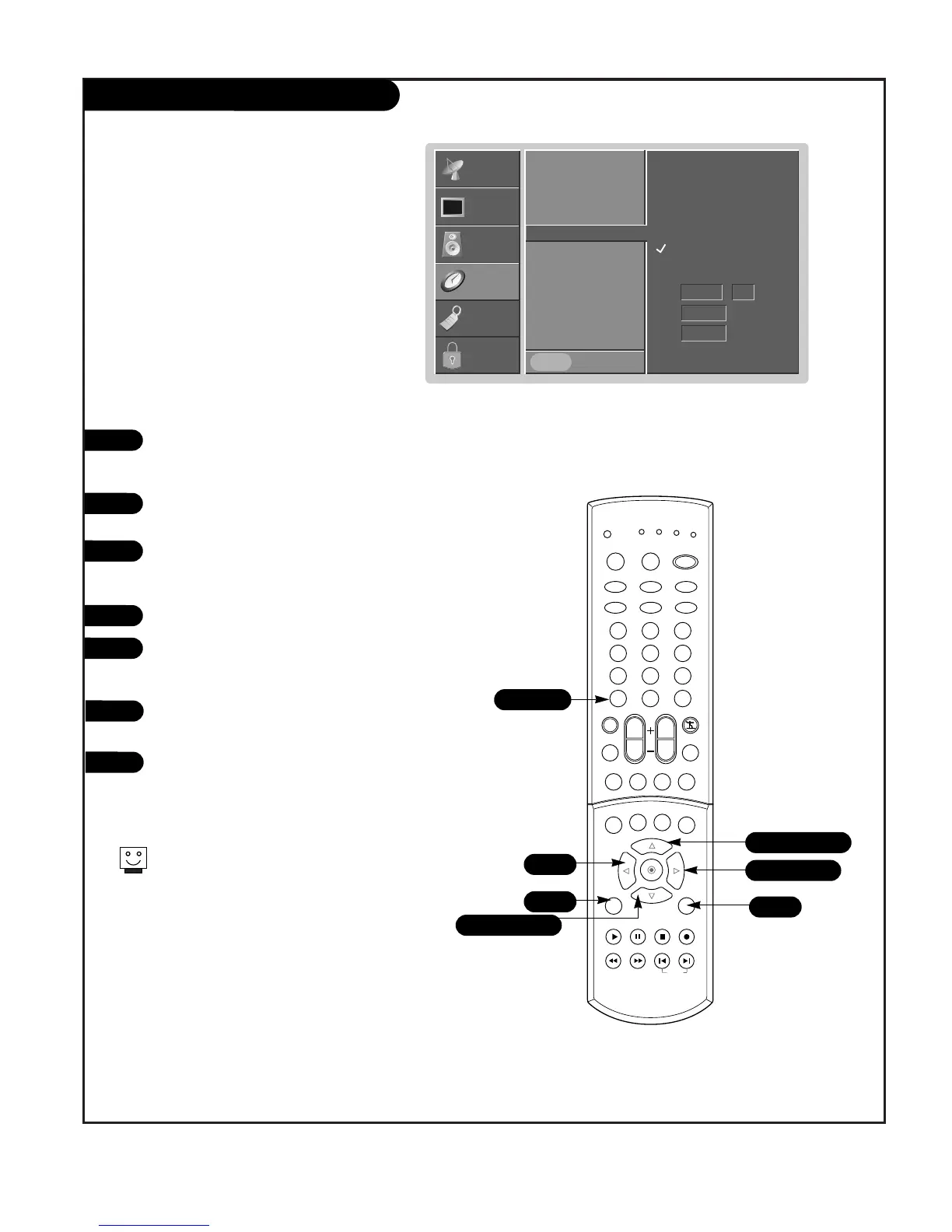
TV Turn On Time Setup
Press the MENU button on the remote
control, then use the UP/DOWN arrow
button to select the Time menu.
Press ENTER or the RIGHT arrow to acti-
vate the Time menu.
Use the UP/DOWN arrow to choose On
Time, then press the RIGHT arrow to
activate the On Timer menu.
Use the UP/DOWN arrow to choose On.
Use the RIGHT arrow to select in turn
the On Timer menu options: Time,
Channel, and Volume.
Use the UP/DOWN arrow to set Time,
Channel, and Volume at turn on.
Press EXIT to save and return to TV view-
ing, or press the ENTER button to save
and return to the previous menu.
1
2
3
4
5
Time function operates only if current time is set.
Unless a button is pressed within two hours after the TV
is turned on by the On timer function, the TV will auto-
matically turn itself off.
6
7
Auto Clock
Manual Clock
Off Timer
On Timer
G
Sleep Timer
Auto Off
Prev.
SETUP
SETUP
VIDEO
VIDEO
AUDIO
AUDIO
TIME
TIME
LOCK
LOCK
SPECIAL
SPECIAL
Tim
AM 04 : 00
Ch.
TV 14
Vol.
20
Off
On



 To Next Page