EasyManua.ls Logo

Zenith E44W48LCD - Monitor out Setup

Zenith E44W48LCD
60 pages
Print Icon
To Next Page IconTo Next Page
To Previous Page IconTo Previous Page
Loading...
PAGE 17
206-04006
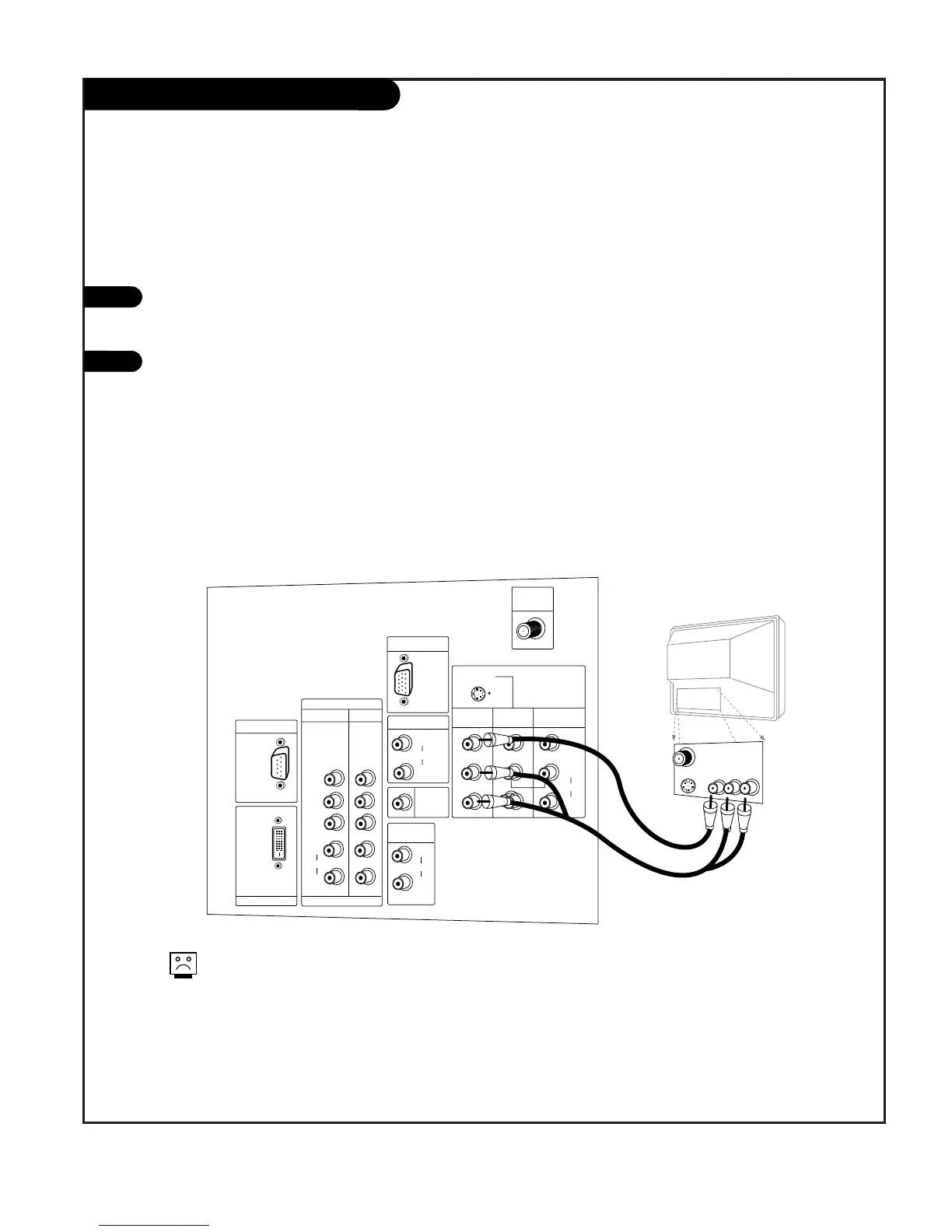
Monitor Out Setup
Your TV has a special signal output capa-
bility which allows you to hook up a sec-
ond TV or monitor.
Just connect the second TV or monitor to
the MONITOR OUT Audio/Video jacks locat-
ed on the back of your TV. See the
Operating Manual of the second TV or
monitor for further details regarding that
devices input settings.
1
2
Audio
S-Video
AUDIO
CENTER
MODE IN
DVI INPUT
PC/DTV
(XGA/
480p/
720p/
1080i)
PC/DTV
(XGA/
480p/
720p/
1080i)
RGB INPUT
UPGRADE PORT
RGB/DVI INPUT
(R)
(L)
AUDIO
(R)
(L)
AUDIO
VARIABLE
AUDIO OUT
MONITOR
OUT
VIDEO
INPUT 2
VIDEO
INPUT 1
S-VIDEO
(R)
(L)
AUDIO
VIDEO
MONO
+75
ANT IN
COMPONENT
INPUT2 INPUT1
P
R
PB
Y
(R)
(L)
AUDIO
DVI /DVD
(480i/
480p/
720p/
1080i)
(480i/
480p/
720p/
1080i)
PB
Component 1 - 2, RGB-DTV/PC, and DVI-DTV/PC
input sources for main picture cannot be used
for Monitor Out.
A/V Cables
Not included
with TV
Second TV


Related product manuals