QUICK REFERENCE TO ON-SCREEN MENUS
MENU OPERATION EXAMPLE
MENU
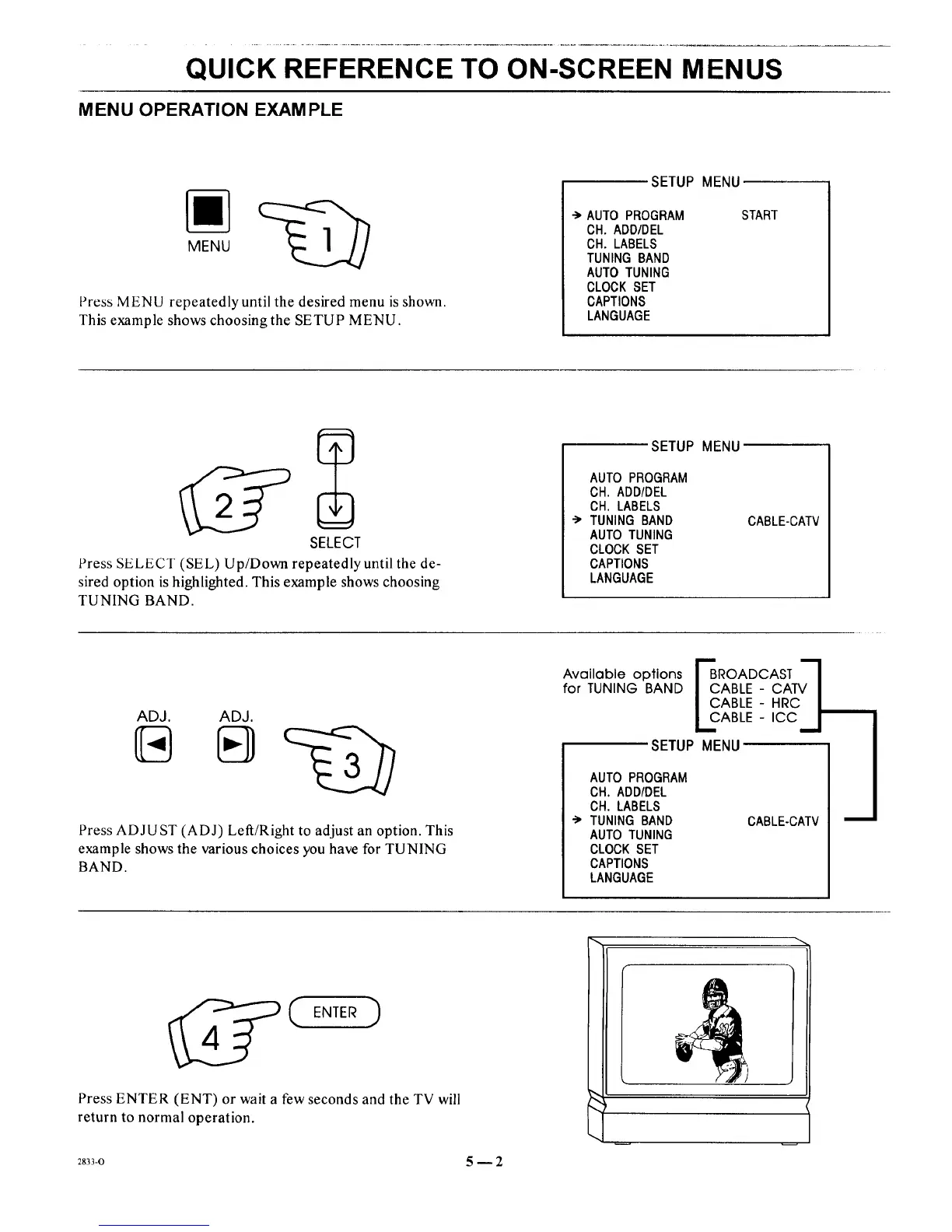
Press MENU repeatedly until the desired menu is shown.
This example shows choosing the SETUP MENU.
SETUP MENU
-> AUTO PROGRAM
CH. ADD/DEL
CH. LABELS
TUNING BAND
AUTOTUNING
CLOCK SET
CAPTIONS
LANGUAGE
START
SELECT
Press SELECT (SEL) Up/Down repeatedly until the de-
sired option is highlighted. This example shows choosing
TUNING BAND.
SETUP MENU
AUTO PROGRAM
CH. ADD/DEL
CH. LABELS
TUNING BAND
AUTO TUNING
CLOCK SET
CAPTIONS
LANGUAGE
CABLE-CATV
ADJ. ADJ.
Press ADJUST (ADJ) Left/Right to adjust an option. This
example shows the various choices you have for TUNING
BAND.
Available options F_ROADCAST q
for TUNING BAND | CABLE - CATV I
I CABLE - HRC/
1.2ABLE-,CC__I
SETUP MENU
AUTO PROGRAM
CH. ADD/DEL
CH. LABELS
"_ TUNING BAND
AUTO TUNING
CLOCK SET
CAPTIONS
LANGUAGE
CABLE-CATV
ENTER )
Press ENTER (ENT) or wait a few seconds and the TV will
return to normal operation.
2833-0 5m2




 To Next Page