SETUP MENU
CAPTIONS
Purpose
Displays closed captions (CC) or informational text when
available on the selected channel.
SETUP MENU
AUTO PROGRAM
CH. ADD/DEL
CH. LABELS
TUNING BAND
AUTO TUNING
CLOCK SET
÷ CAPTIONS CAPTION 1
LANGUAGE
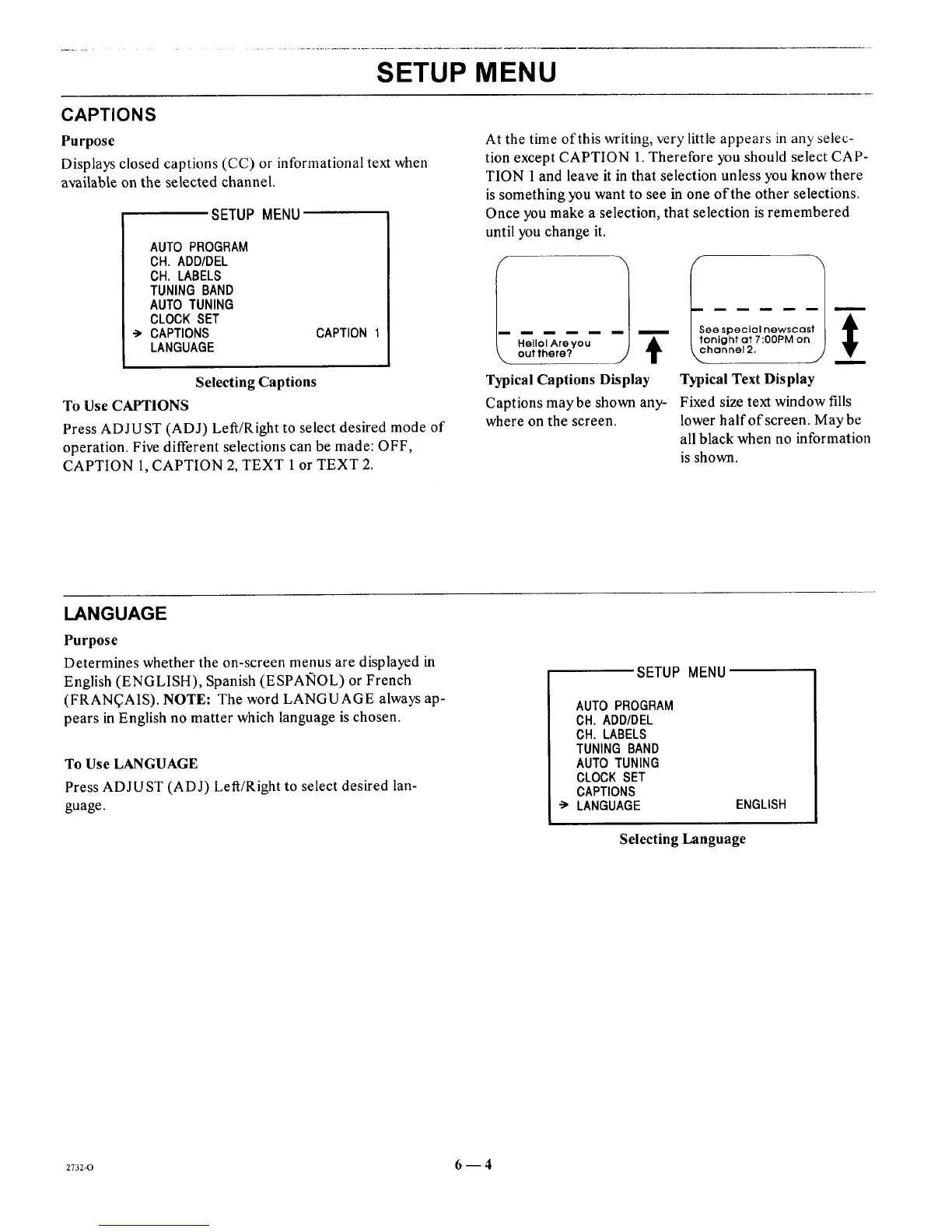
Selecting Captions
To Use CAPTIONS
Press ADJUST (ADJ) Left/Right to select desired mode of
operation. Five different selections can be made: OFF,
CAPTION 1, CAPTION 2, TEXT 1 or TEXT 2.
At the time of this writing, very little appears in any selec-
tion except CAPTION 1. Therefore you should select CAP-
TION 1 and leave it in that selection unless you know there
is something you want to see in one of the other selections.
Once you make a selection, that selection is remembered
until you change it.
Hellol Areyou 1
out there? T
ee special newscos &m
±
Typical Captions Display Typical Text Display
Captions maybe shown any- Fixed size text window fills
where on the screen, lower half of screen. May be
all black when no information
is shown.
LANGUAGE
Purpose
Determines whether the on-screen menus are displayed in
English (ENGLISH), Spanish (ESPAlqOL) or French
(FRAN_AIS). NOTE: The word LANGUAGE always ap-
pears in English no matter which language is chosen.
To Use LANGUAGE
Press ADJUST (ADJ) Left/Right to select desired lan-
guage.
SETUP MENU
AUTO PROGRAM
CH. ADD/DEL
CH. LABELS
TUNING BAND
AUTO TUNING
CLOCK SET
CAPTIONS
LANGUAGE ENGLISH
Selecting Language
2732-0 6--4




 To Next Page