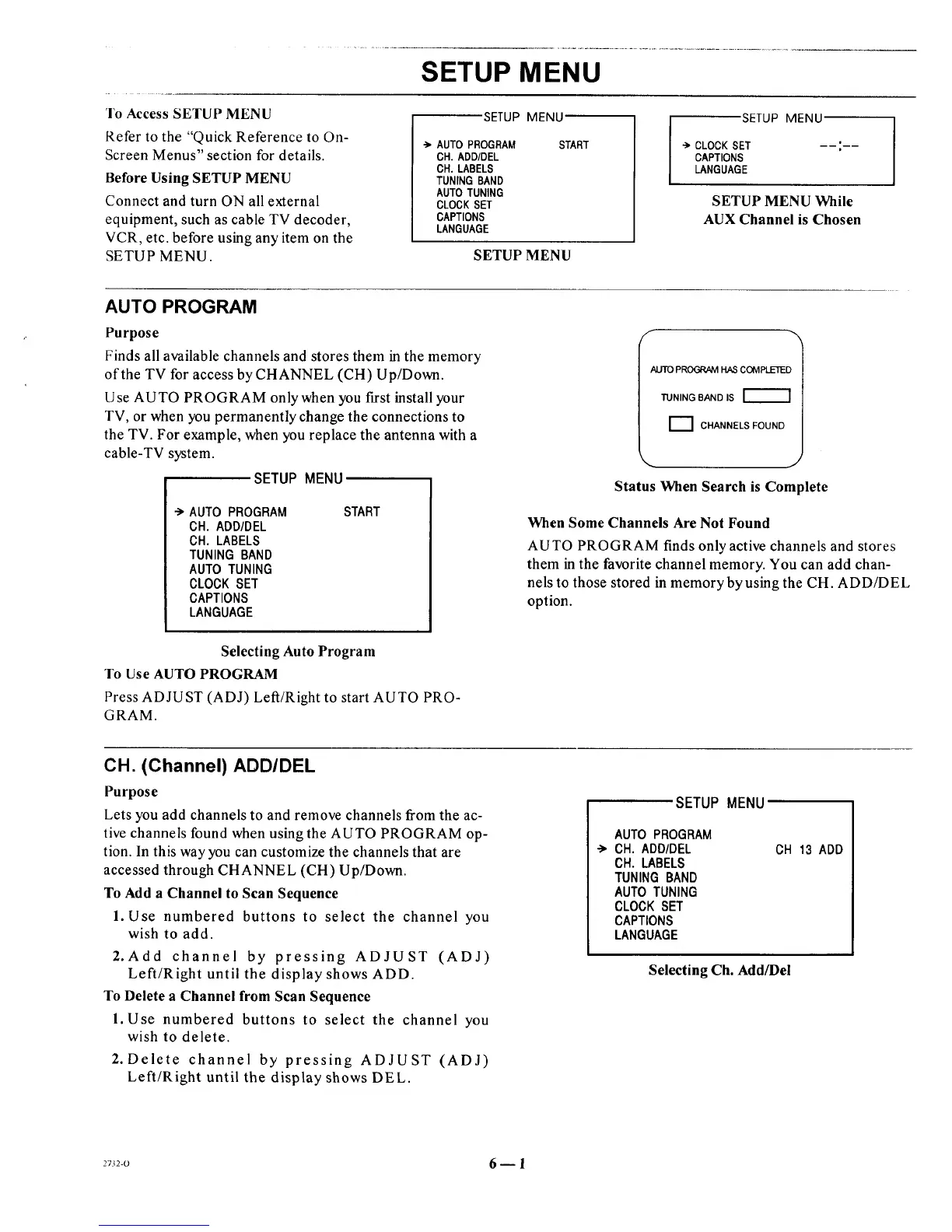
To Access SETUP MENU
Refer to the "Quick Reference to On-
Screen Menus" section for details.
SETUP MENU
SETUP MENU
-> AUTO PROGRAM START
CH. ADD/DEL
SETUP MENU
CLOCK SET
CAPTIONS
Before Using SETUP MENU
Connect and turn ON all external
equipment, such as cable TV decoder,
VCR, etc. before using any item on the
SETUP MENU.
CH. LABELS
TUNING BAND
AUTO TUNING
CLOCK SET
CAPTIONS
LANGUAGE
SETUP MENU
LANGUAGE
SETUP MENU While
AUX Channel is Chosen
AUTO PROGRAM
Purpose
Finds all available channels and stores them in the memory
of the TV for access by CHANNEL (CH) Up/Down.
Use AUTO PROGRAM onlywhen you first install your
TV, or when you permanently change the connections to
the TV. For example, when you replace the antenna with a
cable-TV system.
SETUP MENU
"> AUTO PROGRAM
CH. ADD/DEL
CH. LABELS
TUNING BAND
AUTO TUNING
CLOCK SET
CAPTIONS
LANGUAGE
START
AUTO PROGRAM HAS COMPLETED
TUNING BAND IS
[_] CHANNELS FOUND
Status When Search is Complete
When Some Channels Are Not Found
AUTO PROGRAM finds only active channels and stores
them in the favorite channel memory. You can add chan-
nels to those stored in memory by using the CH. ADD/DEL
option.
Selecting Auto Program
To Use AUTO PROGRAM
Press ADJUST (ADJ) Left/Right to start AUTO PRO-
GRAM.
CH. (Channel) ADDIDEL
Purpose
Lets you add channels to and remove channels from the ac-
tive channels found when using the AUTO PROGRAM op-
tion. In this way you can customize the channels that are
accessed through CHANNEL (CH) Up/Down.
To Add a Channel to Scan Sequence
1. Use numbered buttons to select the channel you
wish to add.
2. Add channel by pressing ADJUST (ADJ)
Left/Right until the display shows ADD.
To Delete a Channel from Scan Sequence
l. Use numbered buttons to select the channel you
wish to delete.
2. Delete channel by pressing ADJUST (ADJ)
Left/Right until the display shows DEL.
SETUP MENU
AUTO PROGRAM
•"> CH. ADD/DEL
CH. LABELS
TUNING BAND
AUTO TUNING
CLOCK SET
CAPTIONS
LANGUAGE
CH 13 ADD
Selecting Ch. Add/Del
2732-0 6 _ 1




 To Next Page