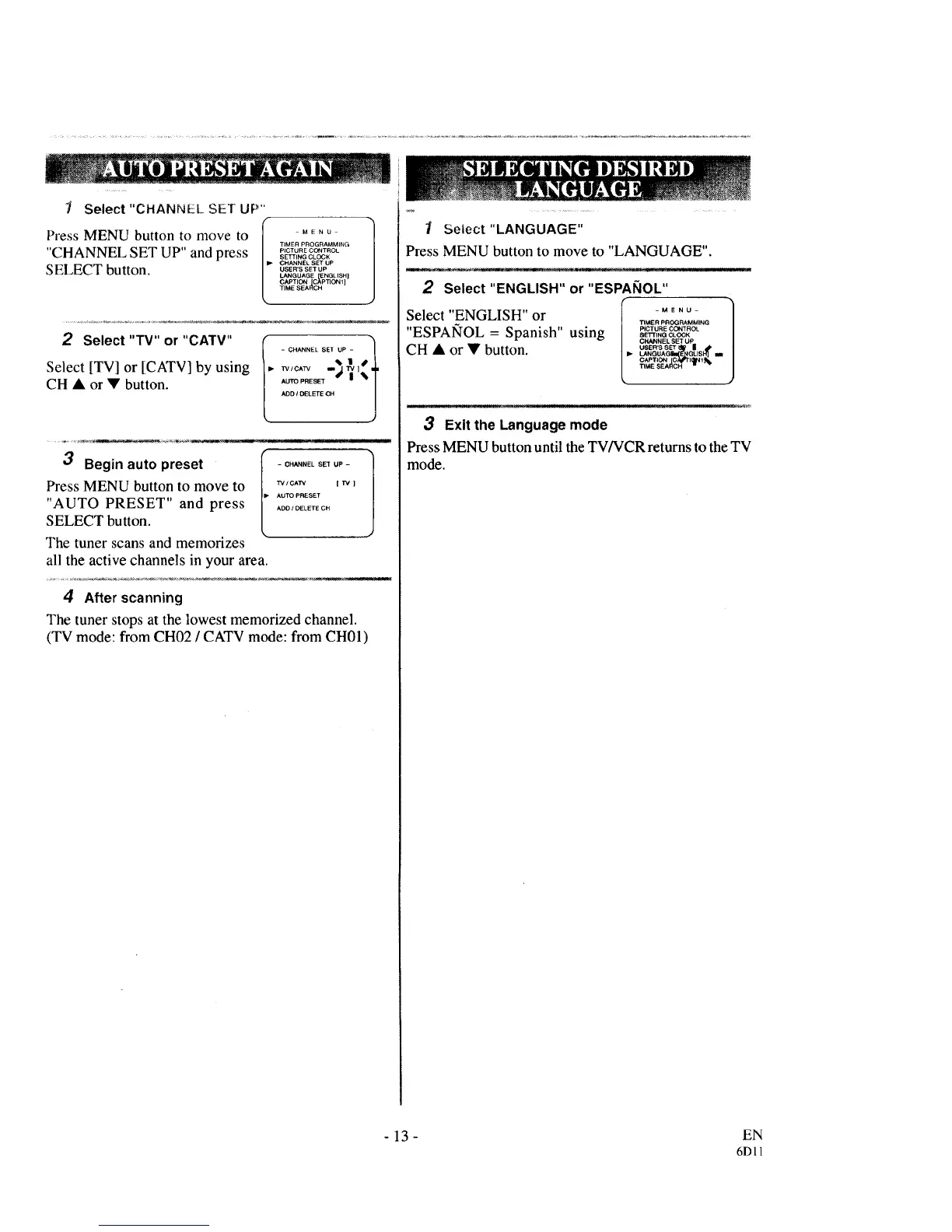
1 Select "CHANNEL SET UP"
TIMER PROGRAMMING
"CHANNEL SET UP" and press SE_,.GOL_K
CHANNEL SET UP
SELECT button, osER......
LANGUAGE ENGLISH]
CAPTION [C_PTION 1]
TIME SEARCH
2 Select "TV" or "CATV"
Select [TV] or [CATV] by using
CH • or • button.
AUTO PRESET dP" | _I
ADO I DELETE CH I
.J
3 Begin auto preset - c ...... ET UP -
Press MENU button to move to ,v,c,_ __
AUTO PRESET
"AUTO PRESET" and press ............
SELECT button.
The tuner scans and memorizes
all the active channels in your area.
4 After scanning
The tuner stops at the lowest memorized channel.
(TV mode: from CH02 / CATV mode: from CH01)
I Select"LANGUAGE"
Press MENU button to move to "LANGUAGE".
2 Select "ENGLISH" or "ESPANOL"
[lj
Select "ENGLISH" or _MERPRO_..... G
"ESPAIqOL = Spanish" using s_,,_P'C.... CLO_KCO_T"O_
CHANNEL SET UP
CH • or • button. _ os_.,ss_,_= /
LANGUAG [EP GLISH] la l
CAPTION _11_1 1
_MESEA _ _
3 Exitthe Language mode
Press MENU button until the TV/VCR returns to the TV
mode.
- 13 - EN
6D11



 To Next Page