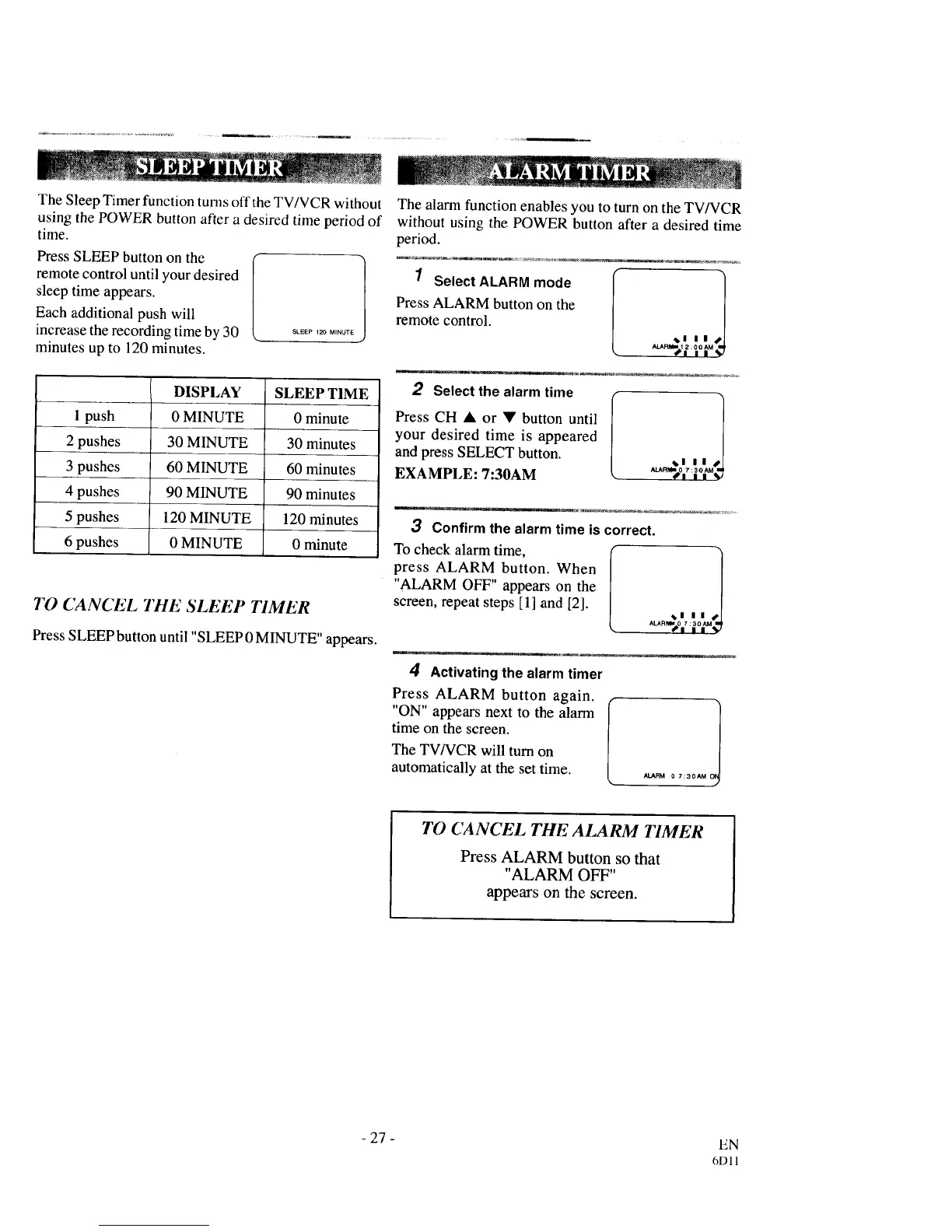
The Sleep Timer function turns off the TV/VCR without
using the POWER button after a desired time period of
time.
Press SLEEP button on the
remote control until your desired
sleep time appears.
Each additional push will
increase the recording time by 30
minutes up to 120 minutes.
SLEEP 120 MINUTE I
1 push
2 pushes
3 pushes
4 pushes
5 pushes
6 pushes
DISPLAY
0 MINUTE
30 MINUTE
60 MINUTE
90 MINUTE
120 MINUTE
0 MINUTE
SLEEP TIME
0 minute
30 minutes
60 minutes
90 minutes
120 minutes
0 minute
TO CANCEL TIlE SLEEP TIMER
Press SLEEP button until "SLEEP 0 MINUTE" appears.
The alarm function enables you to turn on the TV/VCR
without using the POWER button after a desired time
period.
1 Select ALARM mode
Press ALARM button on the
remote control. _1 IIII Ji
ALARiI_I 1 2:0 0 AM
,ll'l I I _
2 Select the alarm time
Press CH • or V button until
your desired time is appeared
and press SELECT button.
EXAMPLE: 7:30AM
_1 II I1
w
3 Confirm the alarm time is correct.
To check alarm time,
press ALARM button. When
"ALARM OFF" appears on the
screen, repeat steps [1] and [2].
_1 II 1
ALARM=.0 7 :3OAM 11_
4" I II _J
4 Activating the alarm timer
Press ALARM button again.
"ON" appears next to the alarm
time on the screen.
The TV/VCR will turn on
automatically at the set time.
ALARM 0 7:30AM I
TO (/ANCEL THE ALARM TIMER
Press ALARM button so that
"ALARM OFF"
appears on the screen.
- 27-
EN
6D11



 To Next Page