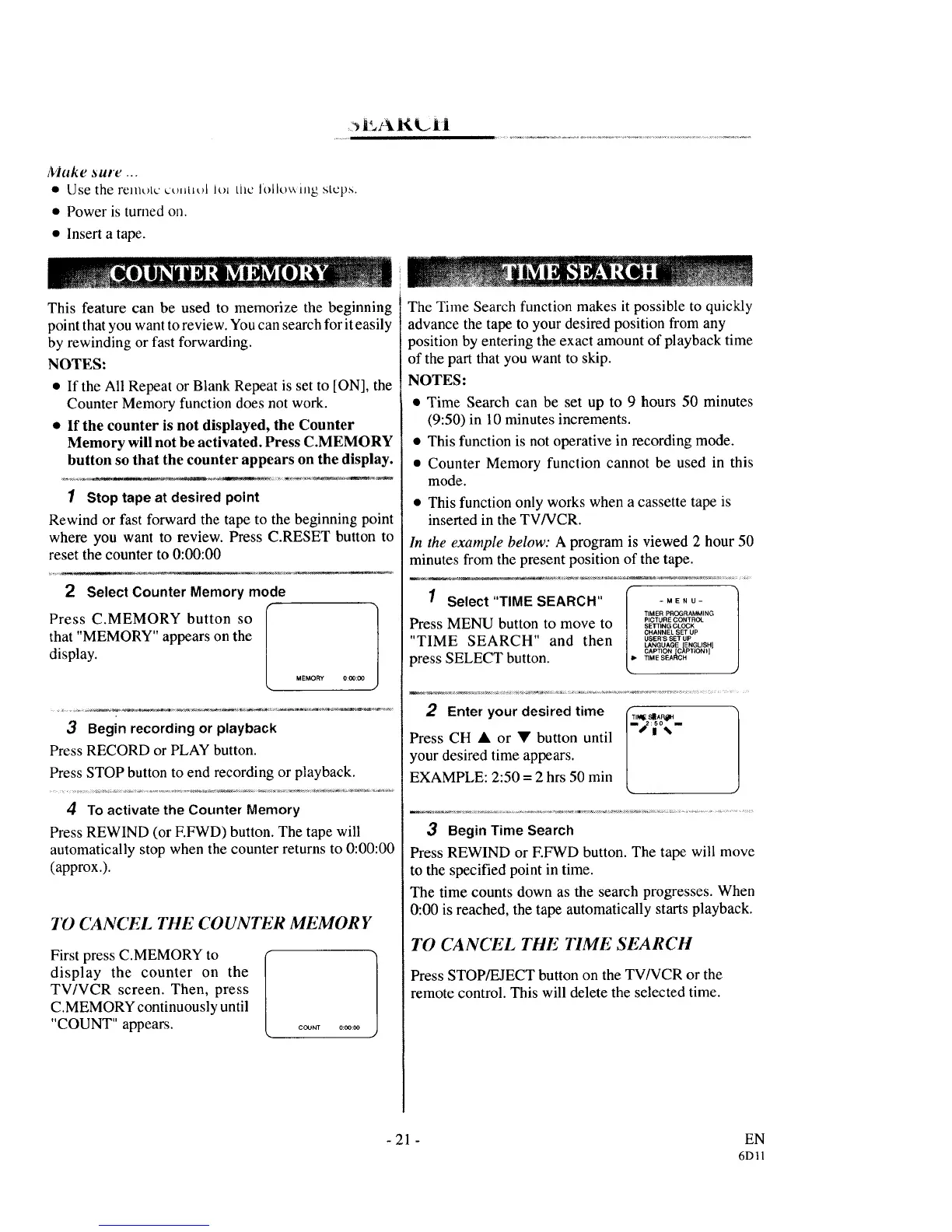
Make _ure ...
• Use the remt)tc ct).t_t)l lt)_ the lolk)_xiJ_g _tcps.
• Power is turned on.
• Insert a tape.
This feature can be used to memorize the beginning
point that you want to review. You can search for it easily
by rewinding or fast forwarding.
NOTES:
• If the All Repeat or Blank Repeat is set to [ON], the
Counter Memory function does not work.
• If the counter is not displayed, the Counter
Memory will not be activated. Press C.MEMORY
button so that the counter appears on the display.
1 Stop tape at desired point
Rewind or fast forward the tape to the beginning point
where you want to review. Press C.RESET button to
reset the counter to 0:00:00
2 Select Counter Memory mode
Press C.MEMORY button so
that "MEMORY" appears on the
display.
3 Begin recording or playback
Press RECORD or PLAY button.
Press STOP button to end recording or playback.
4 To activate the Counter Memory
Press REWIND (or F.FWD) button. The tape will
automatically stop when the counter returns to 0:00:00
(approx.).
7D CANCEL 17tE COUNTER MEMORY
First press C.MEMORY to
display the counter on the
TV/VCR screen. Then, press
C.MEMORY continuously until
"COUNT" appears.
The Time Search function makes it possible to quickly
advance the tape to your desired position from any
position by entering the exact amount of playback time
of the part that you want to skip.
NOTES:
• Time Search can be set up to 9 hours 50 minutes
(9:50) in 10 minutes increments.
• This function is not operative in recording mode.
• Counter Memory function cannot be used in this
mode.
• This function only works when a cassette tape is
inserted in the TV/VCR.
In the example below: A program is viewed 2 hour 50
minutes from the present position of the tape.
1 Select"TIME SEARCH"
Press MENU button to move to
"TIME SEARCH" and then
press SELECT button.
-MENU-
TIMER PROGRAMMING
PICTURE CONTROL
SEI_ING CLOCK
CHANNEL SET UP
USER'S SET UP
LANGUAGE [E NGLISHI
CAPTION CAPTIONI]
TIME SEAI_CH
2 Enter your desired time
Press CH • or • button until
your desired time appears.
EXAMPLE: 2:50 = 2 hrs 50 rain
I mTikql_ S_A P_H
j2 :_ 0%.
3 Begin Time Search
Press REWIND or EFWD button. The tape will move
to the specified point in time.
The time counts down as the search progresses. When
0:00 is reached, the tape automatically starts playback.
1"0 CA NCEL THE TIME SEARCH
Press STOP/EJECT button on the TV/VCR or the
remote control. This will delete the selected time.
- 21 - EN
6DI1



 To Next Page