Make sure ...
• Power is turned on.
• The erase-prevention tab is still intact on tile cassette tape.
• Rewind or fast forward the tape to the point where you want to begin recording.
You can only watch the same TV program that is being
recorded.
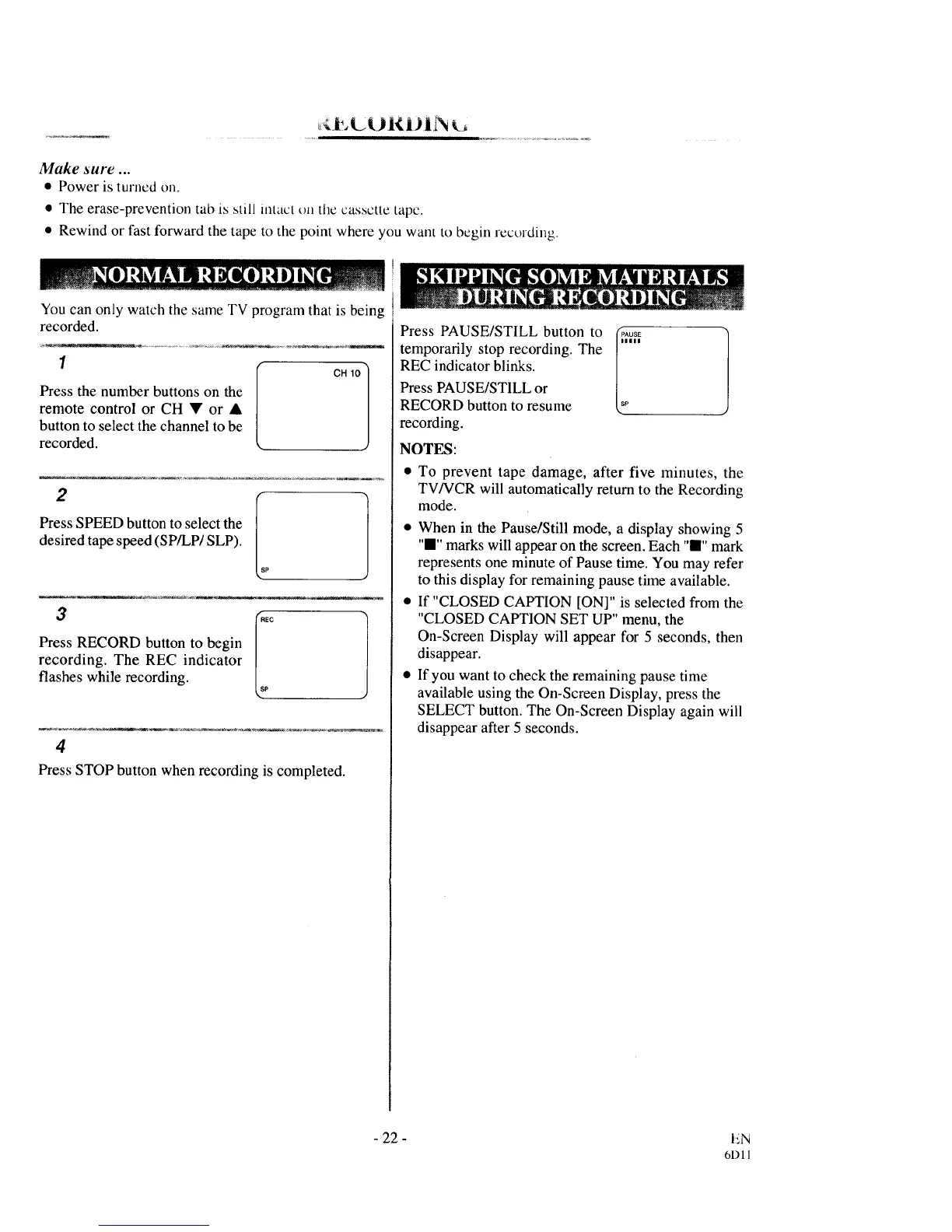
Press the number buttons on the
remote control or CH • or •
button to select the channel to be
recorded.
CH 10 ]
2
Press SPEED button to select the
desired tape speed (SP/LP/SLP).
3 _EC
|
Press RECORD button to begin /
recording. The REC indicator
flashes while recording, p
4
Press STOP button when recording is completed.
Press PAUSE/STILL button to (PAos_
temporarily stop recording. The l's.....
REC indicator blinks.
Press PAUSE/STILL or
RECORD button to resume
recording.
NOTES:
• To prevent tape damage, after five minutes, the
TV/VCR will automatically return to the Recording
mode.
• When in the PauselStill mode, a display showing 5
"I" marks will appear on the screen. Each "I" mark
represents one minute of Pause time. You may refer
to this display for remaining pause time available.
• If "CLOSED CAPTION [ON]" is selected from the
"CLOSED CAPTION SET UP" menu, the
On-Screen Display will appear for 5 seconds, then
disappear.
• If you want to check the remaining pause time
available using the On-Screen Display, press the
SELECT button. The On-Screen Display again will
disappear after 5 seconds.
- 22-
EN
61) 11



 To Next Page