Settheclockaccuratelyforproperautomatictimer
recording.If thePublicBroadcastingStation(PBS)is
availableinyouarea,follow"AUTOCLOCK
SETTING".If it isnot,follow"MANUALCLOCK
SETTING".
A UTO CLOCK SL 171NG
You can have the TV/VCR set the clock automatically
by using the Public Broadcasting Station (PBS) channel
in your area. Once you have set the clock by using the
following procedure, the TV/VCR will automatically
monitor the correct time and date being broadcast by the
PBS station in your area, using a new service called
Extended Data Service (EDS).
Make sure ...
• Turn on the TV/VCR.
• Confirm that the antenna connections are correct.
• The cable converter box must be turned on if your
TV/VCR is connected directly to it. (See NOTES)
• You must use the remote control for the following
steps.
NOTES:
• Auto clock setting only needs to be set once, but can
be done again if the clock's time has become
incorrect for some reason.
• If the TV/VCR is connected directly to a cable
converter box, the local PBS station must be selected
on the cable box itself, andthe TV/VCR must be set
to the output channel of the cable converter box
(usually channel 3 or 4), to be able to set up and
automatically correct the clock.
The TV/VCR cannot control the channels of the
cable converter box.
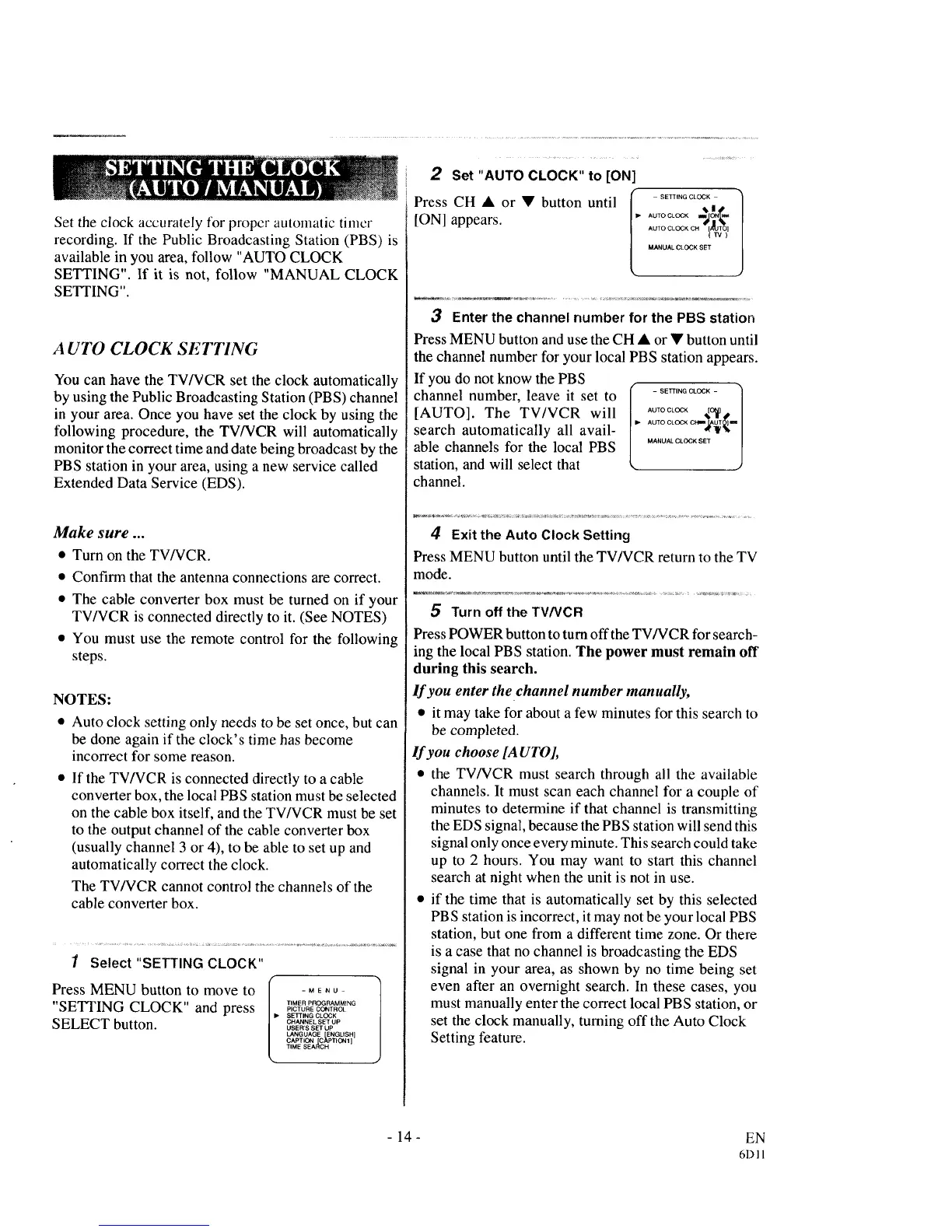
1 Select "SETTING CLOCK"
Press MENU button to move to l" .... u
"SETTING CLOCK" and press ..............._'C'_"E_"TROL
SETTING CLOCK
SELECT button. CH".E_S_T_
USER'S SET UP
LANGUAGE ENGLISH]
CAPTION [C_PTI_N 1
TIME SEARCH
2 Set "AUTO CLOCK" to [ON]
Press CH • or • button until ,_TOCLC__._.
[ON] appears. A_TOOLOC_°.lanai
MANUAL CLOCK SET
3 Enterthe channel number for the PBS station
Press MENU button and use the CH • or • button until
the channel number for your local PBS station appears.
If you do not know the PBS
channel number, leave it set to
[AUTO]. The TV/VCR will
search automatically all avail-
able channels for the local PBS
station, and will select that
channel.
MANUAL CLOCK SET l
4 Exit the Auto Clock Setting
Press MENU button until the TV/VCR return to the TV
mode.
5 Turnoff the TV/VCR
Press POWER button to turn offthe TV/VCR for search-
ing the local PBS station. The power must remain off
during this search.
If you enter the channel number manually,
• it may take for about a few minutes for this search to
be completed.
If you choose [A UT01,
• the TV/VCR must search through all the available
channels. It must scan each channel for a couple of
minutes to determine if that channel is transmitting
the EDS signal, because the PBS station will send this
signal only once every minute. This search could take
up to 2 hours. You may want to start this channel
search at night when the unit is not in use.
• if the time that is automatically set by this selected
PBS station is incorrect, it may not be your local PBS
station, but one from a different time zone. Or there
is a case that no channel is broadcasting the EDS
signal in your area, as shown by no time being set
even after an overnight search. In these cases, you
must manually enter the correct local PBS station, or
set the clock manually, turning off the Auto Clock
Setting feature.
-14-
EN
61311



 To Next Page