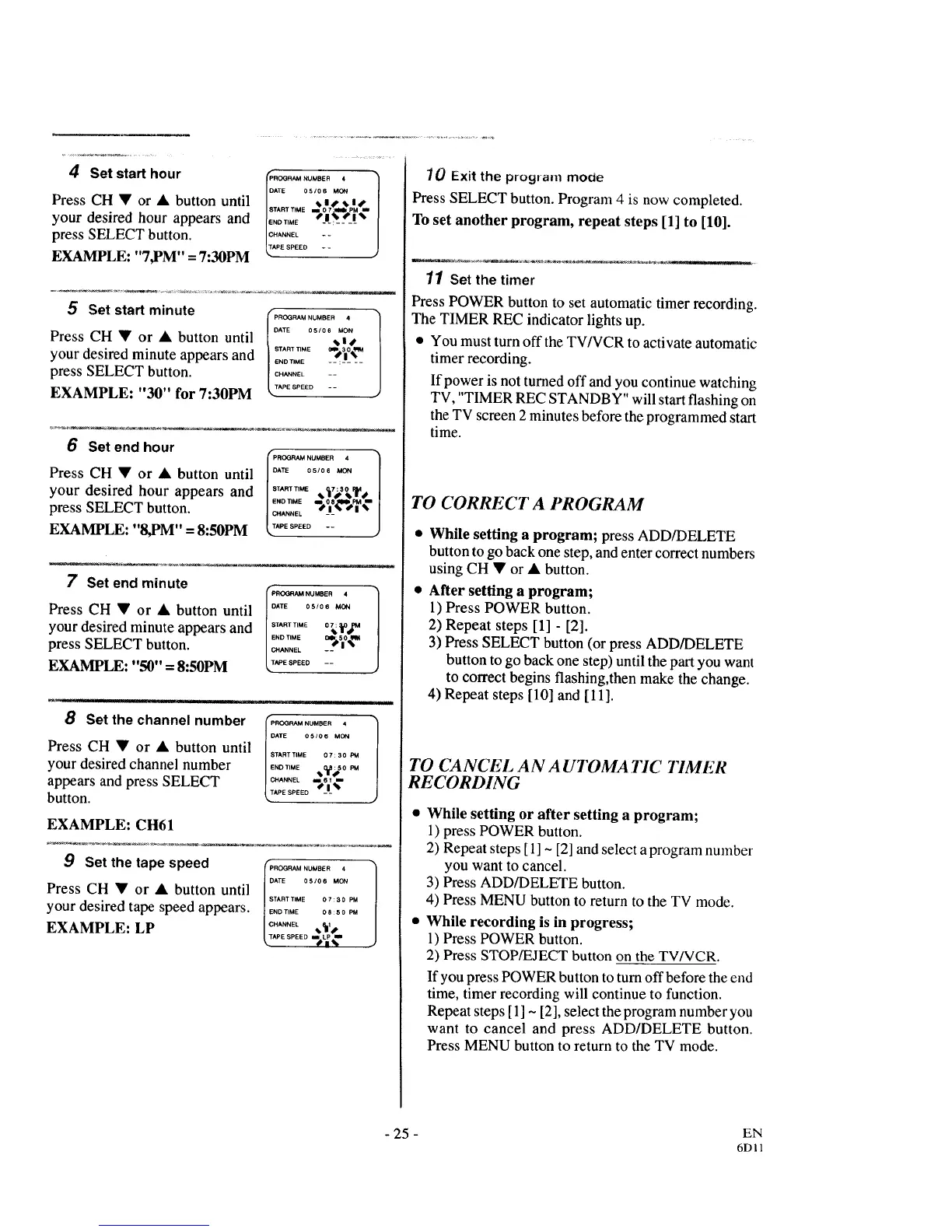
4 Set start hour
Press CH • or • button until
your desired hour appears and
press SELECT button.
EXAMPLE: "7,PM" = 7:30PM
ROGBAM NUMBER 4
DATE 05106 MON
......ME."
IE...... /X__s_!'_
C[:2 ANNEL - -
PE SPEED - -
)
5 Set start minute
Press CH • or • button until
your desired minute appears and
press SELECT button.
EXAMPLE: "30" for 7:30PM
PROGRAM NUMBER 4
DATE 05/06 MON
START_ME _ 30
END TIME -- :
CHANNEL - -
TAPE SPEED - -
6 Set end hour
Press CH • or • button until
your desired hour appears and
press SELECT button.
EXAMPLE: "8,PM" = 8:50PM
IIS ROGRAM NUMBER 4
DATE 05/06 MON
..... E ..tV_,Y,
CHANNEL _l_ i
TAPE SPEED - - •
7 Set end minute
Press CH • or • button until
your desired minute appears and
press SELECT button.
EXAMPLE: "50" = 8:50PM
I 'ROQRAM NUMBER 4
DATE 05106 MON
IEND"MEO*_O_
I CHANNEL -- |
TAPE SPEED - -
Press CH • or • button until B....... E ..... PM
END TIME :50 PM
your desired channel number ...... 2_
appears and press SELECT _.T,....... s___%
button.
EXAMPLE: CH61
9 Set the tape speed
Press CH • or • button until
your desired tape speed appears.
EXAMPLE: LP
f =ROGRAM NUMBER 4
DATE 05106 MON
START TIME O7:30 PM
END TIME 08:50 PM
CHANNEL 1
_TAPESPEED i LP ul
SB%
70 Exit the program mo0e
Press SELECT button. Program 4 is now completed.
To set another program, repeat steps [1] to [10].
11 Setthe timer
Press POWER button to set automatic timer recording.
The TIMER REC indicator lights up.
• You must turn off the TV/VCR to activate automatic
timer recording.
If power is not turned off and you continue watching
TV, "TIMER REC STANDBY" will start flashing on
the TV screen 2 minutes before the programmed start
time.
TO CORRECT A PROGRAM
While setting a program; press ADD/DELETE
button to go back one step, and enter correct numbers
using CH • or • button.
After setting a program;
1) Press POWER button.
2) Repeat steps [1] - [2].
3) Press SELECT button (or press ADD/DELETE
button to go back one step) until the part you want
to correct begins flashing,then make the change.
4) Repeat steps [10] and [11].
TO CANCEL AN A UIDMA TIC TIMER
RECORDING
While setting or after setting a program;
1) press POWER button.
2) Repeat steps [ 1] ~ [2] and select a program number
you want to cancel.
3) Press ADD/DELETE button.
4) Press MENU button to return to the TV mode.
While recording is in progress;
1) Press POWER button.
2) Press STOP/EJECT button on the TV/VCR.
If you press POWER button to turn off before the end
time, timer recording will continue to function.
Repeat steps [1] ~ [2], select the program number you
want to cancel and press ADD/DELETE button.
Press MENU button to return to the TV mode.
- 25 - EN
6DII



 To Next Page