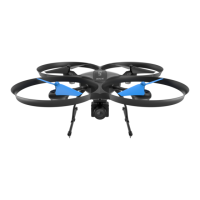
Need help?
Do you have a question about the ZERO-X Pro Evolved 4K and is the answer not in the manual?
Essential checks and information before operating the drone for the first time.
Crucial safety regulations, flight restrictions, and handling precautions for safe drone operation.
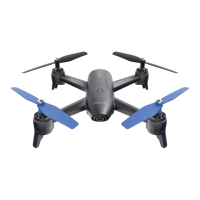
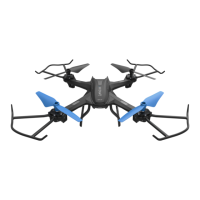
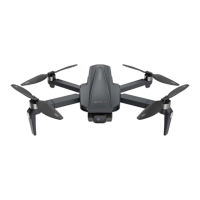
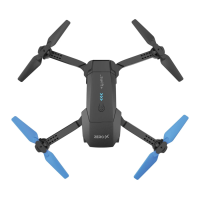
Detailed breakdown of the drone's physical components and their labels.
Detailed breakdown of the remote controller's buttons, sticks, and display elements.
Procedures for safely removing and attaching replacement rotor blades to the drone motors.
Instructions on how to properly fold and unfold the drone's arms for portability and storage.
Details the interpretation of LED lights and icons on the remote control's display.
How to select different flight modes such as GPS or non-GPS using the controller's GPS button.
Explanation of all displayed information on the remote control's LCD screen for flight monitoring.
How to tilt the drone's camera up or down using the gimbal trimmer on the remote control.
Instructions on how to use the remote control buttons to take photos and record videos.
Procedures for initiating automatic take-off and landing with a single button press.
How to engage the RTH function to safely bring the drone back to its starting point.
Indicators and automatic actions taken by the drone when its battery level is critically low.
How to recognize and respond to a low battery warning on the remote control unit.
Interpreting the signal strength bars on the LCD screen for connection quality.
Safety procedures for stopping or starting the drone's motors, including emergency shutdown.
Details the function and operation of Mode 1 and Mode 2 for throttle control stick assignment.
Step-by-step instructions to change the drone's throttle control mode via the remote.
Steps to establish a wireless network connection between your smartphone and the drone.
Procedures for saving and accessing media files, with or without an SD card.
Step-by-step process to establish a wireless communication link between the drone and remote controller.
Essential steps for calibrating the drone's sensors (horizontal, vertical) for stable flight performance.
Specific instructions for calibrating the drone's gyroscope to maintain flight stability.
Recommendations for positioning the drone and controller for the strongest, most reliable signal.
How to ensure the drone accurately records its take-off location for safe return functions.
Explains fundamental drone movements using control sticks: altitude, yaw, pitch, and roll.

 To Next Page
 General