9
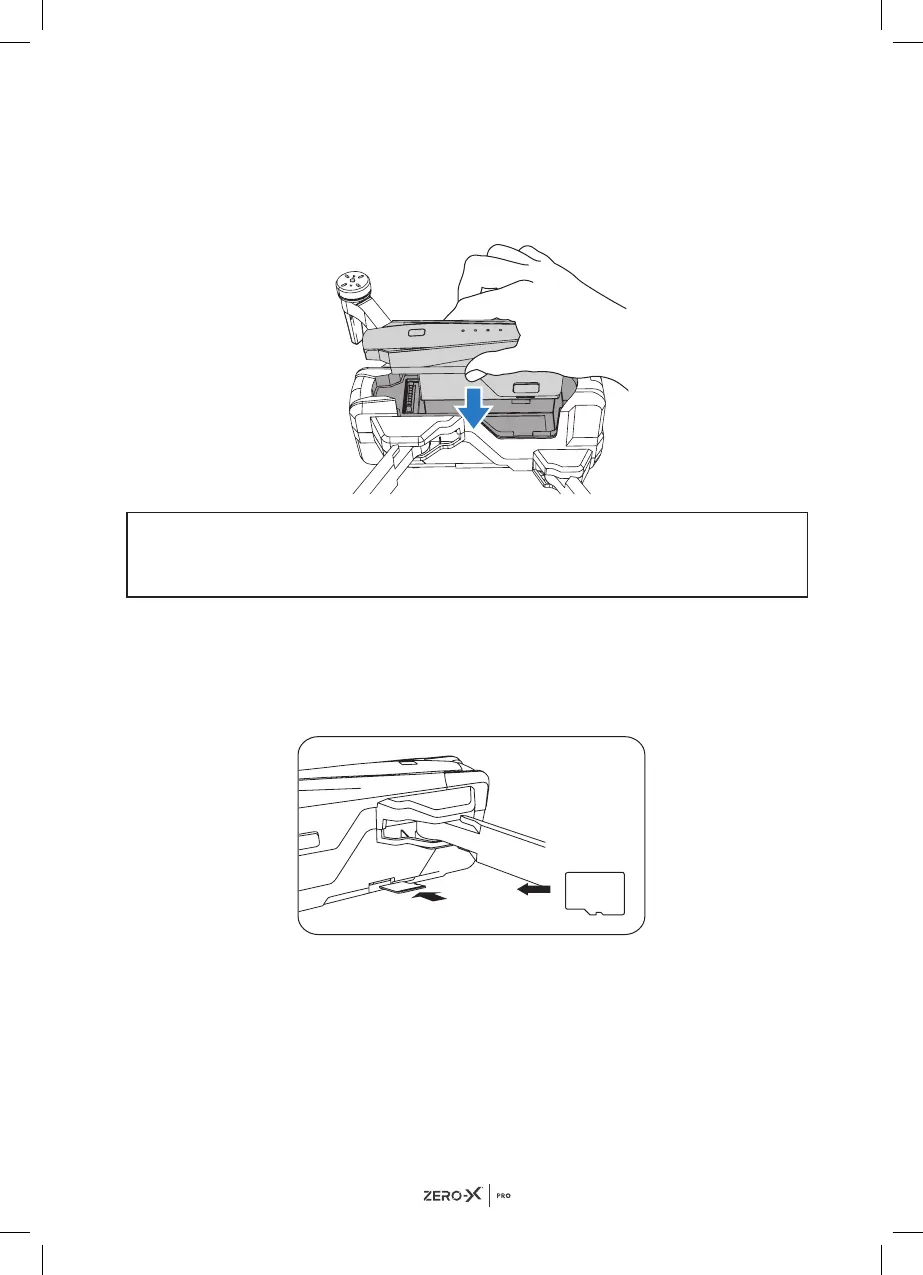
4.0 INSTALLING THE BATTERY
1. Ensure that the battery is fully charged.
2. Insert the battery into the middle of drone in the correct orientation.
3. Slide the battery all the way down until it securely slots into place.
NOTE
• Do not force the battery, if the battery is not fitting into position, please
check that you have the battery in the correct orientation.
5.0 INSTALLING A MICRO SD CARD*
The Micro SD Card slot is on the left bottom side of the drone. Slot the
Micro SD Card into the slot on the left side of the Evolved 4K drone with the
Micro SD Card copper contacts facing toward the drone. Gently press the
card in until you hear the lock click into place.
REMOVING A MICRO SD CARD
To remove your Micro SD Card, follow the instructions below.
1. Press the Micro SD Card in until a click is heard and the card releases.
2. The card will now release and the Micro SD Card will now be removable.
(Micro SD Card not included)*.
3. The recommended memory card is Class 10 with a minimum 64GB &
maximum 128GB capacity.
SD


 To Next Page