807041 v1.00 03.21 HydroTap G5 UltraCare User guide
18
SECTION 3: Command Centre Screen
Start flush.
12:12 PM
| |
FILTER FLUSH
RUNNING.....
Water is now being flushed through the filter.
This process is automatic and will take 2 minutes.
Press pause to pause filter flush.
Approximately 10L of water will
flow, for 2 minutes.
The screen will show the filter has
been flushed.
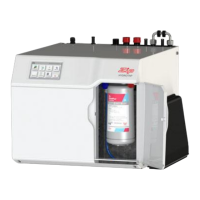
Close the flush line tap, return the
flush line to the filter compartment
and close door.
Reset the filter counter (see page 19).
Flush line tap closed










 To Next Page

