7
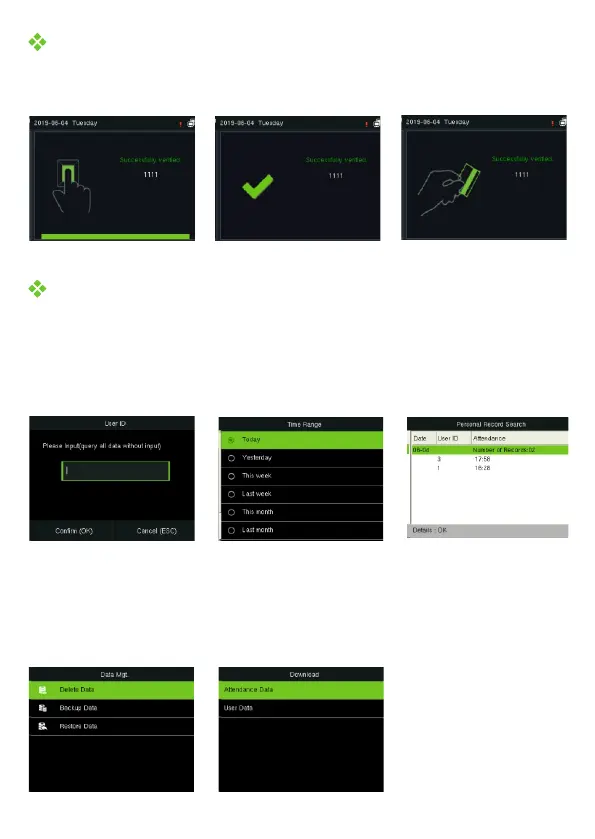
Verification is successful
User Authentication
Press the fingerprint/enter the password/swipe the card (optional) on the device.
After successful verification, the interface is shown in the figure below.
View Records
View records on the device
Download data by USB-disk
Press to enter the main menu and select [USB Manager] > [Download]. Insert M/OK
the USB-disk into the USB port of the device, and download the attendance data or
user data on the device.
Press M/OK to enter the main menu and select [Attendance Search] to enter the
record query interface. Input the user ID and select the time range, press to M/OK
query.


 To Next Page