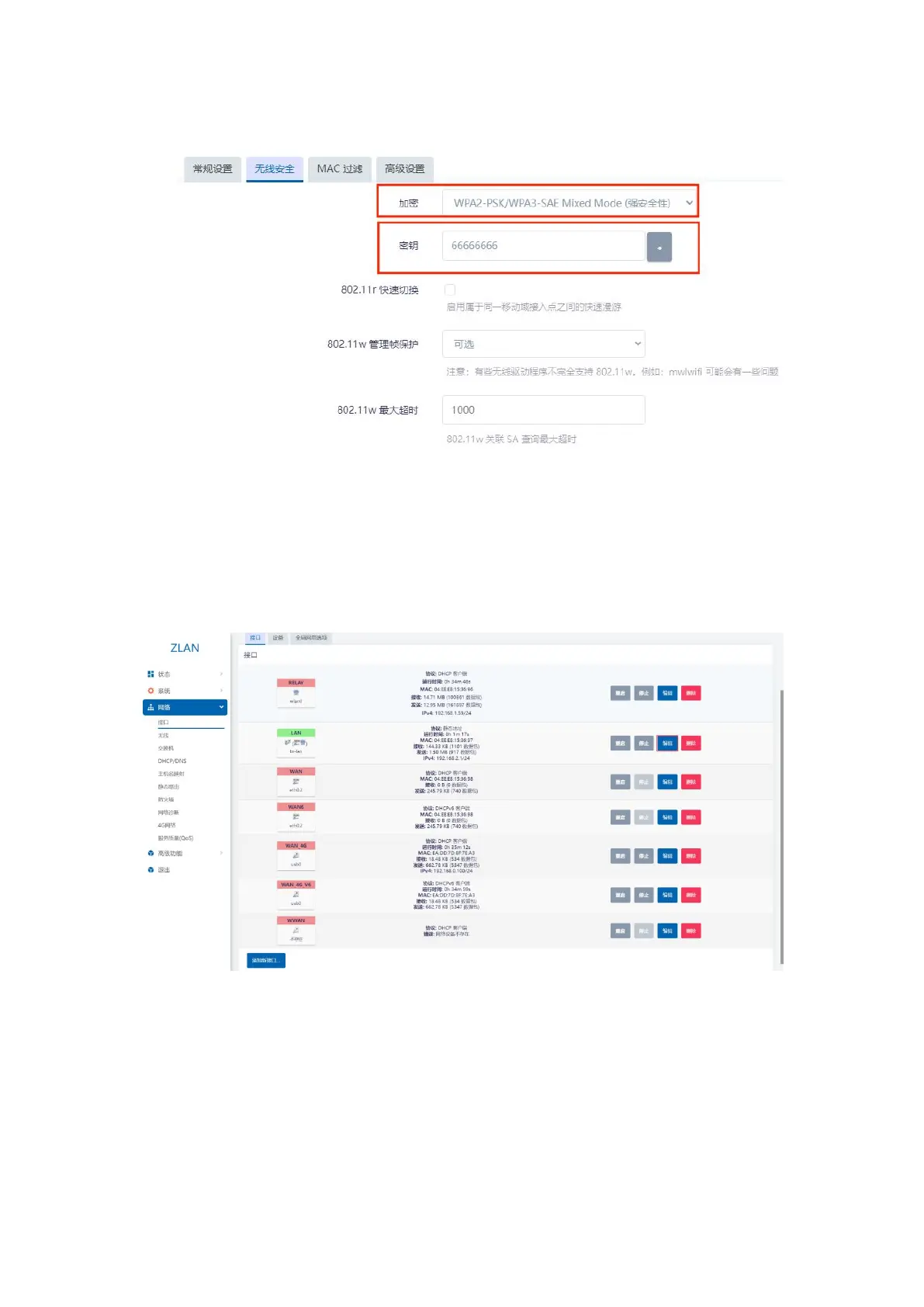
Click the Wireless Security button to modify the WiFi password and encryption method:
Figure 28 Modify encryption method and password
After completing the settings, click Save in the lower right corner.
4.3.routerIPChange
Open the left menu bar: Network -> Interface: Click the Edit button under LAN.
Figure 29 Edit LAN parameters
You can modify the IP and other properties of the router itself. When completed, click Save in the lower right corner.
17


 To Next Page