3.Instructions for use
(This description takes the win10 system as an example to demonstrate the interconnection between the device and the computer)
3.1.connect9809Mrouter
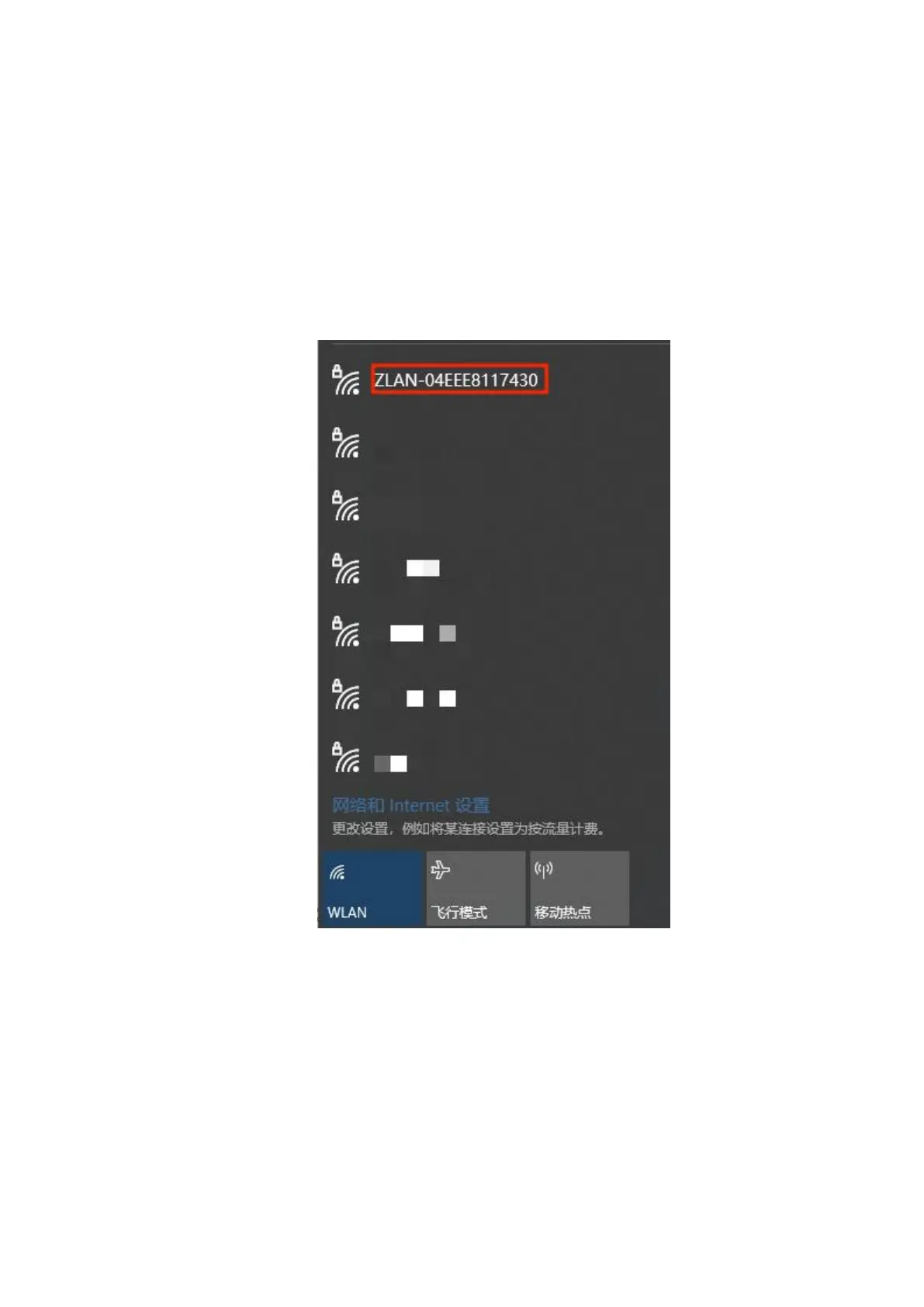
If you do not have an Ethernet cable and want to connect your device via WIFI, you need to do the following steps first: Open
WLAN in the lower right corner of your computer:
picture4 apname
Connect to the WiFi ZLAN-XXXXXXXX, the default password is 66666666. If you have an Ethernet cable and plan to connect
the device via a wired connection, directly connect the Ethernet cable to any LAN port, open your browser, enter
192.168.8.1 in the address bar, press Enter to confirm, and you can open the 9809M web page.
(To use a wired connection, the computer's Ethernet setting must be set to automatic (DHCP), or the IP must be manually set to the same
network segment as the router)
5


 To Next Page