When the WLAN port is disconnected, ZLAN9809M can quickly switch to the 4G network;
1.1 Appearance
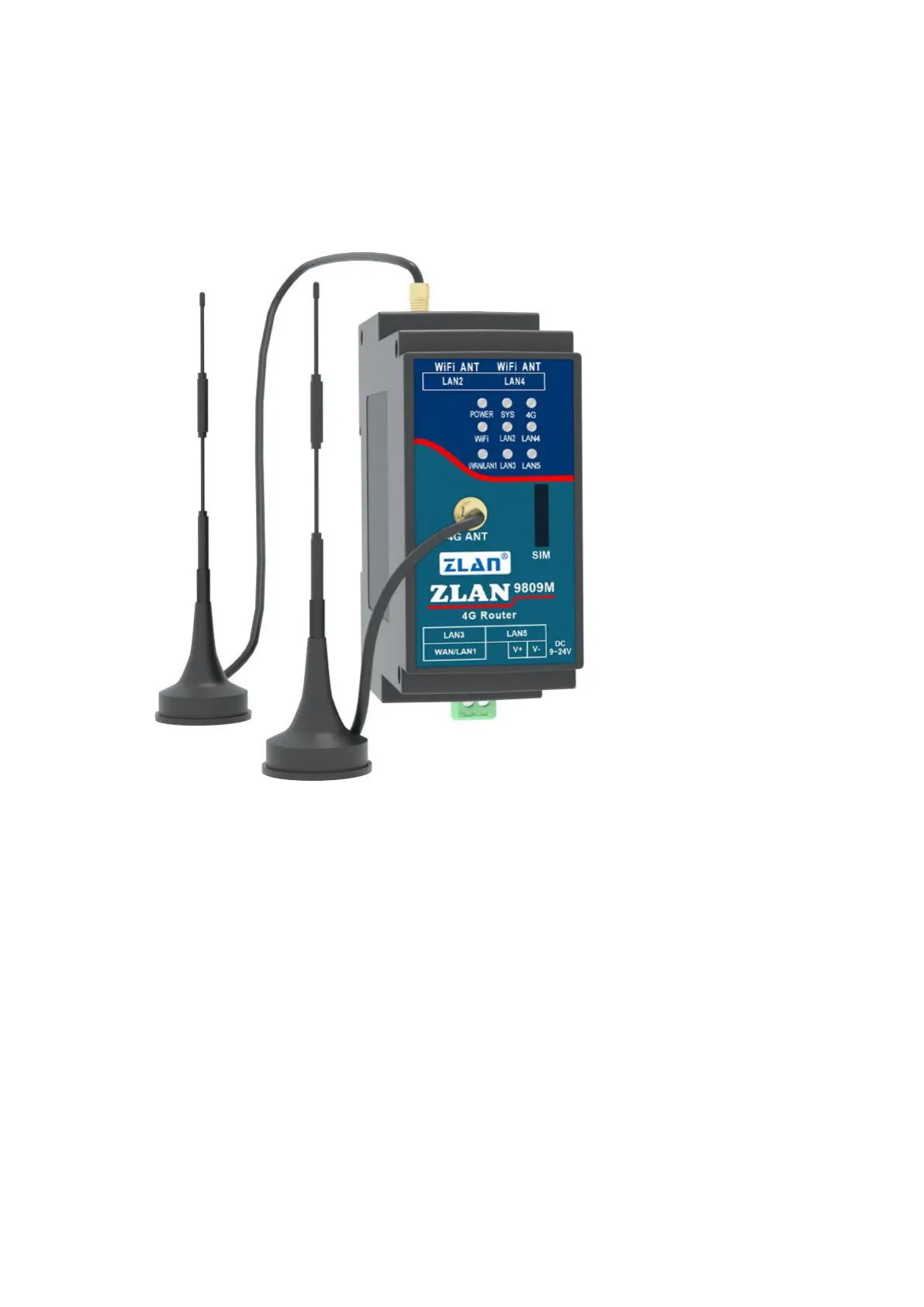
picture2 ZLAN9809MAppearance
1.2
Product Interface
1.9809M has 4 LAN ports, 2 on the left and 2 on the right, and a WAN port next to the power supply.
When in use, just plug the network cable into the corresponding network port as needed.
2. Antenna installation: The antenna interface of this device adopts 50Ω/SMA (female connector).
Use an antenna suitable for the 4G working band. The WIFI antenna can use a rubber stick antenna or a suction cup antenna. The 4G antenna is on
the front panel and generally uses a suction cup antenna.
3. There is a SIM card slot next to the panel light. SIM card installation, this device uses the full network 4G network,
You need to purchase a SIM card from any of the carriers. When installing the SIM card, make sure the device is not powered on. This
device uses an embedded SIM card holder. When using it, push the SIM card inward with the chip facing downward. To remove it, push it
inward again and the SIM card will pop out automatically.
2


 To Next Page