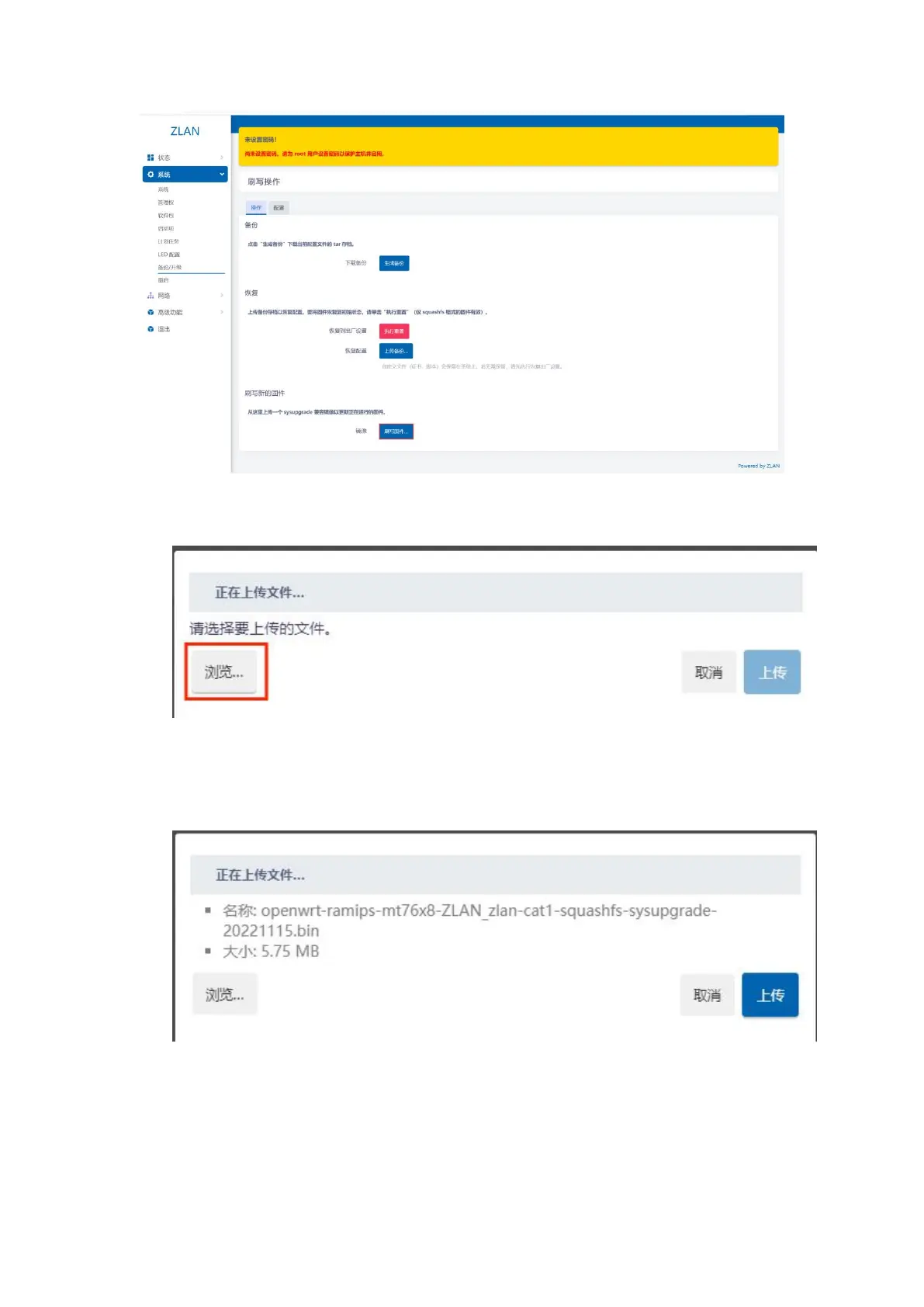
Figure 32 Backup/upgrade
Click the Flash Firmware button, and on the page that opens, click Browse to select the firmware on your computer:
Figure 33 Browse firmware
After that, click Upload, and you will be prompted to wait for the firmware to be flashed. The flashing will be completed after about 5 minutes. At this
time, you need to refresh the web interface to complete the firmware flashing operation.
Figure 34 Upload firmware
4.5.reset
Click System -> Backup/Upgrade in the left menu bar, and click the Reset button:
19


 To Next Page