3.2.4. 4Gmodel
4G mode means the router accesses the external network by inserting a 4G SIM card.
Step 1: Insert the SIM card and connect the 4G antenna.
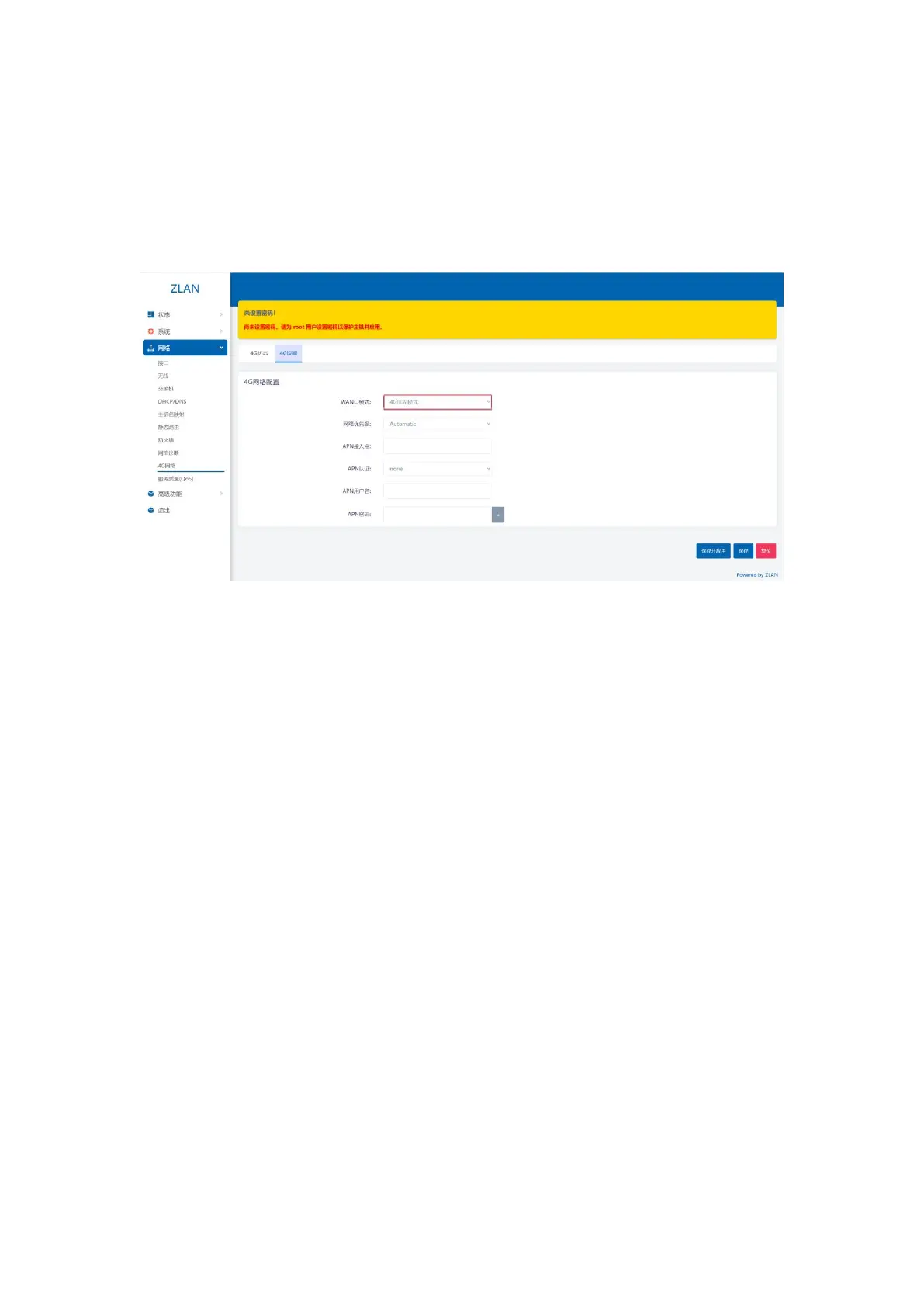
Step 2: Click the menu bar on the left: Network -> 4G Network -> 4g Settings: Set the WAN port mode to
4g_mode: (If it is already set, you don’t need to perform this step) and click Save and Set in the lower right corner.
Figure 244G Priority Mode
Wait for the blue light on the router to flash, and then wait for one minute to complete the setup (if you cannot connect to the Internet, wait
for one minute and try again. If it still does not work, try restarting the router). After completion, the router can access the external network via 4G,
and your device can access the Internet after connecting to the router via WiFi or cable.
4.Device Management
4.1.Set the router login password
Click on the left sidebar: System -> Admin Rights -> Router Password, enter the password you want to set, and then click
Save to change the router password. The default router has no password, so it is recommended to set the router password
yourself.
15


 To Next Page