The router can receive data packets sent by devices in the local area network and forward them to the Internet
or other networks.
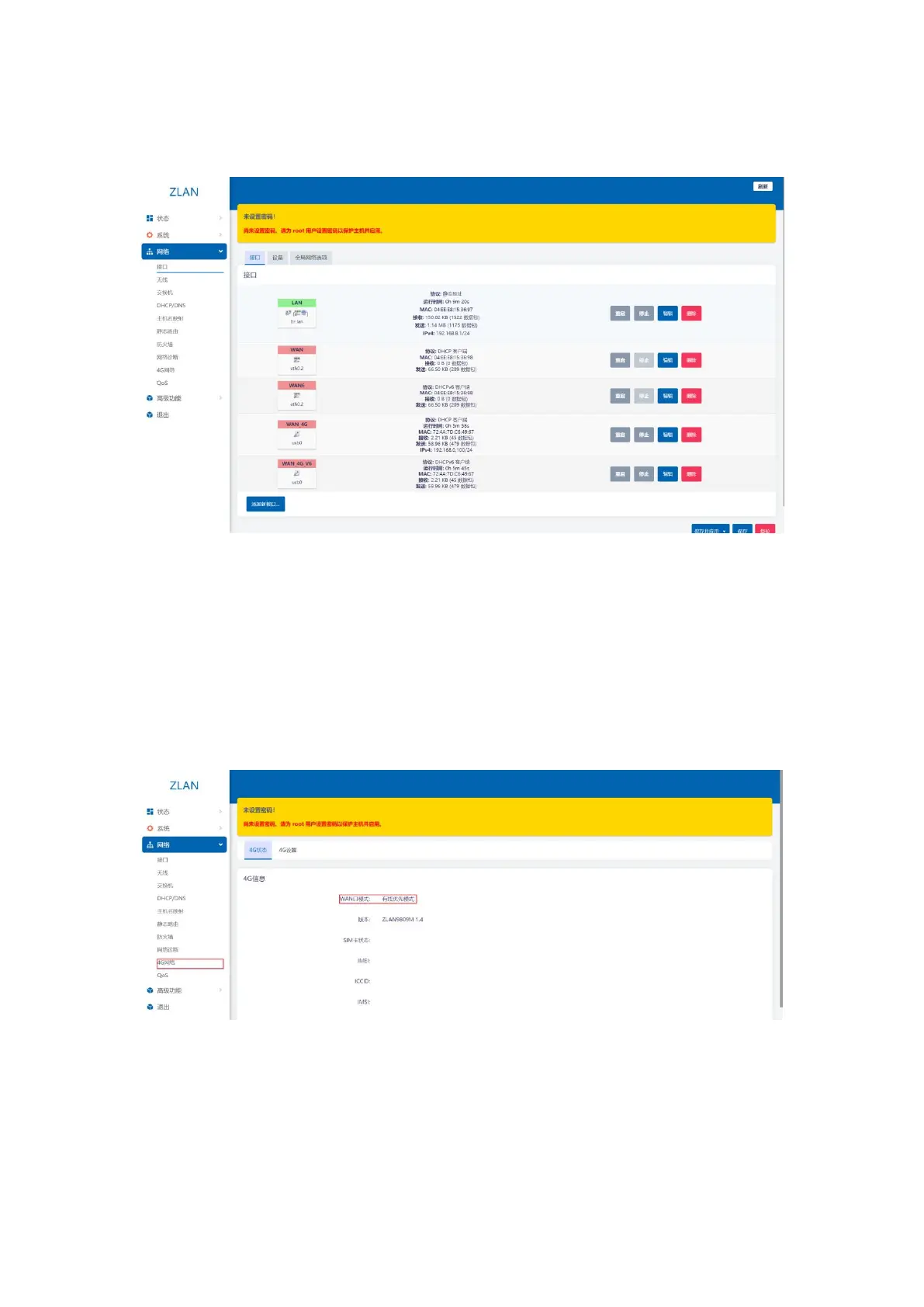
picture7Interface Page
3.2.Configuring Network Connections
Initial configuration: Click the menu bar on the left side of the web page: Network -> Interface, and you can see the interface page
shown in Figure 7. (Ctrl+mouse wheel to zoom in)
The default WAN port mode is wired priority mode, that is, the router WAN port accesses the Internet through a network cable.
You can view related parameters by clicking Network -> 4G Network.
picture8 4Gstate
3.2.1. WIFIRelay Mode
Click the menu bar on the left side of the page: Network -> Wireless, you can see the wireless overview. 9809M has a
7


 To Next Page