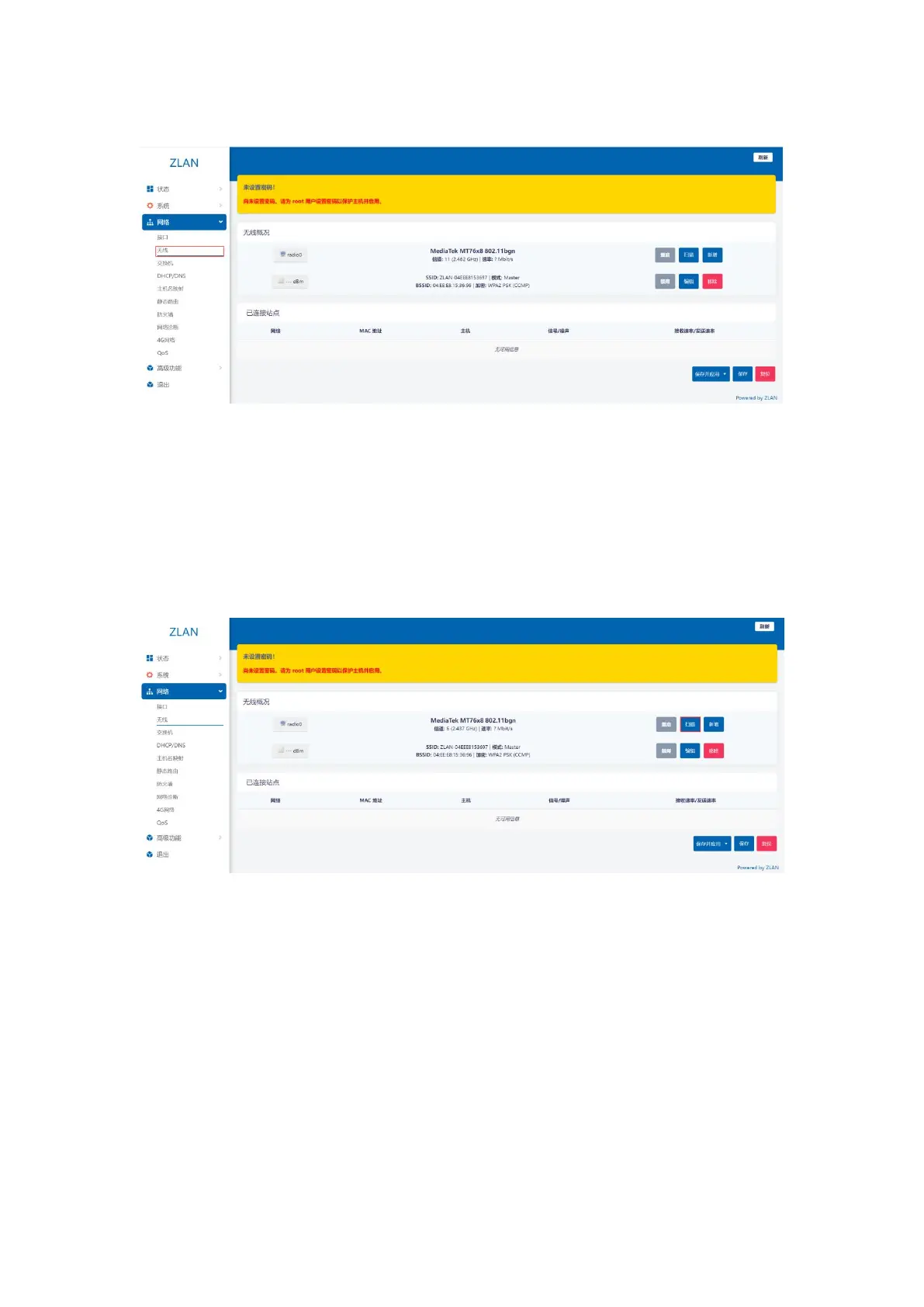
A 2.4G wireless network card.
picture9Wireless Overview
WIFI relay mode, that is, the 9809M router accesses the upper network through the upper WIFI, and your device accesses the
9809M router through wired or WiFi. Before setting, please ensure that the upper WiFi network can connect to the public network and
connect the WiFi antenna.
Step 1: Enter the web page, click the menu bar on the left: Network -> WIFI, and click the scan button on the right side of
the network card:
picture10Scan button
Step 2: On the page that opens, select the parent network you want to access and click Join Network.
8


 To Next Page