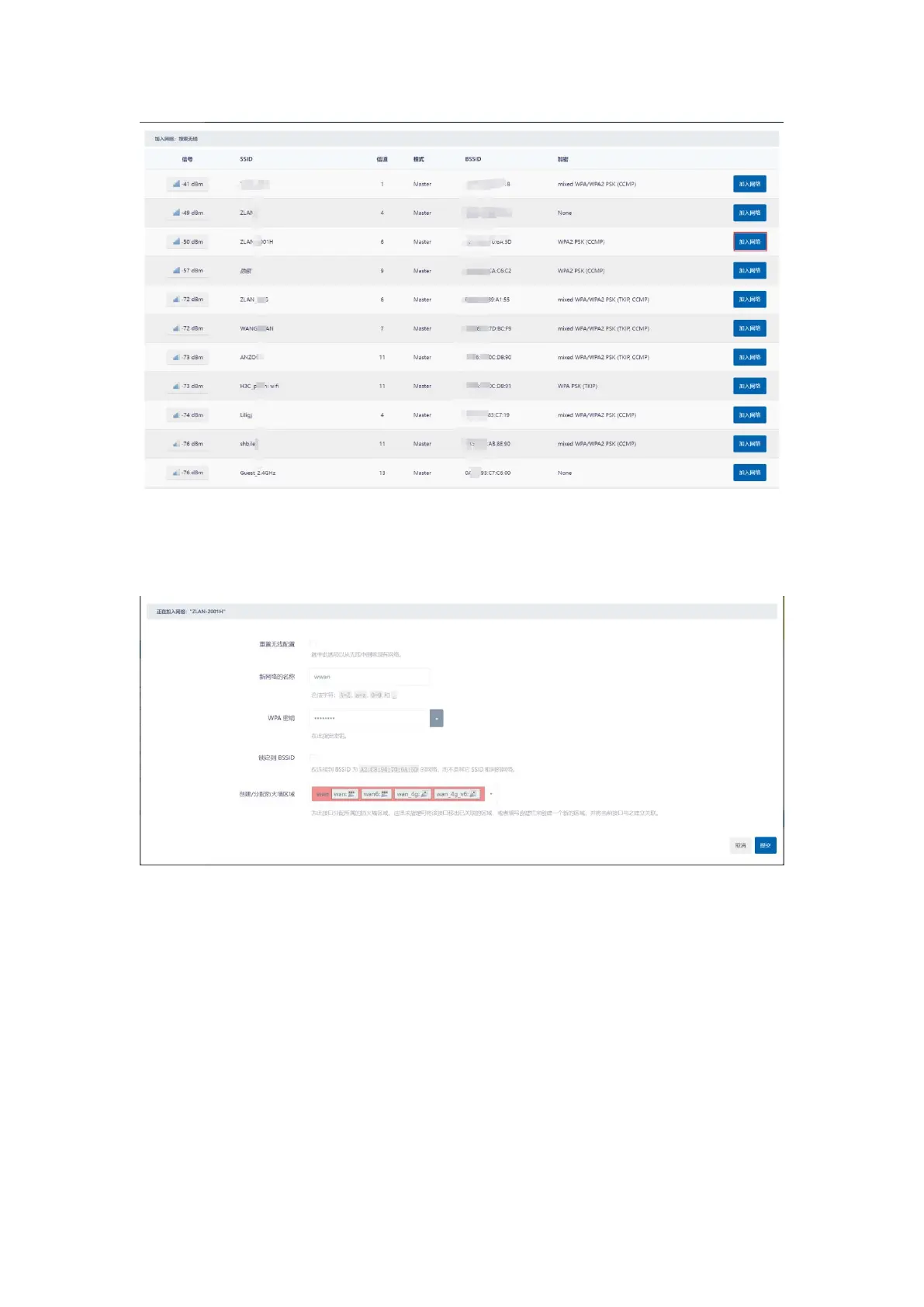
picture11Join the network
Step 3: Enter your parent network password on the page that opens). The default new network interface name is wwan,
you can modify it yourself, then click the Submit button in the lower right corner, and the second interface will pop up.
picture12Modify the network interface name
The second page has options such as operating frequency and transmission power. When the Wi-Fi version of the device to be
connected is older and does not support 802.11/N, you can change the operating frequency to Legacy. Under normal circumstances, you
do not need to set any parameters, just click Save.
9


 To Next Page