buon to access the user menu, the minutes start to ash.
• Use the
and buons to set the minutes, then press
buons to set the hours, then press
buon to return to the home screen.
“Summer” and “Winter” modes and seng the “Timers”
"Timer" programming is used to dene the device operang mes within the ltering system
operaon mes. The daily operang mes must be sucient to correctly treat the water. EiXpert has
default sengs of Timers 1 and 2. However they can be customised.
The EiXpert chlorinator can store 2 seasonal operang modes called by default "SMR" and "WIN".
The following sengs can be customised for each mode:
- the device operang mes, the "mers": T1 (Timer 1) and T2 (Timer 2)
- the required chlorine producon rate: 10 %, 20 %, 30 %,... up to 100 %.
STANDBY = Device operang status
T = “Timer” mode (always acve)
SMR = “Summer” operang mode
80 % = chlorine producon rate
14:25 = me in 24 h format
Mode selecon: “SUMMER” or “WINTER”
• Press
4 mes to set the clock. “SMR” starts to ash.
• Use the
buons to choose “SMR” or “WIN” mode, then press the
buon to return to
the home screen.
Programming the mers according to the modes
The mes of Timers 1 and 2 cannot overlap. In addion, the me range of Timer 1 necessarily precedes
that of Timer 2.
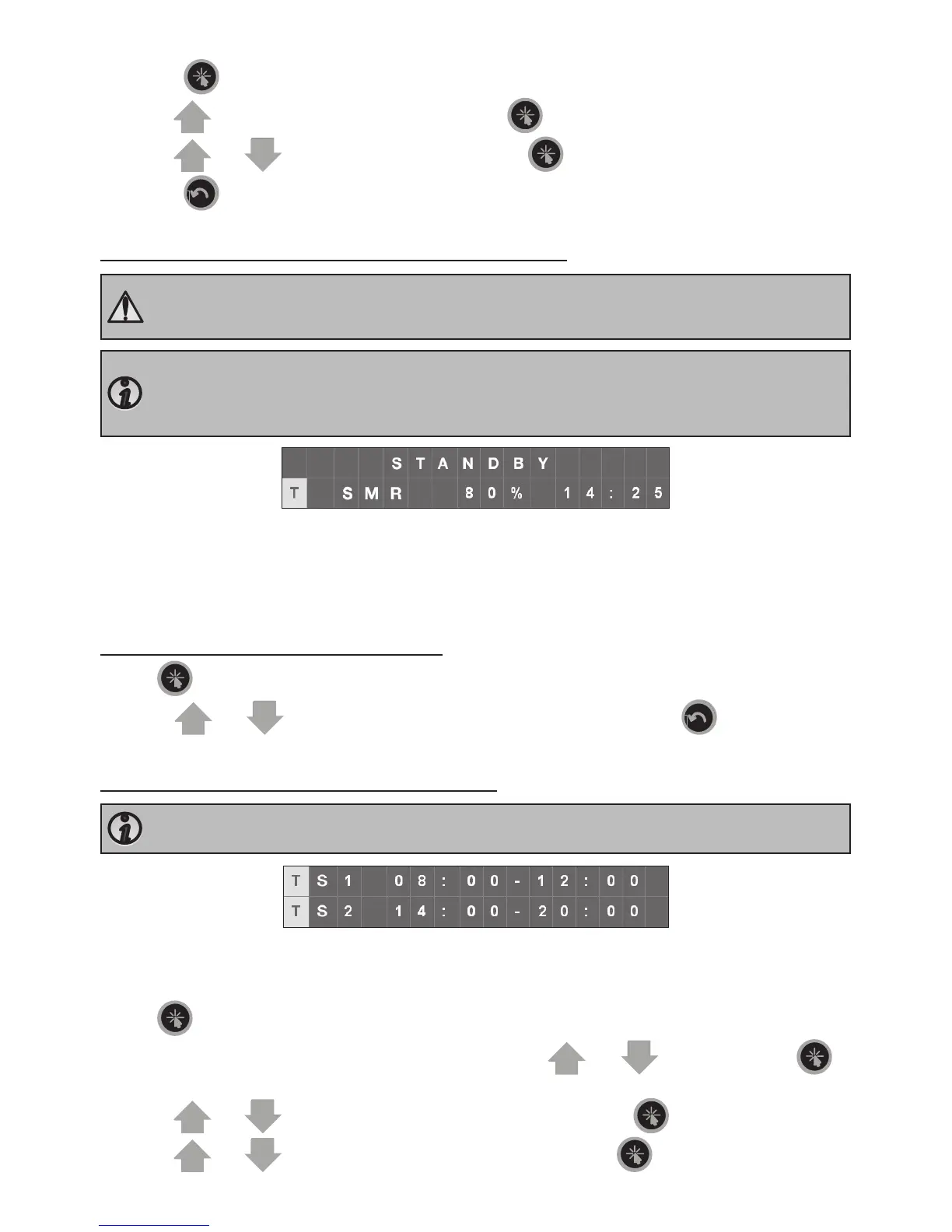
TS1 / TS2 = Timer in “summer” mode No. 1 / Timer in “summer” mode No. 2
08:00-12:00 = Operang me range of Timer No. 1
14:00-20:00 = Operang me range of Timer No. 2
• Press
4 mes to set the clock. “SMR” starts to ash.
• Select the mode to be customised “SMR” or “WIN” using the
to
store and move to the mer seng screen.
• Use the
buons to set the Timer 1 stop minutes, then press
buons to set the Timer 1 stop hours, then press














 To Next Page