• PPPoE - Choose this type if your ADSL connection uses PPPoE.
•
PPTP - The Point to Point Tunneling Protocol is more common in corporate
environments and most users will not use this setting.
•
L2TP - The Layer 2 Tunneling Protocol is more common in corporate
environments and most users will not use this setting.
•
3G Cellular Modem - Select this if you are using your 3G modem to connect
to the Internet. (If you are using the 3G modem as the backup to a
broadband modem, you'll need to use the Configuration Manager's Advanced
program to configure this setup. Please refer to 3G Failover on
The Basic
Setup Page on page 35.)
If you are using Static IP Address, Dynamic IP Address, PPPoE, PPTP, or L2TP
, then the
Ethernet port is the WAN port. Please check with your service provider before
changing the default setting and choosing an alternate.
If you accept the default setting (Cellular Modem), then the Ethernet port is the LAN
port.
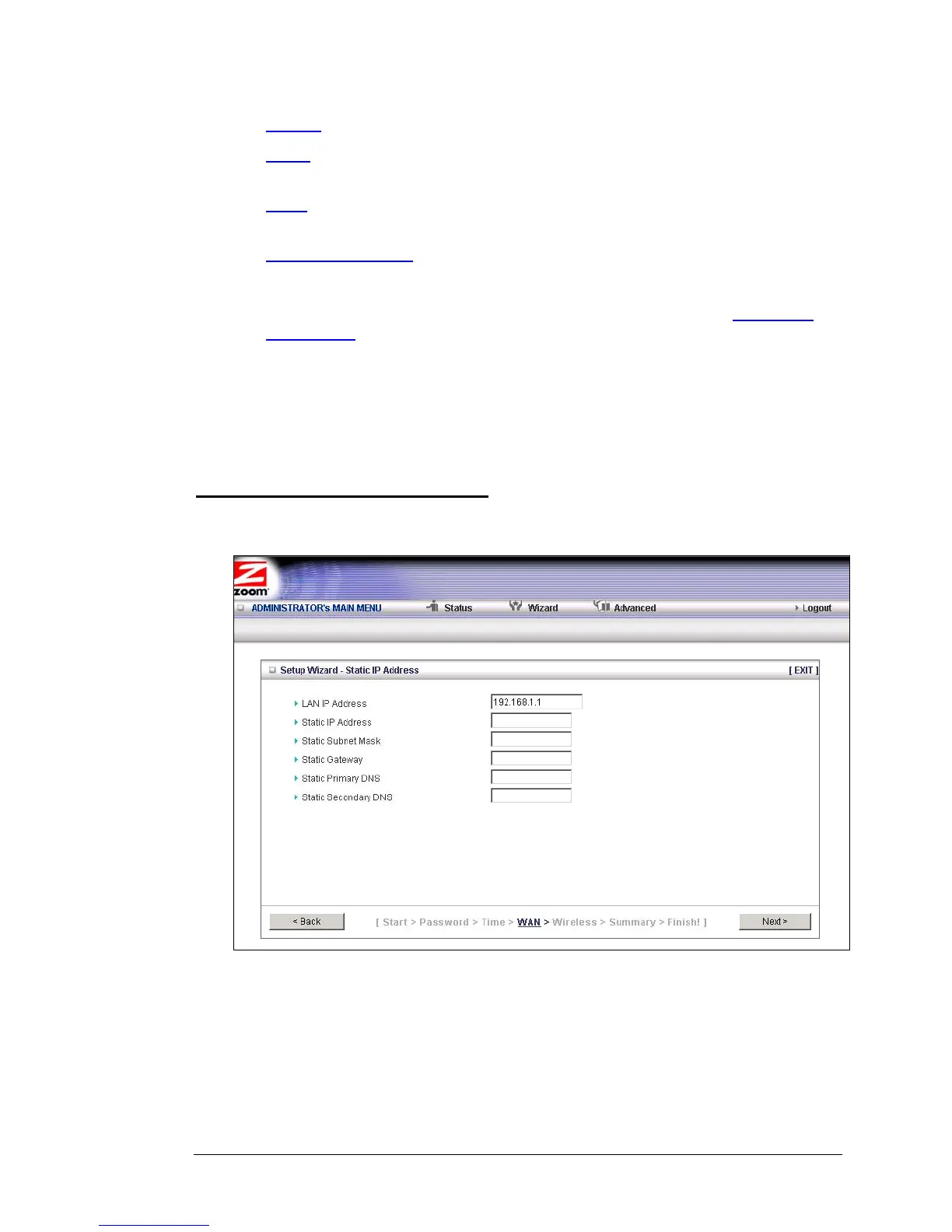
Configuring the Static IP Address
If your ISP uses Static IP addressing, select the Static IP Address button on the Select
WAN Type menu. The following page opens:
• LAN IP Address
This is the LAN IP Address of your router. Devices behind the router use this
address as their default gateway. Most users will not need to change this
address.
14 3G Wireless-N Router User Guide



 To Next Page