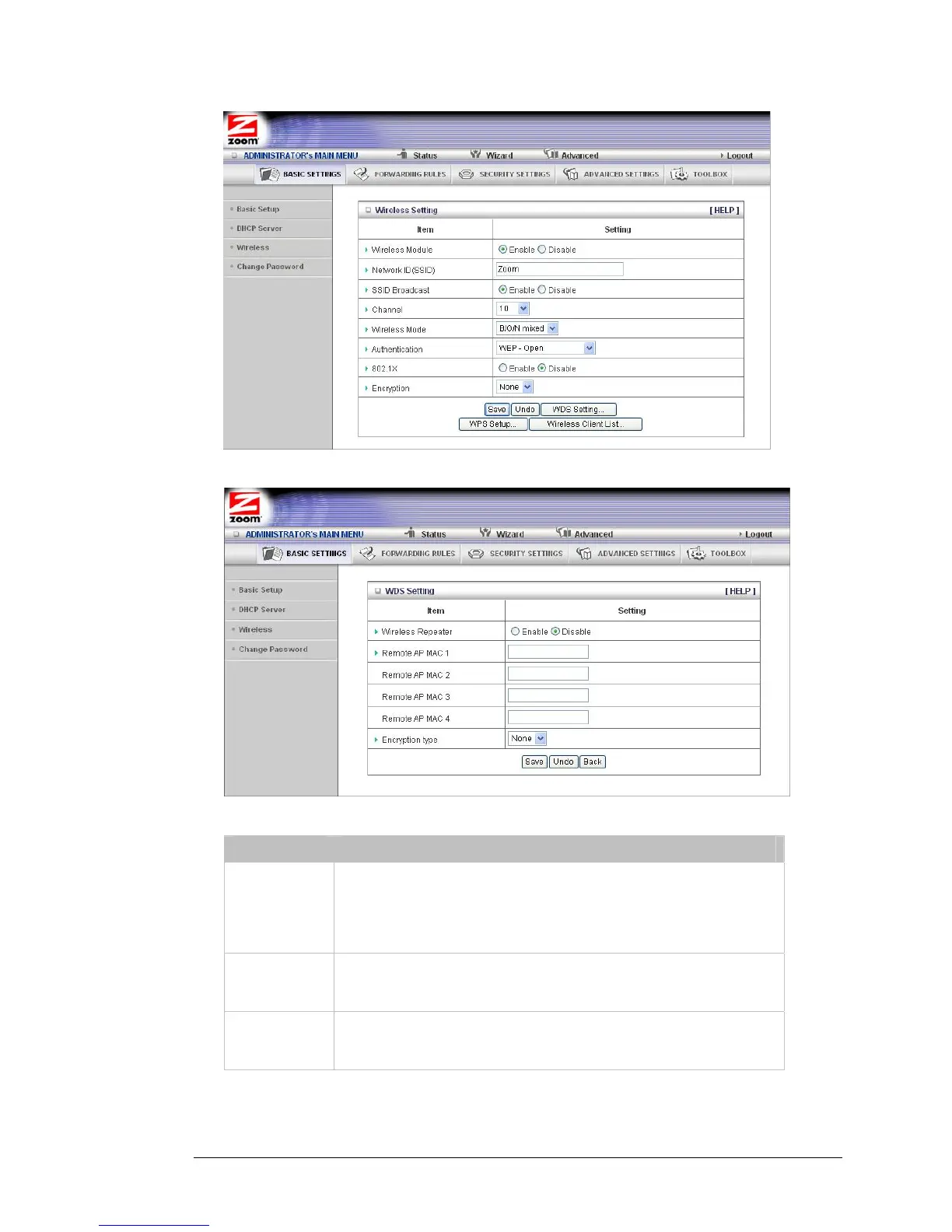
2 Click WDS Setting to open the WDS Setting page.
3 Select or enter values for the following fields:
Field Entry
Wireless
Repeater
To enable the wireless bridging feature, set the mode to Enable. The
default setting is Disable, which means that a wireless access point,
not wireless bridging, is available. When you enable wireless bridging,
both wireless bridging and wireless access points are available
simultaneously.
Remote AP
MAC 1
Refers to the MAC Address of the WDS-enabled Access Point (AP).
Enter the address in the field
. Only authorized APs can access this
router through the WDS feature to extend the WLAN coverage range.
Remote AP
MAC 2
Refers to the MAC Address of the WDS-enabled Access Point (AP).
Enter the address in the field
. Only authorized APs can access this
router through the WDS feature to extend the WLAN coverage range.
Chapter 4: Wireless and Wireless Security Setup 31



 To Next Page