TV signal when that cable is used with a working TV set-top box.) Here are
some ways you can get the live cable:
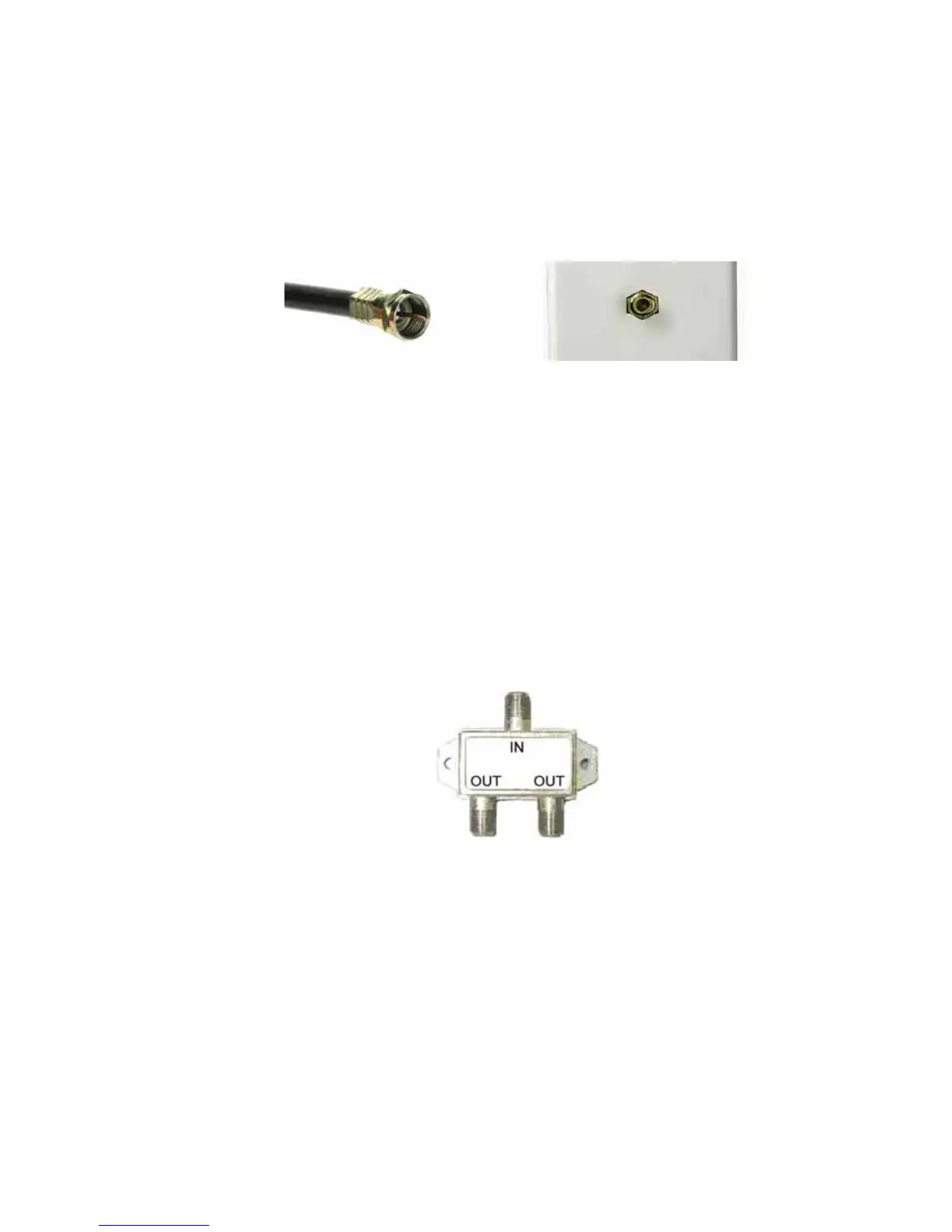
Coaxial Cable Cable TV Jack
¾ You have a cable TV cable (“coaxial cable”) with a male connector on the
end that isn’t connected to anything. This cable may be coming out of a
wall or connected to a cable TV jack.
¾ There’s a cable TV jack in your wall. You can connect a cable TV “coaxial
cable” between that jack and your cable modem. You may have a coaxial
cable, possibly one that came with a cable modem starter kit from your
cable service provider. If you don’t have a coaxial cable, you can get one
at most electronics stores. You want one with a screw-in male F
connector at each end, with a length that works for your installation.
¾ If you don’t have an available cable TV cable or wall jack, use a coaxial
“T adapter” or “splitter” available from most electronics retailers.
Make sure you get one designed for cable modems and/or cable TV.
These typically have one female IN jack and two female OUT jacks. You
can disconnect a live cable from your TV set-top box and screw it into the
IN jack of the splitter. Then connect one coaxial cable from an OUT jack
to your TV set-top box and another coaxial cable from the other OUT
jack to your cable modem. You can see that this approach uses one
splitter and 2 additional coaxial cables, each of which has male
connectors on each end. Some electronics retailers carry the Zoom
9



 To Next Page